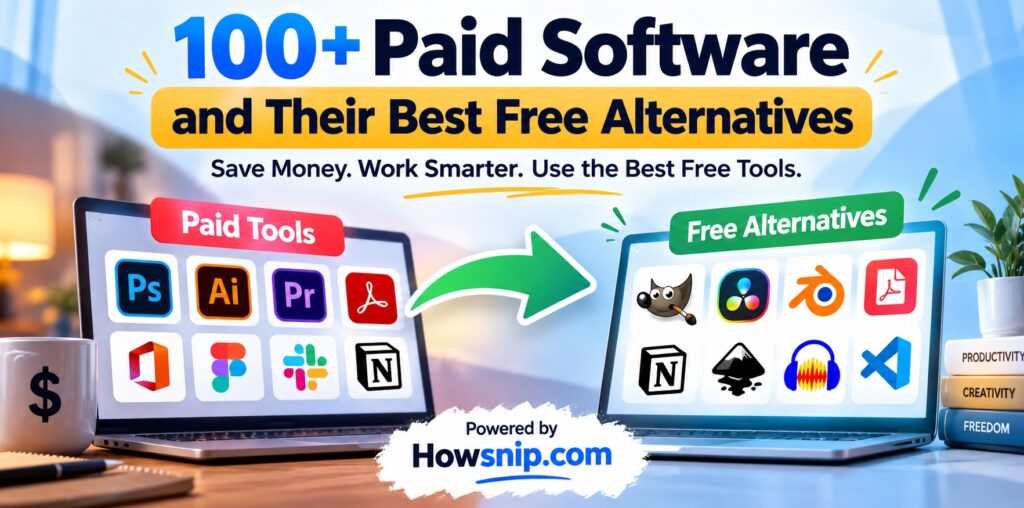

Why pay for expensive software when free alternatives can help you get the job done? Whether you need to edit photos, manage projects, improve your website’s SEO, create videos, or organize your daily work, there are plenty of free tools worth trying.
Many popular applications offer free versions, while others have open-source alternatives that provide powerful features without a subscription. Some even let you replace expensive software entirely, depending on your needs.
In this article, we have compiled 90+ free alternatives to popular paid software and online tools in 2026. You will find options for graphic design, video editing, productivity, cybersecurity, digital marketing, web development, AI, and much more.
The goal is simple: help you find the right tools, reduce unnecessary software expenses, and get more done without stretching your budget.
Table of Contents
- Best Free Alternatives to Password Managers and Security Tools
- Free Alternatives to Adobe Creative Cloud
- Free Alternatives to Video and Audio Editing Software
- Free Alternatives to SEO and Digital Marketing Tools
- Free Alternatives to Productivity and Project Management Software
- Free Alternatives to AI Tools and Developer Software
- Free Alternatives to Business and Office Software
- Free Alternatives to Entertainment and Learning Platforms
- Free Alternatives to Other Popular Paid Tools
- How to Choose the Best Free Alternative
1. Best Free Alternatives to Password Managers and Security Tools
Online security is essential, but you do not always need to pay for a premium application to protect your accounts or perform everyday security tasks. Here are some free alternatives worth considering.
| Paid Tool | Free Alternative(s) |
|---|---|
| 1Password | Bitwarden, KeePassXC, Proton Pass |
| LastPass Premium | Bitwarden, Proton Pass |
| ExpressVPN | Proton VPN Free |
| NordVPN | Proton VPN Free, Cloudflare 1.1.1.1 with WARP |
| McAfee Total Protection | Microsoft Defender |
| Norton 360 | Microsoft Defender, Malwarebytes Free |
Free VPNs and antivirus tools are not identical to premium security suites. Check their protection features, privacy policies, and limitations before choosing one.
2. Free Alternatives to Adobe Creative Cloud
Adobe applications are widely used by designers, photographers, video editors, and content creators. However, subscriptions can become expensive, especially if you only need a few features. These free alternatives can help you create professional-looking content without committing to a paid subscription.
| Paid Tool | Free Alternative(s) |
|---|---|
| Adobe Acrobat Pro | PDF24 Tools, Stirling PDF |
| Adobe After Effects | Blender, Natron |
| Adobe Audition | Audacity, ocenaudio |
| Adobe Fonts | Google Fonts |
| Adobe Illustrator | Inkscape, Vectorpea |
| Adobe InDesign | Scribus |
| Adobe Lightroom | darktable, RawTherapee |
| Adobe Photoshop | Photopea, GIMP, Krita |
| Adobe Premiere Pro | DaVinci Resolve, Kdenlive, Shotcut |
3. Free Alternatives to Video and Audio Editing Software
Creating videos, recording your screen, editing podcasts, and producing music do not necessarily require expensive software.
| Paid Tool | Free Alternative(s) |
|---|---|
| Ableton Live | Waveform Free, LMMS |
| Camtasia | OBS Studio, Shotcut |
| Cinema 4D | Blender |
| Final Cut Pro | DaVinci Resolve, iMovie |
| FL Studio | LMMS, Waveform Free |
| Logic Pro | GarageBand |
| Loom Business | Loom Starter, OBS Studio |
| Magnet | Rectangle |
| Snagit | ShareX, Greenshot, Shottr |
The best choice depends on your workflow. For example, a YouTube creator may find OBS Studio and DaVinci Resolve sufficient for recording and editing videos, while a music producer may prefer LMMS or GarageBand.
4. Free Alternatives to SEO and Digital Marketing Tools
SEO platforms help website owners research keywords, analyze backlinks, monitor rankings, and identify technical problems. Premium platforms can be expensive for bloggers, small businesses, and new website owners.
Fortunately, several free tools can help you get started.
| Paid Tool | Free Alternative(s) |
|---|---|
| Ahrefs | Ahrefs Webmaster Tools, Google Search Console |
| Semrush | Google Search Console, Ahrefs Webmaster Tools |
| Hootsuite | Buffer Free |
| Mailchimp Standard | Mailchimp Free, MailerLite Free, Brevo Free |
| Shutterstock | Unsplash, Pexels, Pixabay |
| Canva Pro | Canva Free, Adobe Express Free |
| Adobe Fonts | Google Fonts |
For a new website, starting with Google Search Console and a reliable analytics setup can provide useful insights before investing in premium SEO subscriptions.
5. Free Alternatives to Productivity and Project Management Software
From managing personal tasks to coordinating a team, productivity tools can make everyday work easier. Many paid applications have free plans, while open-source alternatives can offer greater control over your data.
| Paid Tool | Free Alternative(s) |
|---|---|
| Airtable Team | Airtable Free, NocoDB, Baserow |
| Alfred Powerpack | Raycast |
| Asana Starter | Asana Personal, ClickUp Free Forever |
| Calendly Standard | Calendly Free, Cal.com |
| Confluence Standard | Confluence Free, BookStack |
| Evernote Personal | Obsidian, Joplin, Simplenote |
| Figma Professional | Figma Starter, Penpot |
| Jira Standard | Jira Free, Plane |
| Microsoft Project | ProjectLibre, GanttProject |
| Miro Starter | Miro Free, Excalidraw, tldraw |
| Monday.com | ClickUp Free Forever, Trello Free |
| Notion Plus | Notion Free, Obsidian, AppFlowy, Anytype |
| Slack Pro | Slack Free, Discord, Element |
| Todoist Pro | Todoist Free, Microsoft To Do, TickTick Free |
| Toggl Track Starter | Toggl Track Free, Clockify |
| Tower | GitHub Desktop |
| Trello Premium | Trello Free |
Before selecting a tool for your team, check the free plan’s user limits, storage restrictions, automation features, and collaboration options.
6. Free Alternatives to AI Tools and Developer Software
AI assistants and developer tools can help with writing, coding, brainstorming, debugging, and building applications. You can access several useful options without paying for a premium subscription.
| Paid Tool | Free Alternative(s) |
|---|---|
| ChatGPT Plus | ChatGPT Free, Google Gemini, Claude Free |
| GitHub Copilot Pro | GitHub Copilot Free, Gemini Code Assist |
| Midjourney | Ideogram Free, Microsoft Designer |
| JetBrains IntelliJ IDEA Ultimate | Visual Studio Code, Eclipse IDE |
| Sublime Text | Visual Studio Code |
| Postman Professional | Postman Free, Bruno, Hoppscotch |
| Zapier Professional | Zapier Free, n8n, Make Free |
Keep in mind that free AI tools may impose usage limits, restrict advanced models, or require paid access for certain features.
7. Free Alternatives to Business and Office Software
Small businesses, freelancers, and students often need tools for documents, spreadsheets, accounting, customer management, and communication. These options can help reduce software expenses.
| Paid Tool | Free Alternative(s) |
|---|---|
| Microsoft 365 | Google Docs, Sheets and Slides, LibreOffice, ONLYOFFICE Desktop Editors |
| Power BI Pro | Power BI Desktop, Looker Studio |
| QuickBooks Online | Wave, GnuCash |
| Salesforce Sales Cloud | HubSpot Free CRM, Zoho CRM Free |
| DocuSign | DocuSeal, Documenso |
| Zendesk | Freshdesk Free |
| Intercom | Crisp Free, tawk.to |
| SurveyMonkey | Google Forms, Microsoft Forms |
| Typeform | Tally, Google Forms |
| Calendly Standard | Calendly Free, Cal.com |
8. Free Alternatives to Entertainment and Learning Platforms
You can also save money on learning resources, reading, music, and streaming entertainment.
| Paid Tool | Free Alternative(s) |
|---|---|
| Audible | Libby, LibriVox |
| Coursera Plus | Khan Academy, freeCodeCamp |
| Duolingo Super | Duolingo Free |
| Headspace | Insight Timer, Medito |
| Kindle Unlimited | Libby, Project Gutenberg |
| Netflix | Tubi, Pluto TV |
| Rosetta Stone | Duolingo |
| Spotify Premium | Spotify Free, YouTube Music Free |
| Udemy | freeCodeCamp, The Odin Project |
For entertainment, Tubi and Pluto TV offer ad-supported content in supported regions. Free music plans from Spotify and YouTube Music may include advertisements and playback restrictions.
Availability varies by country, so check whether a service operates in your region before relying on it.
9. Free Alternatives to Other Popular Paid Tools
The following tools cover web hosting, website building, 3D design, remote access, diagrams, file compression, and several other everyday needs.
| Paid Tool | Free Alternative(s) |
|---|---|
| AutoCAD | FreeCAD, LibreCAD |
| Autodesk Maya | Blender |
| Bartender | Ice |
| Dropbox Plus | Google Drive, MEGA, Syncthing |
| Heroku | Vercel Hobby, Netlify Free |
| Microsoft Visio | draw\.io, Excalidraw |
| Parallels Desktop | UTM, VirtualBox |
| Sketch | Penpot, Figma Starter |
| SketchUp Pro | SketchUp Free, FreeCAD |
| Squarespace | Google Sites, Carrd |
| TeamViewer | Chrome Remote Desktop, RustDesk |
| WinRAR | 7-Zip, PeaZip |
| Wix Premium | Wix Free, Google Sites, Carrd |
| Zoom Pro | Google Meet, Jitsi Meet, Microsoft Teams Free |
| Font Awesome Pro | Lucide, Font Awesome Free |
10. How to Choose the Best Free Alternative
Not every free application is a complete replacement for its paid counterpart. The right choice depends on what you need to accomplish.
Here are five things to consider before switching.
1. Identify the features you actually use
Make a list of the features you use regularly in your paid application. If you only need basic photo editing, for example, a free editor may be enough. If you rely on advanced enterprise workflows, a free alternative might not meet all your requirements.
2. Check the free plan’s limitations
Some services limit storage, monthly usage, projects, users, exports, or access to advanced features. Read the current plan details before migrating your work.
3. Consider open-source software
Open-source applications such as Blender, GIMP, Inkscape, LibreOffice, and Audacity can be particularly attractive because they offer substantial functionality without requiring a recurring software subscription.
However, open-source does not automatically mean that every related service, hosting option, or add-on is free.
4. Check compatibility and data portability
Before switching tools, confirm that the new application supports your existing files, projects, and workflows.
For example, a design tool may import common file formats but still handle fonts, effects, layers, or complex layouts differently. Always test important files before making a permanent change.
5. Evaluate privacy and security
For business documents, passwords, customer data, and confidential projects, review the provider’s privacy policy, security controls, data storage arrangements, and account recovery options.
A free tool is only a good choice if it meets your practical and security requirements.
Frequently Asked Questions (FAQs)
Are free alternatives as good as paid software?
Some free tools offer features comparable to paid applications, especially for common tasks. Others provide only basic functionality or have limits on storage, collaboration, support, or advanced features. The best choice depends on your requirements.
What is the best way to save money on software?
Start by reviewing your active subscriptions and identifying tools you rarely use. Try suitable free alternatives, test your existing workflows, and cancel paid subscriptions only after confirming that the replacement meets your needs.
Are open-source tools completely free?
Open-source software is generally available under licenses that allow users to access and use its source code under specified conditions. However, commercial support, cloud hosting, managed services, or optional add-ons may cost money.
Can I use free software for commercial purposes?
Many free tools allow commercial use, but the rules vary. Review the software license, terms of service, and any restrictions on assets, templates, fonts, or generated content before using them for commercial projects.
Do free versions have hidden costs?
Free versions may include advertisements, usage limits, paid upgrades, or restrictions on certain features. Some tools also offer optional cloud storage, premium support, or additional integrations for a fee.
Which free tools are best for students?
Students can explore LibreOffice, Google Docs, GIMP, Blender, OBS Studio, freeCodeCamp, Khan Academy, and Visual Studio Code. These tools cover office work, creative projects, programming, screen recording, and learning.
Final Thoughts
You do not need a premium subscription for every task. From password managers and graphic design software to AI assistants, SEO platforms, and project management tools, there are many free options worth exploring.
Start with the tools that solve your most immediate problems. Test their features, understand their limitations, and compare them with your current software before deciding whether to switch.
The best free alternative is the one that meets your needs, protects your data, and helps you get your work done without unnecessary expenses.
Bookmark this article on Howsnip.com so you can revisit it whenever you need a free alternative to a paid application. As free plans and software features change, it is worth checking the official websites for the latest details.