

File Read vulnerabilities are common in Capture the Flag (CTF) challenges and security labs. They usually appear when an application allows a user to control part or all of a filename without properly restricting which files can be accessed.
In a typical challenge, the goal is not simply to read any file. The interesting part is figuring out where useful information is stored. That might be a flag, an application configuration file, a username, a service configuration, or information about the environment.
This article covers some common paths and locations that are useful to understand when working on authorized CTF challenges and security labs.
1. Looking for a Flag with Relative Paths
One of the first things CTF players often need to determine is the location and name of the flag file. The exact location depends entirely on the challenge. A flag may have a familiar name such as `flag`, `flag.txt`, `flag.php`, `flag.py`, or another extension.
If the application appears to read files relative to its current working directory, players may investigate different directory levels and known directories.
Common patterns include:
- .. /.. /.. /.. /flag
- .. /.. /.. /.. /flag.txt
- .. /.. /.. /.. /flag.php
- .. /.. /.. /.. /flag.py
- .. /.. /.. /.. /flag.pyc
If a directory is already known from the challenge, it can also become a useful starting point:
- [known-directory]/flag
- [known-directory]/flag.txt
- [known-directory]/flag.php
- [known-directory]/flag.py
Other locations that sometimes appear in intentionally vulnerable CTF environments include:
- /etc/flag
- /tmp/flag
- /root/flag
- /home/flag
- /home/[known-user]/flag
The important lesson is not to blindly try every possible path. Instead, use clues from the challenge. Error messages, application behavior, source code, directory names, usernames, and configuration files can all help you build a more informed hypothesis.
A relative path is interpreted from a particular directory. If an application expects something like files/report.txt but does not properly validate the filename, a vulnerable implementation may allow the requested path to move outside the intended directory.
This behavior is commonly associated with path traversal or directory traversal. In a CTF, understanding the application’s starting directory is often more valuable than simply guessing long sequences of `.. /`.
2. Learning About the Server with Absolute Paths
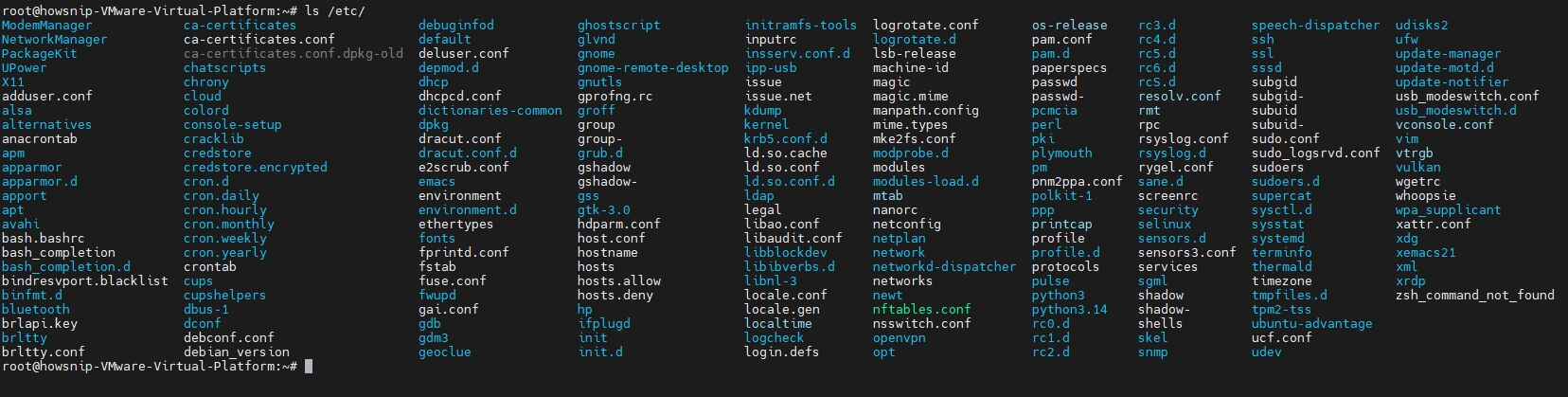
Once a file-read weakness has been identified in a CTF environment, system files can sometimes provide useful information about the machine. Linux systems have several predictable locations that are particularly interesting for learning about the environment.
`/etc` — Configuration Information
The `/etc` directory contains configuration files for the operating system and many installed services. Because configuration files often reveal how an application or service is configured, `/etc` is an important directory to understand. Depending on the challenge, useful information may include:
- Service configuration
- User information
- Web-server configuration
- Scheduled jobs
- Hostnames
- Environment settings
- Database configuration
- Security policies
Not every file will be readable, and modern systems generally restrict access to sensitive information.
`/ etc /passwd` — Basic User Information
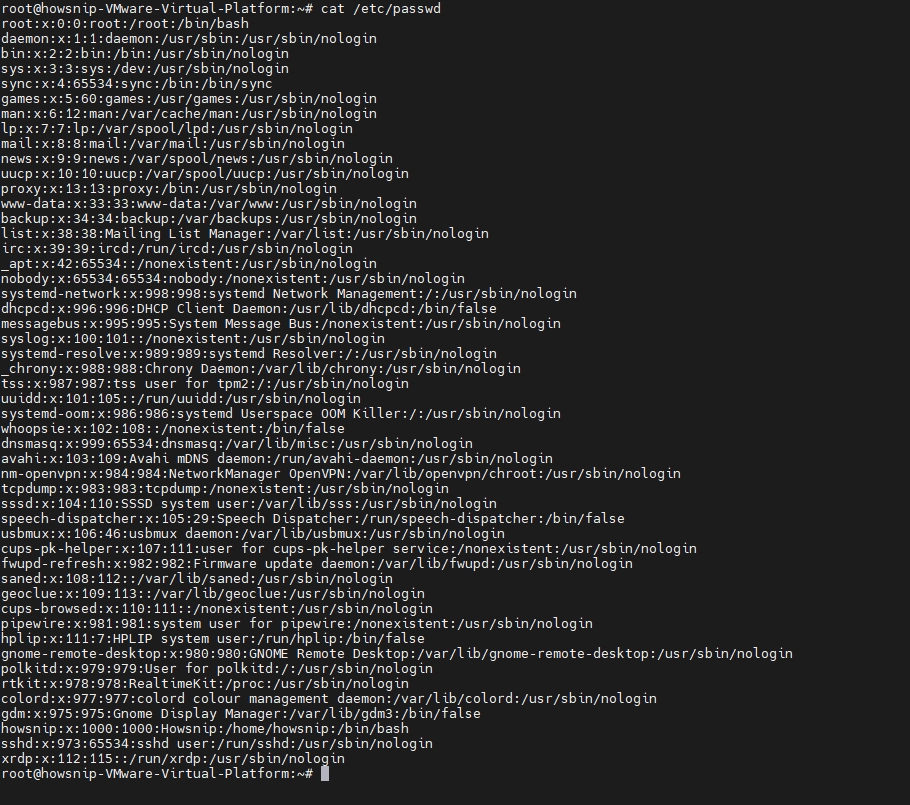
`/ etc /passwd` is one of the most commonly discussed Linux files when studying file-read vulnerabilities. It contains information about local user accounts, including usernames and account metadata. A typical entry looks conceptually like:
username:x:UID:GID:comment:home-directory:shell
From a CTF perspective, this can help answer questions such as:
- Which users exist?
- What are their home directories?
- Which account appears to run an application?
- Is there a custom user associated with the challenge?
For this reason, `/ etc /passwd` is often used as a simple test for whether a file-read vulnerability can access files outside the application’s intended directory.
`/ etc /shadow` — A More Restricted File
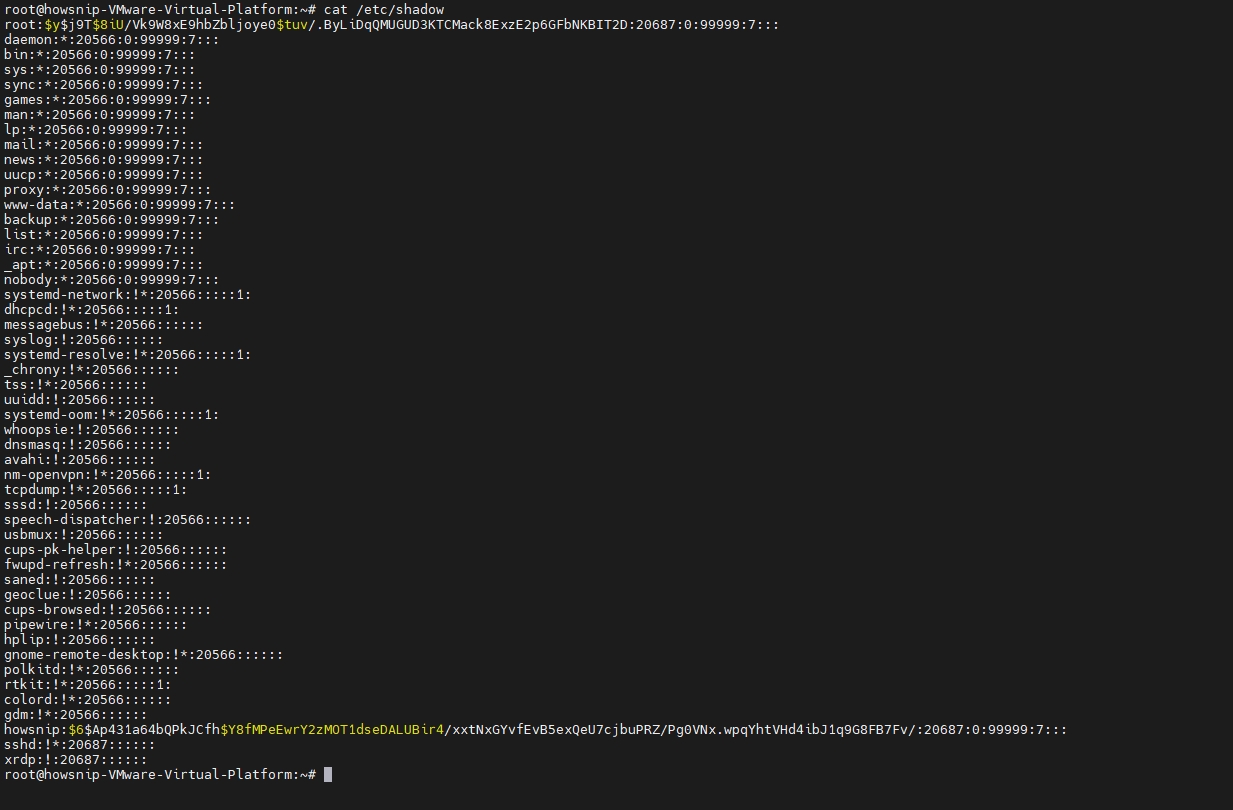
`/ etc /shadow` contains sensitive authentication information, including password hashes on many Linux systems. Unlike `/ etc /passwd`, it is normally protected and should not be readable by ordinary users. Therefore, in a CTF, an attempt to access it may simply result in a permission error.
`/ etc /apache2/`
On systems using Apache, configuration files may contain information about:
- Virtual hosts
- Document roots
- Enabled modules
- Directory configuration
- Listening ports
- Included configuration files
For CTF challenges, this information can sometimes help identify the actual location of an application’s files.
`/ etc /nginx/`
Nginx installations commonly keep their configuration under /etc /nginx/
Configuration may reveal:
- Website roots
- Proxy destinations
- Internal services
- Listening ports
- Included configuration files
Again, the value comes from understanding the challenge environment rather than simply reading files at random.
`/ etc /apparmor.d/`
AppArmor configurations can describe security policies applied to applications. In a controlled CTF environment, these policies may provide clues about:
- Which files an application can access
- Which operations are restricted
- Which services have special security rules
This can be particularly useful when a challenge includes an additional security layer that prevents an otherwise expected technique from working.
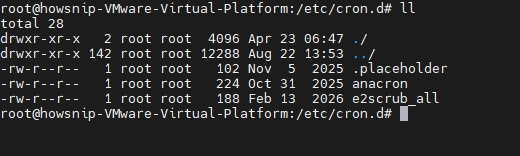
`/ etc /crontab` and `/ etc /cron.d/`
Cron is commonly used to execute commands automatically at scheduled times. CTF authors sometimes use scheduled tasks as part of a challenge, so cron configuration can reveal interesting information such as:
- Scripts that run periodically
- Locations of application files
- Maintenance commands
- Challenge-specific directories
When examining these files, pay attention to the commands and paths, rather than assuming that every scheduled task is relevant.
Several small files under `/ etc` can provide useful environmental clues.
`/ etc / environment`
This file can contain system-wide environment variables. Depending on the challenge configuration, it may reveal useful directory information or configuration values. Environment variables can sometimes contain application-specific information, although sensitive values should not normally be exposed this way.

`/ etc / hostname`
This file normally contains the system’s hostname. It can help confirm which machine or container the application is running on.
`/ etc / hosts`
The hosts file provides local hostname-to-address mappings. In a CTF environment, it may reveal:
- Internal hostnames
- Private IP addresses
- Names of internal services
- Relationships between application components
This can be especially useful when the challenge involves multiple services.
`/ etc/ issue`
This file can contain information displayed when a user connects to a Linux system, and may provide clues about the operating-system environment. Depending on the challenge, application configuration can be just as valuable as operating-system files.
`/ etc/ mysql/`
MySQL-related configuration files can reveal details about how the database service is configured. The exact files vary between distributions and installations.
`/ etc/ php/`
PHP configuration directories may contain information about the installed PHP environment and enabled configuration. When a CTF application is written in PHP, understanding its PHP configuration can help explain why certain file-reading behavior occurs.
3. The `/ proc` Filesystem
One of the most interesting parts of Linux for CTF players is `/proc`. Unlike a normal directory containing ordinary files, `/ proc` is a virtual filesystem that exposes information about running processes and the Linux kernel.
It can therefore provide information that is not available from the application’s normal directory structure. A process is normally identified by a PID, or process ID.
For example:
/ proc/ [pid]/
Linux also provides a particularly useful process reference:
/ proc/ self/
`self` refers to the process making the request. This can be useful when the current application’s PID is unknown.
`/ proc/ [pid]/ cmdline`
The `cmdline` file contains information about how a process was started. For example, it can help identify:
- The executable being used
- Startup arguments
- Service parameters
- Which program is actually running
In poorly configured environments, command-line arguments can sometimes contain configuration information that should not have been exposed. This is also why sensitive credentials should never be placed directly into process arguments.
`/ proc/ [pid]/ cwd`
The `cwd` entry points to the current working directory of a process. This is particularly interesting when the application’s filesystem location is unknown. Instead of guessing where an application was started, process information may provide a clue about its working directory.
For the current process, the corresponding concept is:
/ proc/ self/ cwd/
Understanding `cwd` can make relative-path behavior much easier to reason about.
`/ proc/ [pid]/ environ`
The `environ` entry exposes environment variables associated with a process. Environment variables can contain things such as:
- Application settings
- Paths
- Service configuration
- Runtime options
Poorly designed applications may also place secrets in environment variables. In a CTF, this can become an intentional clue. In real-world systems, however, exposing process environments through a file-read vulnerability can have serious security consequences.
`/ proc/ self/ exe`
The `exe` entry points to the executable associated with a process. In some challenge environments, directly accessing an application’s executable may not work as expected. `/proc/self/exe` provides another way to understand what executable is associated with the current process.
Whether this is readable and useful depends on the operating system, permissions, process type, and challenge setup.
`/ proc/ [pid]/ fd/`
The `fd` directory contains references to file descriptors opened by a process. For example, common descriptors include:
- / proc /[pid] /fd/0
- / proc /[pid] /fd/1
- / proc /[pid] /fd/2
These generally correspond to standard input, standard output, and standard error. Other descriptors may point to files, sockets, pipes, or other resources. This makes the directory useful when investigating what resources a process currently has open.
`/ proc/ [pid]/ maps`
The `maps` file describes memory mappings belonging to a process. It can provide information about:
- Loaded libraries
- Executable mappings
- Memory regions
- Shared objects
In advanced CTF challenges, this information may help players understand the application’s runtime environment.
`/ proc/ [pid]/ mounts` and `/ proc/ [pid]/ mountinfo`
Containerized applications are increasingly common in CTF competitions. Mount information can reveal how filesystems are arranged inside the environment.
For example, it may help identify:
- Mounted filesystems
- Container-related paths
- Host-mounted resources
- Temporary filesystems
This is one reason `/proc` is particularly valuable when a challenge is running inside Docker or another container environment.
`/ proc/ [pid]/ net/`
The process network information exposed under `/ proc` can provide clues about network activity. Depending on the available files and permissions, it may help identify:
- Listening ports
- Network connections
- Interfaces
- Other network-related information
In a CTF, this can help build a clearer picture of how different services communicate.
4. Other Useful Locations
The interesting files are not limited to `/ etc` and `/ proc`.
Nginx Installed in a Custom Location
Not every Nginx installation uses the standard distribution paths. For example, a source-based installation might use a path such as:
/usr /local /nginx /conf/
This is a good reminder that paths are environment-dependent. A challenge may deliberately use a non-standard installation directory.
Web Application Logs
Log files are commonly stored under:
/var /log/
Apache installations may, for example, maintain logs under:
/var /log /apache2/
Logs can contain useful information such as:
- Requested URLs
- Client addresses
- HTTP methods
- Error messages
- Application behavior
In CTF environments, logs may even contain clues deliberately left behind by the challenge author. However, in a real production environment, logs frequently contain sensitive information and should be protected accordingly.
Apache’s Default Web Root
A common Apache document root on Debian/Ubuntu-style installations is:
/var /www /html/
If a challenge involves a web application and this directory is accessible, it may help explain where the application’s public files are stored. Remember that the actual document root may be different if the server uses virtual hosts or custom configuration.
PHP Session Files
PHP applications can store session information on disk. A commonly encountered location is:
/var /lib /php /sessions/
The exact path depends on the operating system and PHP configuration. If session files are readable in a deliberately vulnerable CTF environment, they may provide clues about application state or users.
User Home Directories
Once a valid username is known, the corresponding home directory can become an important area to understand. For example:
/home /[known-user]/
Potentially interesting files include:
`.bash_history`
/home /[known-user]/ .bash_history
This can contain a user’s shell command history.
`.bashrc`
/home /[known-user]/ .bashrc
This contains shell initialization settings and may reveal aliases, paths, or environment-related configuration.
`.ssh/`
SSH-related files may exist under:
/home /[known-user]/ .ssh/
For security reasons, private keys should always be strongly protected. In intentionally vulnerable CTF environments, however, challenge authors may place clues in this area.
`.viminfo`
/home /[known-user]/ .viminfo
Vim can store information about editing activity in this file. In a challenge, it may occasionally provide useful hints about files that were previously edited.
A Practical Way to Approach File-Read Challenges
A common mistake is to treat file-read vulnerabilities as a guessing game. A better approach is to work systematically.
Step 1: Understand the Application
First determine what the application appears to be doing.
Ask:
- Which parameter controls the filename?
- Is the application expecting a relative path?
- Does it return the complete file?
- Does it display errors?
- Is the application running PHP, Python, Java, or another technology?
Step 2: Establish That File Reading Works
In a CTF, use a harmless, known file where appropriate to understand the behavior. The goal is to determine whether the application is actually reading files from the filesystem.
Step 3: Identify the Starting Directory
Relative paths only make sense when you know where the application starts. Application configuration, error messages, server configuration, or process information may provide useful clues.
Step 4: Learn About the Environment
Once the basic behavior is understood, look for information that helps identify:
- Operating system
- Users
- Application directories
- Web-server configuration
- Running services
- Containerization
Step 5: Follow the Evidence
- If you discover a username, investigate the corresponding home directory.
- If you discover a web root, examine the application structure.
- If you discover a configuration path, use that information to understand the service.
The objective is to reduce uncertainty, not generate thousands of random requests.
Final Thoughts
File Read vulnerabilities reward reconnaissance and logical thinking more than random guessing. Common locations such as `/etc /passwd`, web-server configuration directories, `/var /log`, user home directories, and `/ proc` are worth understanding because they can reveal how a Linux system and its applications are organized.
For CTF competitions, the most important skill is learning to connect these clues. Instead of repeatedly guessing filenames, use each successful read to build a better picture of the environment. That approach is faster, more reliable, and much closer to how professional security researchers investigate a file-read vulnerability in an authorized lab.