

DNS enumeration is the process of gathering information about a target domain’s DNS infrastructure. It helps identify records such as IP addresses, mail servers, authoritative name servers, and sometimes additional information exposed through misconfigurations.
In this tutorial, you’ll learn how to perform DNS enumeration using common tools such as nslookup, host, Nmap, DNSenum, DNSmap, DNSRecon, Fierce, and HostMap. The steps are explained in a practical and beginner-friendly way while remaining useful for experienced users.
Note: Only perform DNS enumeration against systems and domains you own or have explicit permission to test.
Prerequisites
Before getting started, ensure you have:
- A Linux, macOS, or Windows system with networking tools installed.
- Access to a terminal or command prompt.
- Permission to assess the target domain.
- DNS enumeration tools installed if you plan to use DNSenum, DNSmap, DNSRecon, Fierce, or HostMap.
A screenshot showing the terminal environment and installed tools would be useful here.
1. Resolve a Domain Name to an IP Address
The simplest DNS lookup is resolving a hostname into its corresponding IP address.
nslookup example.com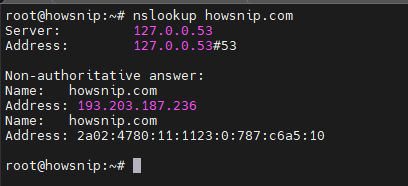
This command queries DNS servers and returns the IP address associated with the specified domain. It is often the first step in DNS reconnaissance because it confirms that the domain resolves correctly.
2. Perform a Reverse DNS Lookup
A reverse DNS lookup identifies the hostname associated with an IP address.
nslookup -type=PTR IP_address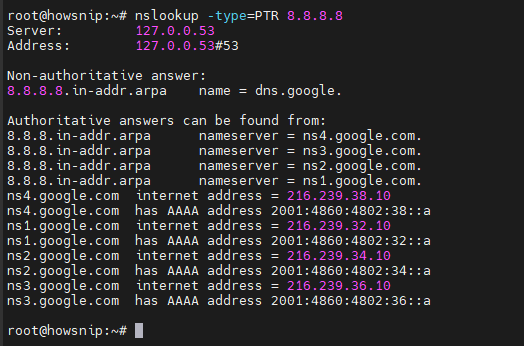
The PTR record lookup checks whether an IP address has a reverse DNS entry configured. This can help identify the system or domain assigned to a specific IP.
3. Retrieve Mail Exchange (MX) Records
MX records identify the mail servers responsible for handling a domain’s email.
nslookup -type=MX domain.com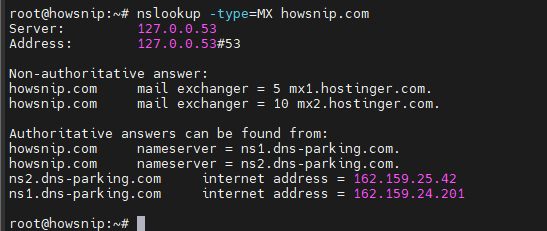
This command queries DNS for mail exchange records and displays the mail servers configured for the domain.
4. Retrieve Name Server (NS) Records
NS records identify the authoritative name servers responsible for a domain.
nslookup -type=NS example.com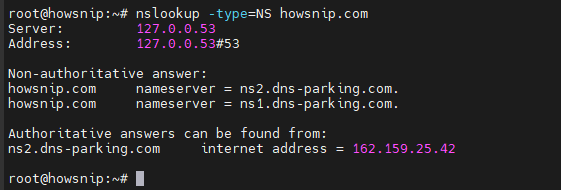
This query returns the DNS servers that manage the domain’s DNS records.
5. Attempt a DNS Zone Transfer
A zone transfer can reveal a large amount of DNS information if a DNS server is improperly configured.
Warning: Most properly secured DNS servers block unauthorized zone transfers.
Using Nslookup
nslookup

server domain.com
ls -d domain.com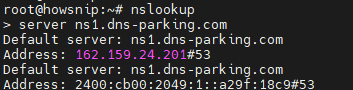
What This Does
- Starts the interactive nslookup shell.
- Sets the DNS server to query.
- Requests a zone transfer using ls -d.
If successful, the DNS server may return DNS records associated with the target domain.
6. Enumerate DNS Records with the Host Command
The host utility provides another way to gather DNS information.
a) Find Name Servers
host -t ns domain.comThe -t ns option requests the domain’s authoritative name server records.

b) Test a Zone Transfer Against a Name Server
After identifying a name server, test whether it allows zone transfers.
host -l domain.com ns2.domain.com
The -l option attempts a zone transfer from the specified name server.
7. Perform DNS Enumeration with Nmap
Nmap can use a specified DNS server when scanning a target range.
nmap -F --dns-server <dns_server_ip> <target_ip_range>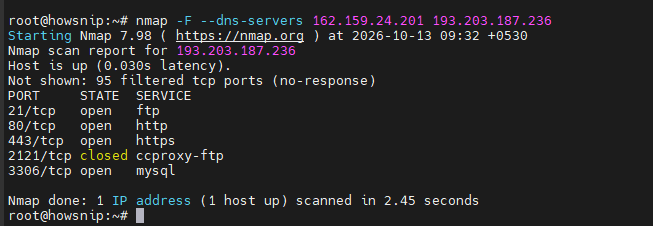
What This Does
- -F performs a fast scan.
- –dns-server specifies which DNS server Nmap should use.
- The target range defines the hosts to be scanned.
8. Automate Enumeration with DNSenum
DNSenum is a DNS reconnaissance tool that automates several enumeration tasks.
a) Basic Scan
dnsenum targetdomain.com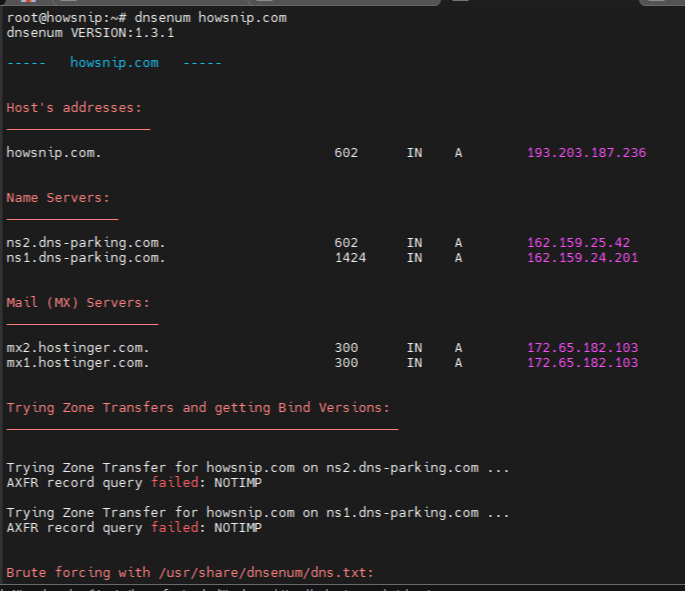
The above command performs basic DNS enumeration against the target domain and gathers publicly available DNS information.
b) Advanced Scan
dnsenum --target_domain_subs.txt -v -f dns.txt -u a -r targetdomain.com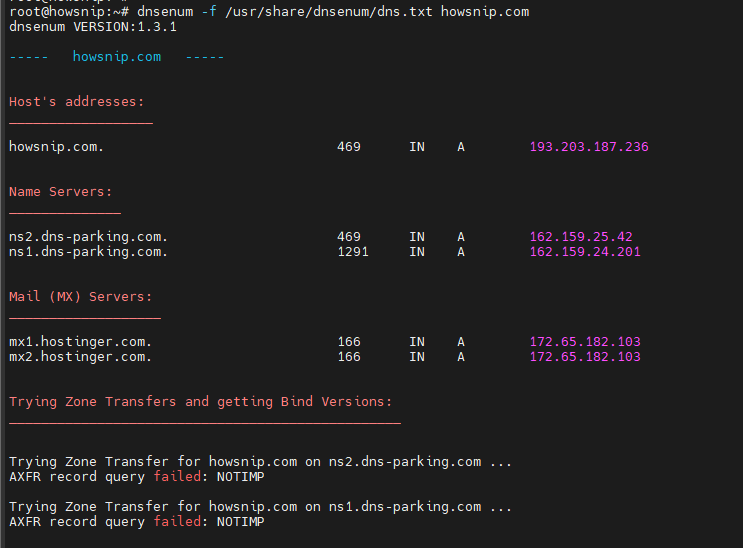
This command runs DNSenum with additional options for verbose output, file-based lookups, recursion, and broader enumeration activities.
9. Discover Subdomains with DNSmap
DNSmap is commonly used to identify subdomains through brute-force techniques.
a) Basic Scan
dnsmap targetdomain.com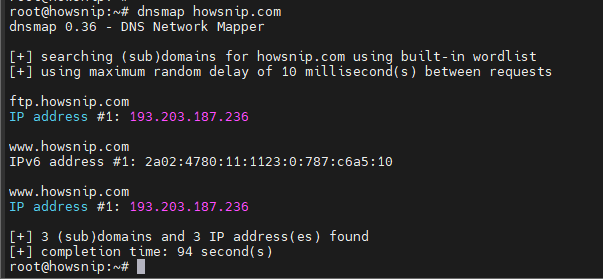
It attempts to discover subdomains associated with the target domain.
b) Using a Custom Wordlist
dnsmap targetdomain.com -w <Wordlist_file.txt>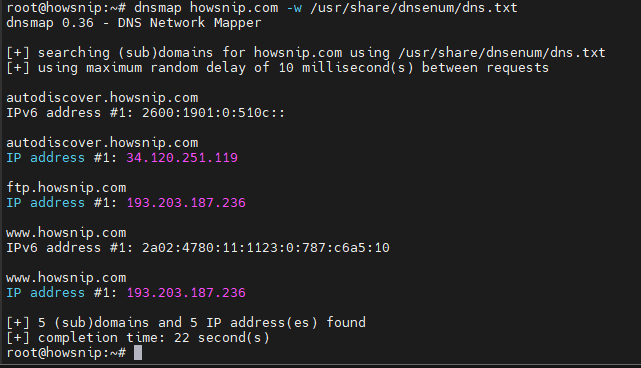
It uses a custom wordlist to test potential subdomain names.
c) Recursive Brute Force
dnsmap targetdomain.com -r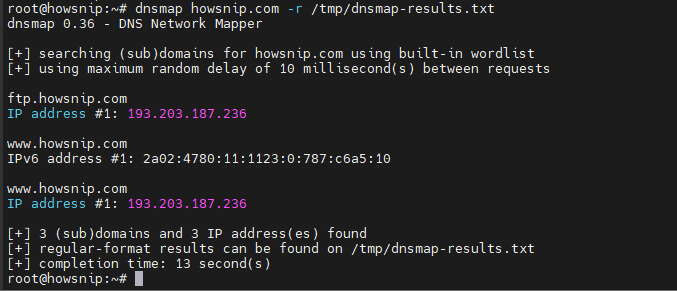
It runs recursive brute-force enumeration. According to the original command reference, results are stored in the /tmp directory.
10. Perform DNS Brute Force with DNSRecon
DNSRecon is a popular DNS reconnaissance tool that supports subdomain brute forcing.
dnsrecon -d TARGET -D /usr/share/wordlists/dnsmap.txt -t std --xml output.xml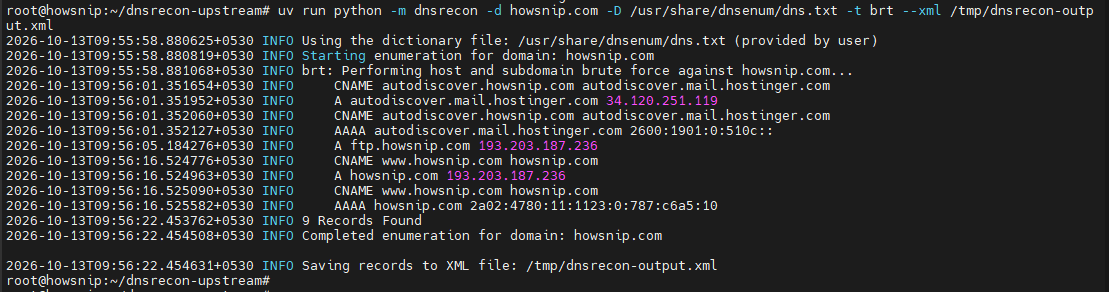
What This Does
- -d specifies the target domain.
- -D specifies the subdomain wordlist.
- -t std performs a standard enumeration.
- –xml exports results to an XML file.
11. Enumerate DNS Information with Fierce
Fierce is used to discover hosts and subdomains associated with a target domain.
fierce -dns targetdomain.com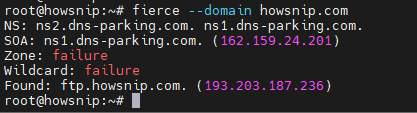
This command runs a DNS enumeration scan and attempts to identify hosts related to the specified domain.
12. Gather DNS Data Using HostMap
HostMap can perform passive enumeration, zone transfer testing, and brute-force discovery.
a) Passive Enumeration
ruby hostmap.rb --only-passive -t <IP>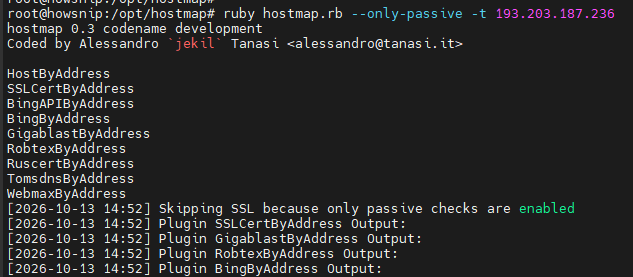
It collects information from passive sources without actively querying the target infrastructure.
b) Zone Transfer Testing
ruby hostmap.rb --with-zonetransfer -t <IP>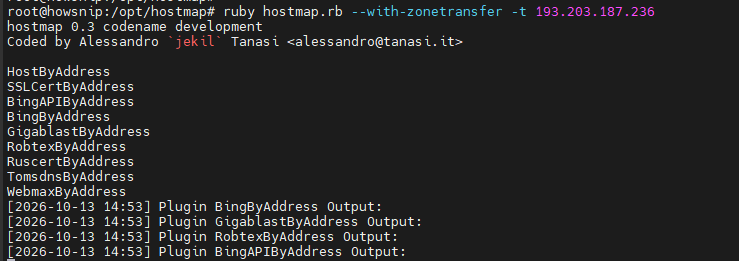
The above command attempts DNS zone transfer checks against the target.
c) Brute Force Enumeration
ruby hostmap.rb --bruteforce-level lite -t <IP>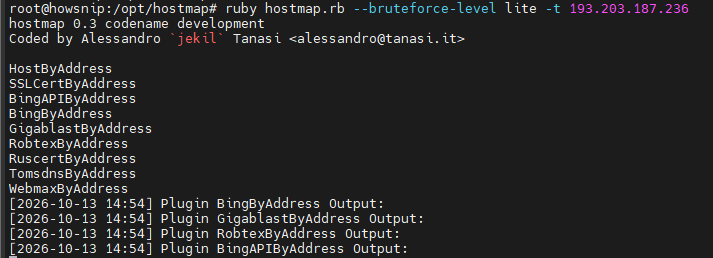
It performs a lightweight brute-force search for additional hosts and subdomains.
Important Notes
- Always obtain authorization before performing DNS enumeration.
- Zone transfers are usually disabled on properly secured DNS servers.
- Brute-force techniques may generate significant DNS traffic and should be used responsibly.
- Validate findings using multiple tools whenever possible.
- Results can vary depending on DNS server configuration and security controls.
Conclusion
DNS enumeration is a foundational reconnaissance technique for understanding a domain’s DNS infrastructure.
Using tools such as nslookup, host, Nmap, DNSenum, DNSmap, DNSRecon, Fierce, and HostMap, you can gather DNS records, identify mail and name servers, discover subdomains, and test for information disclosure through zone transfers.
By combining multiple tools and techniques, you can build a more complete picture of a target’s DNS environment while following proper authorization and security practices.