![[PHP2Shell] How to Check PHP Servers for CVE-2026-109618 and CVE-2026-109619](https://howsnip.com/wp-content/uploads/2026/10/PHP2Shell-Vulnerability-Scanner-Howsnip-1024x526.jpg)

Two critical vulnerabilities in the PHP programming language have raised concerns for organizations running PHP-powered websites and web applications. Tracked as CVE-2026-109618 and CVE-2026-109619, these vulnerabilities, collectively associated with the name PHP2Shell, could allow attackers to execute arbitrary code remotely on affected systems.
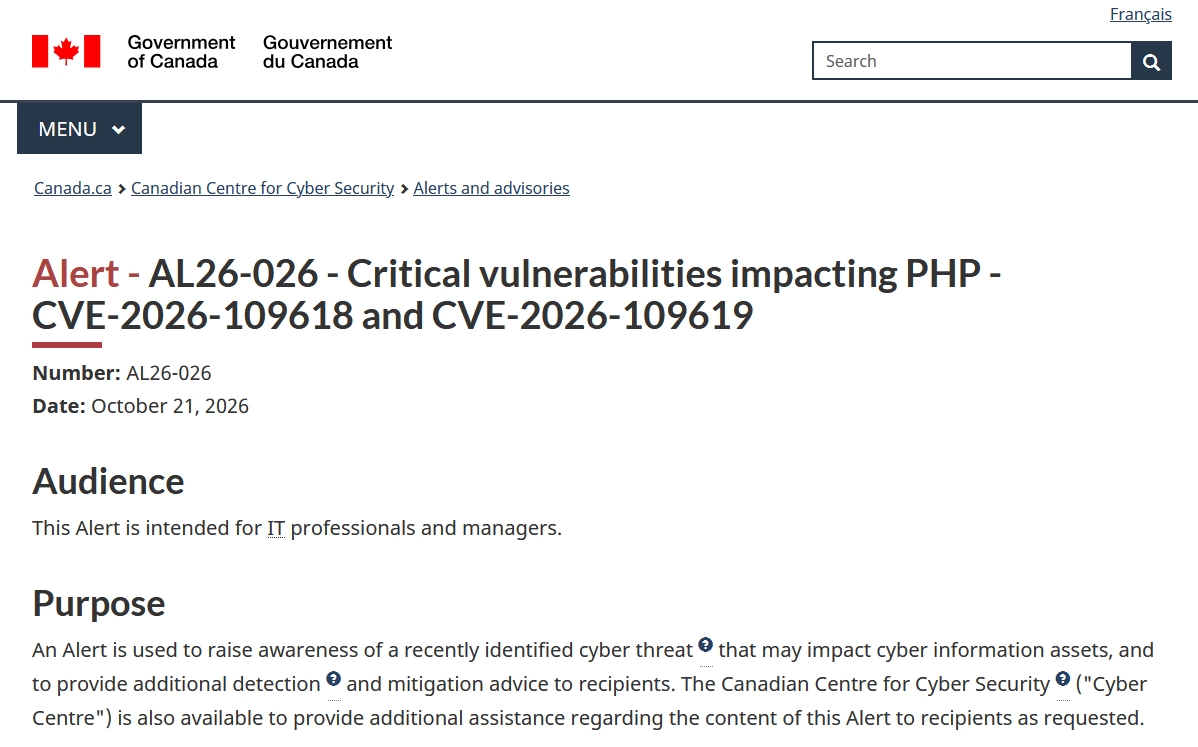
Security advisories published on October 21, 2026, urge organizations to identify affected PHP installations and apply the available security updates.
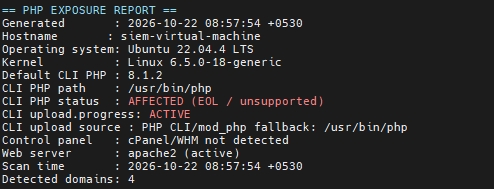
To understand how these vulnerabilities might affect a real server, we tested an open-source PHP vulnerability scanning script on an Ubuntu 22.04.4 LTS virtual machine running Apache and PHP 8.1.2.
The scan identified four domain entries, all associated with PHP 8.1.2, and reported that `session.upload_progress` was active. These results provide a useful example of how administrators can begin assessing PHP security exposure without sending exploit traffic to production websites.
However, the scan is an initial assessment, not proof that each domain is exploitable.
What Are CVE-2026-109618 and CVE-2026-109619?
PHP is widely used to build dynamic websites, content management systems, APIs, and enterprise applications. A vulnerability in its core runtime can therefore affect many different applications and hosting environments.
The two PHP2Shell vulnerabilities involve memory-management problems in PHP’s internal request-processing and error-handling mechanisms. Security advisories describe the potential for remote code execution and, in relevant circumstances, exposure of sensitive process memory.
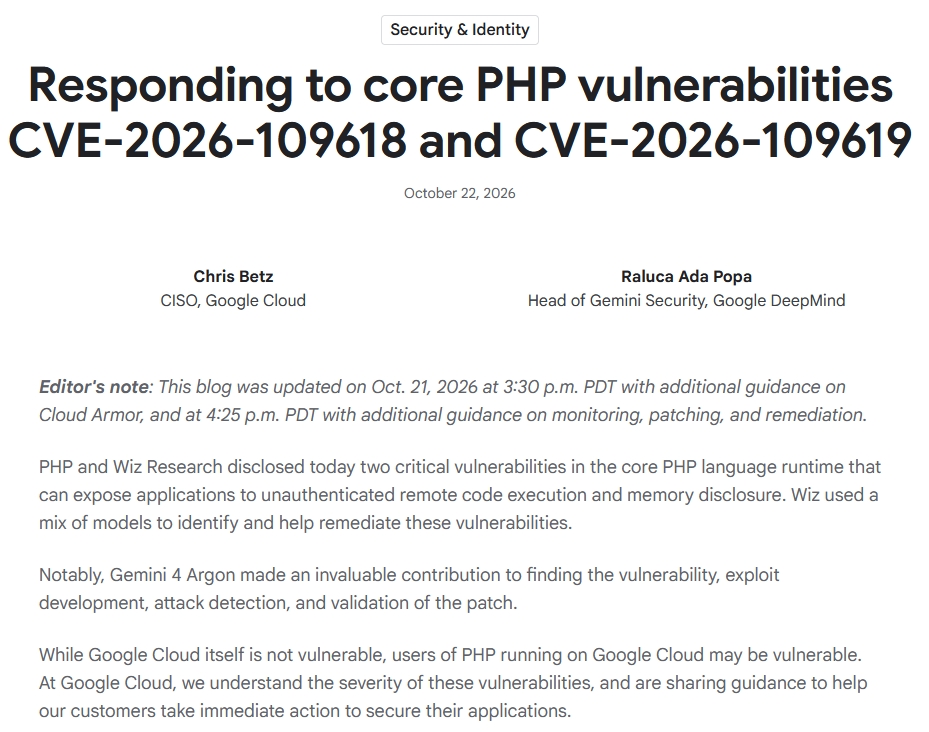
CVE-2026-109618
This vulnerability involves improper handling of memory during out-of-memory error processing. Under certain conditions, request data may be left in an inconsistent state, potentially allowing subsequent cleanup operations to interact with improperly initialized memory.
CVE-2026-109619
This vulnerability involves stale internal state referencing memory that has already been released. If that state is subsequently accessed, it can cause unsafe memory operations and potentially enable code execution.
The `session.upload_progress` functionality is relevant to the investigation of related attack paths, but disabling this setting should not be considered a complete fix for both vulnerabilities.
Successful exploitation could have serious consequences, including unauthorized code execution, website compromise, data theft, and further attacks against the affected server.
Why Is PHP 8.1.2 a Security Concern?
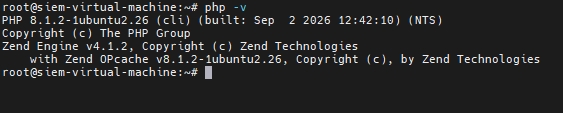
Our test server reported the following default command-line PHP version:
`PHP 8.1.2`
PHP 8.1 reached end of life on December 31, 2025. It no longer receives security fixes from the upstream PHP project, although certain operating-system vendors may provide their own backported patches.
This creates two important concerns:
- Unsupported software: The installed PHP branch is no longer supported upstream.
- Potential exposure to PHP2Shell: The PHP 8.1 branch is outside the currently patched upstream release branches identified in the October 2026 advisories.
A version number alone does not establish whether a particular binary contains a vendor backport. Nevertheless, administrators running PHP 8.1.2 should prioritize moving to a supported PHP branch with the appropriate security fixes.
PHP Vulnerability Scan: Our Test Environment
We cloned the open-source repository `bagusindrayana/php-vuln-scan` from GitHub and executed its `check-php.sh` script on the test server. The following table summarizes the environment reported by the script.
| Component | Scan Result |
|---|---|
| Operating system | Ubuntu 22.04.4 LTS |
| Kernel | Linux 6.5.0-18-generic |
| Web server | Apache2 |
| Default CLI PHP | 8.1.2 |
| PHP executable | /usr/bin/php |
| PHP upload progress | Active |
| Control panel | cPanel/WHM not detected |
| Configuration source | Apache virtual-host configuration |
| Detected domain entries | 4 |
The script describes itself as read-only. It inspects local configuration files and PHP runtime settings rather than sending vulnerability probes to the detected domains.
How to Run the PHP2Shell Scanner
The following commands reproduce the basic scanning procedure:
git clone https://github.com/bagusindrayana/php-vuln-scan
cd php-vuln-scan/php2shell-scan
sudo bash check-php.sh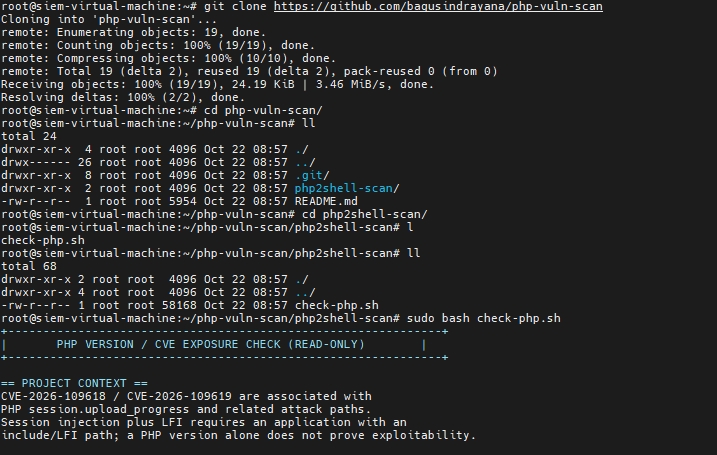
The script displays a menu with options to scan domains, apply a temporary mitigation, update certain installed PHP packages, and view or save a report.
Important: Review the script’s source code before running it as root on a production server. A read-only description is not a substitute for an independent code review. Back up important configuration files before making changes.
Scan Results: Four Domains Detected on Apache
After selecting option 1, the scanner read configuration files under `/etc/apache2` and reported four domain entries. The output associated these entries with Apache’s mod_php fallback and `/usr/bin/php`.
These are the findings reported by the script, not independent confirmation of the runtime serving every domain.

Apache virtual-host configurations can contain multiple domain names, aliases, and website definitions. In this case, the scanner detected the two root domains and their corresponding `www` hostnames.
Consequently, four detected domain entries do not necessarily represent four independent PHP installations. The domains may share the same Apache service and PHP runtime. Administrators should verify each virtual host and establish whether it uses Apache mod_php, PHP-FPM, or another execution mechanism.
The scanner reported:
`CLI upload.progress: ACTIVE`It also reported that upload-progress functionality was active for all four detected domain entries.
PHP’s `session.upload_progress` feature tracks the progress of file uploads. Depending on the application and runtime configuration, this feature can interact with PHP session handling and request processing.
Its presence is a relevant configuration finding, but it does not prove that an attacker can exploit a specific domain.
The result should be interpreted carefully because the script used the default CLI PHP executable as a fallback for Apache mod_php. CLI settings can differ from those used by the PHP runtime serving web requests.
How to Fix PHP2Shell Vulnerabilities
The primary remediation is to install an appropriate patched PHP release and verify that the web-facing runtime is actually using it. The October 2026 advisory identifies the following patched upstream releases:
- PHP 8.5 – 8.5.12
- PHP 8.4 – 8.4.27
- PHP 8.3 – 8.3.36
- PHP 8.2 – 8.2.35
PHP 8.1 is not included in these patched upstream branches. Because it has reached end of life, the recommended approach is to migrate to a supported branch with the applicable fixes rather than assume that changing configuration alone resolves the vulnerabilities.
Step 1: Identify the PHP Runtime
Check the installed CLI version:
php -vThen establish which PHP runtime Apache actually uses. The CLI version and the web-serving version may differ.
Step 2: Plan the PHP Upgrade
Before upgrading:
- Back up the website files, databases, and PHP configuration.
- Identify application dependencies and incompatible PHP functions.
- Test the supported PHP version in a staging environment.
- Install the appropriate security-updated packages.
- Update Apache or PHP-FPM configuration as necessary.
On Ubuntu, package availability depends on the configured repositories and vendor support. Do not assume that installing a generic package named `php` will automatically install the intended patched release.
Step 3: Consider a Temporary Mitigation
The scanner offers a menu option to disable `session.upload_progress`.
Disabling this feature may reduce exposure associated with that particular attack path, but it does not fix the underlying memory-management flaws or replace the PHP security update. Before applying the scanner’s mitigation option, inspect its implementation, back up the existing configuration, and verify the effect on applications that handle file uploads.
If immediate patching is impossible, consider restricting public access to affected applications until remediation is complete, following your organization’s incident-response and availability requirements.
Step 4: Restart the Relevant Services
After installing the correct updates, restart the applicable PHP runtime and web server according to your deployment architecture. For example, if Apache is serving PHP directly:
sudo systemctl restart apache2If PHP-FPM is involved, restart the appropriate FPM service as well. Service names vary by installed PHP branch.
Step 5: Verify the Remediation
Repeat the version and runtime checks after the upgrade.
Confirm that:
- The web-facing PHP runtime uses a patched, supported build.
- The CLI version and web runtime have been checked separately.
- The applicable PHP security advisory has been addressed.
- The scanner no longer reports the old unsupported runtime.
- Application functionality remains intact.
A clean scanner result alone is not sufficient evidence that the server is secure.
Security Recommendations for System Administrators
Organizations running PHP applications should adopt the following practices:
- Maintain an inventory of every PHP installation, including CLI, Apache, PHP-FPM, containers, and third-party software.
- Prioritize internet-facing systems running affected PHP builds.
- Apply the official security updates as soon as possible.
- Migrate unsupported PHP versions to supported releases.
- Review web server, application, authentication, and endpoint logs for suspicious activity.
- Investigate unexpected processes, files, accounts, or outbound connections.
- Test temporary mitigations carefully rather than treating them as permanent fixes.
- Repeat vulnerability assessments after upgrades and configuration changes.
For security monitoring teams, these findings can also inform SIEM detection and incident-response activities. Correlating web access logs, PHP errors, process execution events, and unusual outbound connections can help identify activity that warrants investigation.
Conclusion
Our PHP vulnerability scan on Ubuntu 22.04.4 LTS identified four domain entries associated with PHP 8.1.2, with `session.upload_progress` reported as active.
For administrators investigating CVE-2026-109618 and CVE-2026-109619, the priorities are to identify the actual web-serving PHP runtime, install the appropriate security updates, verify the remediation, and investigate any signs of compromise.