If you’ve spent even a few minutes on tech TikTok, YouTube/Insta Shorts, or Reddit lately, you’ve probably seen this claim:
“Windows 11 has been secretly collecting your typing data and slowing down your PC – disable this one service and boost your FPS instantly.”
It sounds dramatic. It sounds urgent.
And honestly… it’s not entirely wrong – but it’s definitely not the full story either.
Let’s break it down properly, without the hype.
What Is Windows 11 Actually Collecting?
Windows 11 does collect data so called telemetry.
The service responsible for this is – Connected User Experiences and Telemetry (DiagTrack)
It gathers things like app usage statistics, system performance data, crash reports and device configuration. This actually helps Microsoft to fix bugs, improve performance and enhance features over time.
Now here’s where the internet exaggerates things…
It is NOT a keylogger.
Windows is not recording everything you type like some spyware movie scenario. Yes, certain optional features (like typing suggestions or handwriting recognition) may analyze input but this is:
- Limited
- Feature-specific
- Often optional
Is It “Secretly Spying”?
Not really. Microsoft clearly documents data collection in its privacy settings. The issue is more about transparency and user awareness, not secret surveillance.
Most users simply:
- Don’t check settings
- Don’t know what’s enabled
So it feels hidden even if it’s not.
Does Telemetry Affect Performance?
Here’s the honest answer:
Yes, but barely.
Telemetry runs in the background and uses a small amount of CPU. However on modern systems, the impact is negligible. You’re not losing 50 FPS because of this.
The “FPS Boost Trick” – Real or Myth?
The viral fix usually goes like this:
Win + R → services.msc → Connected User Experiences and Telemetry → Stop → Disable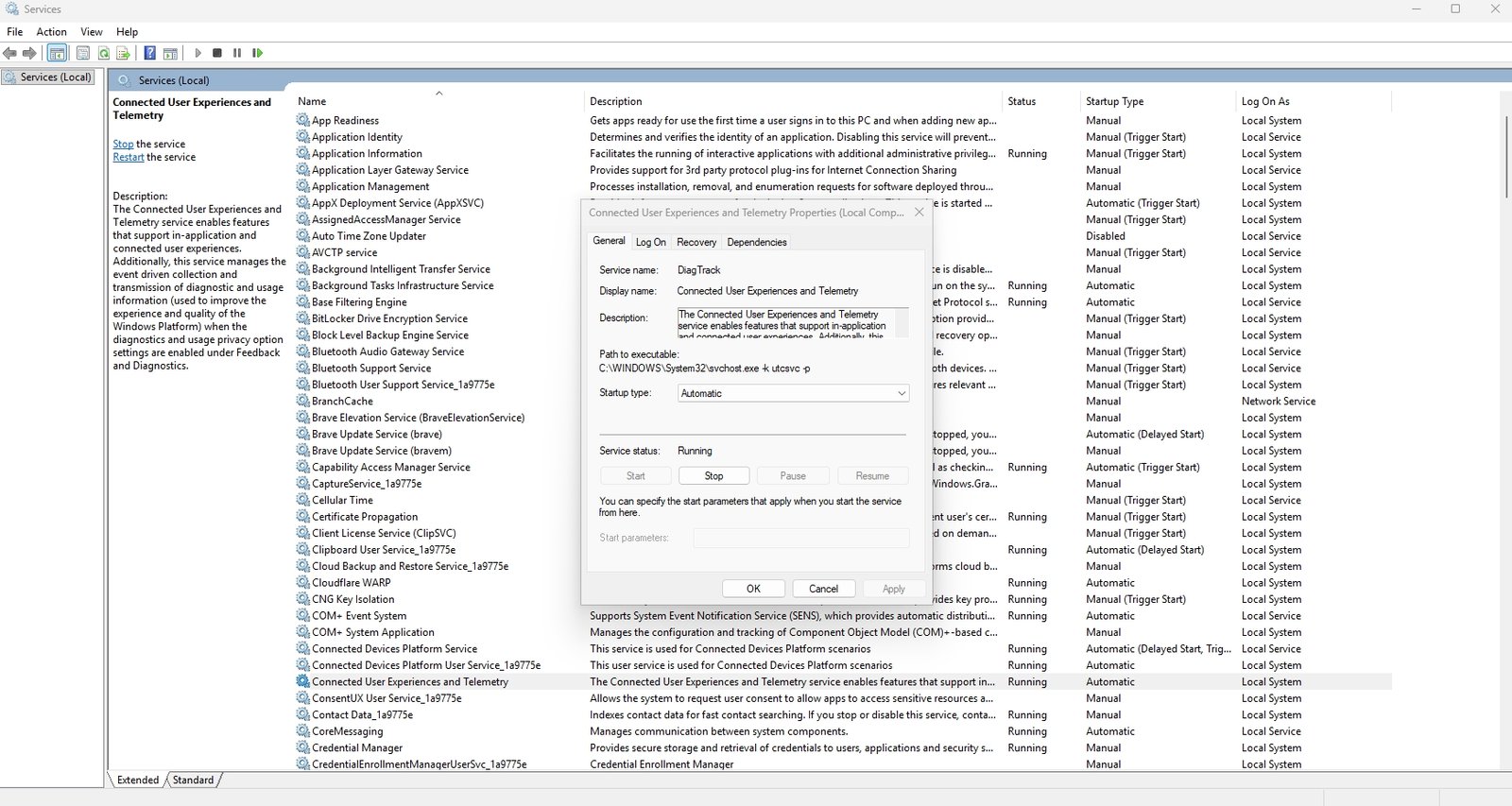
If your game is lagging, telemetry is not the main culprit.
Any Downsides to Disabling It?
Yes, a few.
Disabling telemetry can:
- Reduce diagnostic data sent to Microsoft
- Limit automated troubleshooting insights
- Affect some personalized features
For most users, this isn’t a big deal but it’s worth knowing.
Let’s separate fact from fiction:
- Windows 11 does collect telemetry data
- You can disable the telemetry service
- It may slightly reduce background activity
But:
- It’s not secretly spying on everything you type
- It won’t magically boost your FPS
- It’s not a “hidden performance hack”
Conclusion
The internet loves simple fixes for complex problems. But real performance optimization doesn’t come from a single toggle – it comes from understanding your system.
So go ahead, tweak your settings just don’t fall for the hype.
Stay tuned to howsnip.com where we separate facts from viral fiction.