
Structured Query Language (SQL) is the backbone of working with relational databases. Whether you’re analyzing data, building applications, or managing systems, understanding SQL commands is essential.
This guide walks you through key SQL syntaxes from basics to advanced features:
- Basic SQL Syntax
- Filtering & Conditions
- Aggregate Functions
- SQL Joins
- GROUP BY & HAVING
- Subqueries & Aliases
- CASE Statement
- Window Functions
- String & Date Functions
- Data Types (Table Creation)
- Table Operations (DDL)
- Insert, Update, Delete (DML)
- Constraints
- Indexes & Optimization
- Views
- Stored Procedures & Functions
- Transactions
- CTE (Common Table Expressions)
- Set Operators
- JSON & ARRAY Functions (Modern SQL)
1. Basic SQL Syntax
These are the building blocks of querying data.
To select specific columns:
SELECT column1, column2 FROM table_name;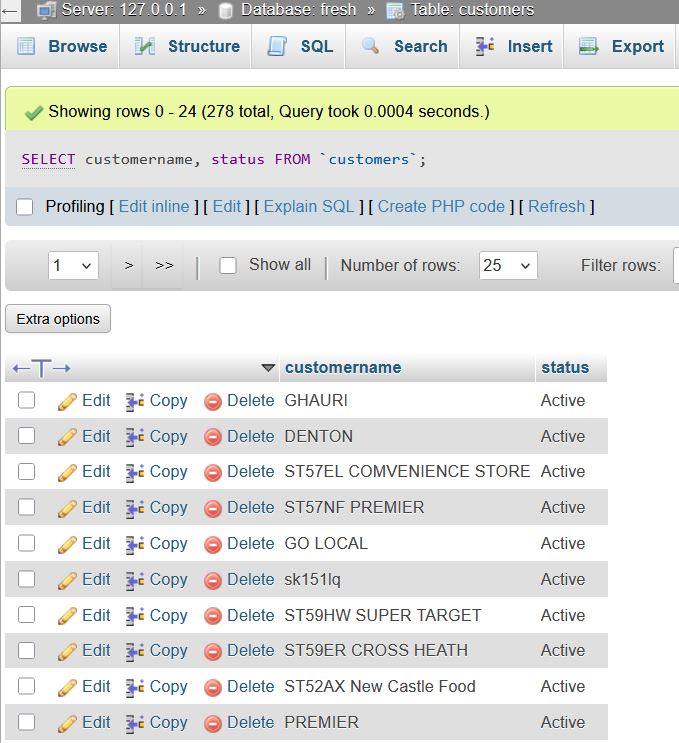
To filter rows using conditions:
SELECT * FROM table WHERE condition;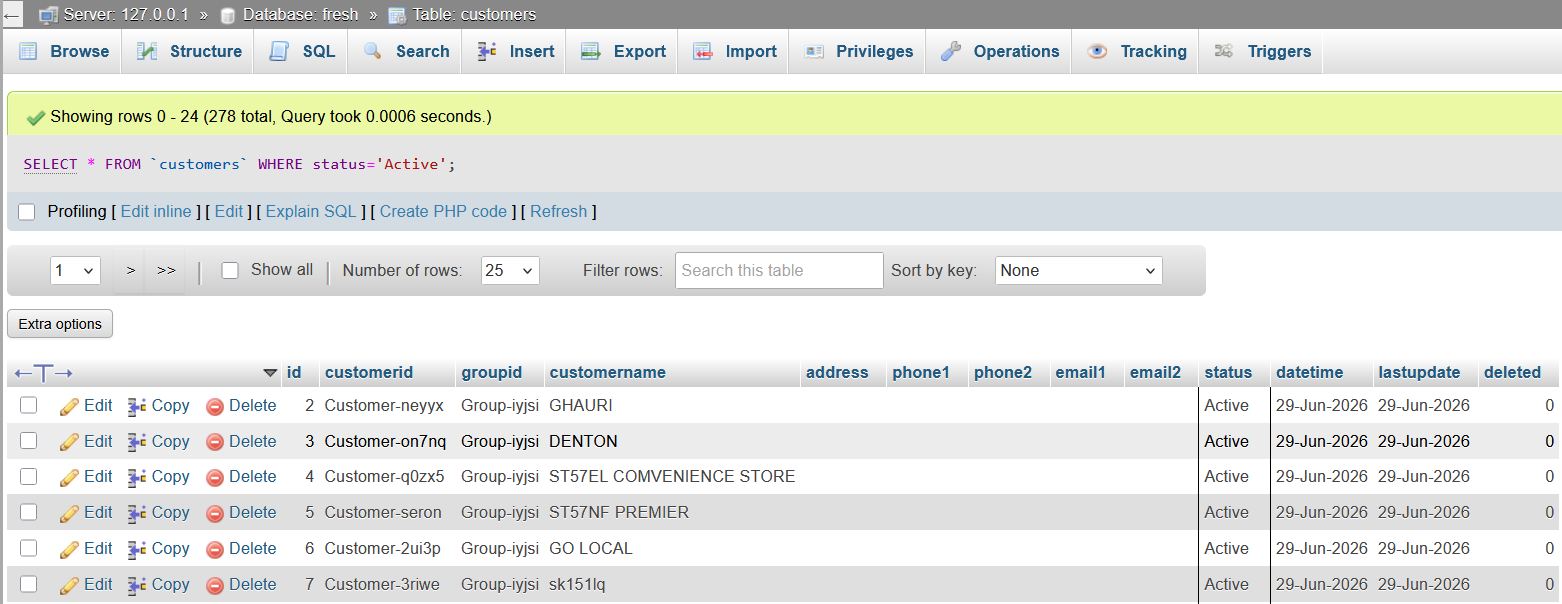
For sort results:
SELECT * FROM table ORDER BY column ASC/DESC;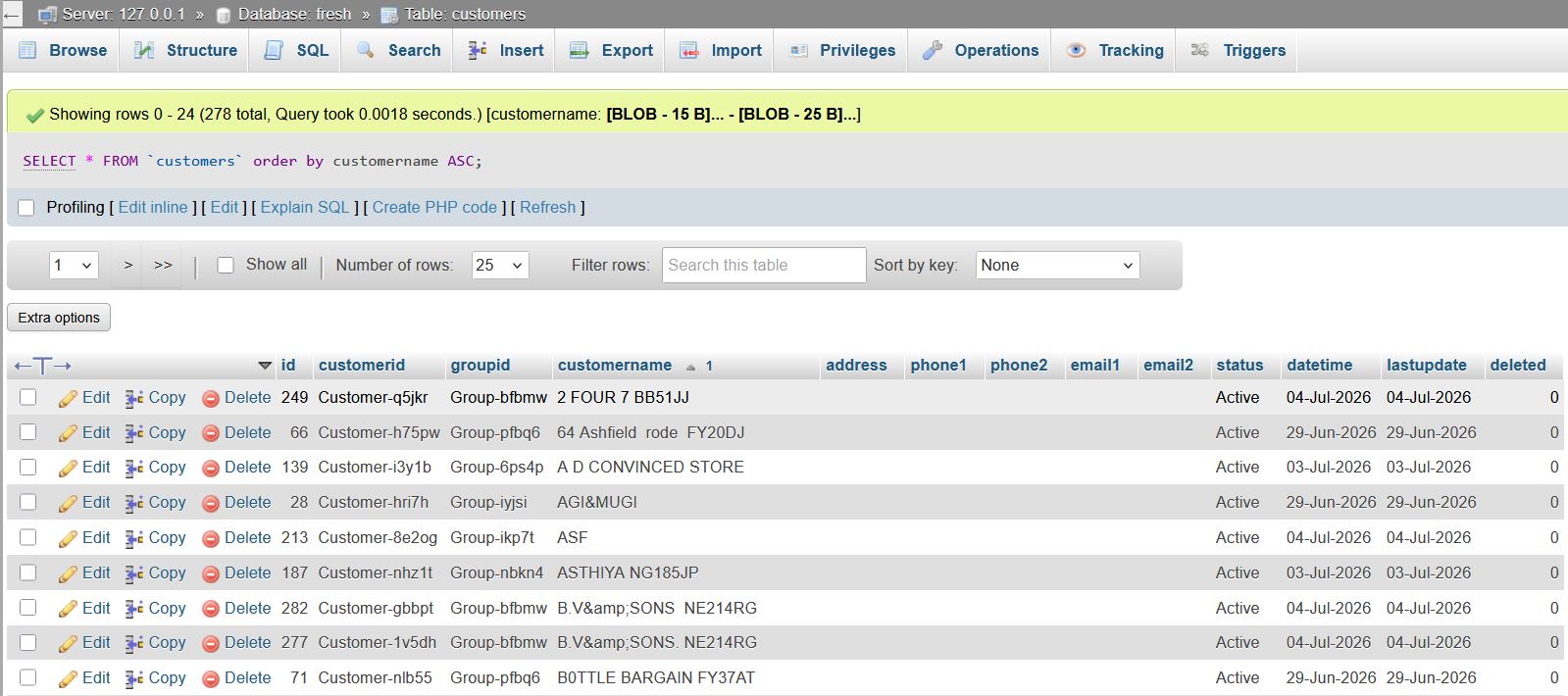
To remove duplicate values:
SELECT DISTINCT column FROM table;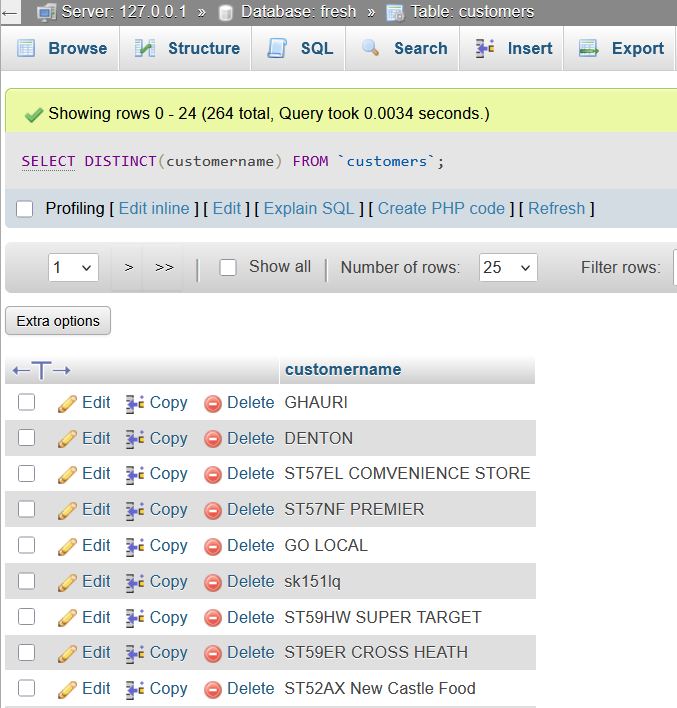
2. Filtering & Conditions
SQL allows precise filtering using logical and comparison operators.
SELECT * FROM employees
WHERE salary > 50000 AND department = 'HR';
Pattern matching
SELECT * FROM users WHERE name LIKE 'A%';Range filtering
SELECT * FROM users WHERE age BETWEEN 18 AND 25;Multiple values
SELECT * FROM customers WHERE country IN ('India', 'USA');3. Aggregate Functions
Used to perform calculations on multiple rows.
SELECT COUNT(*) FROM orders;
SELECT SUM(amount) FROM sales;
SELECT AVG(salary) FROM employees;
SELECT MIN(price), MAX(price) FROM products;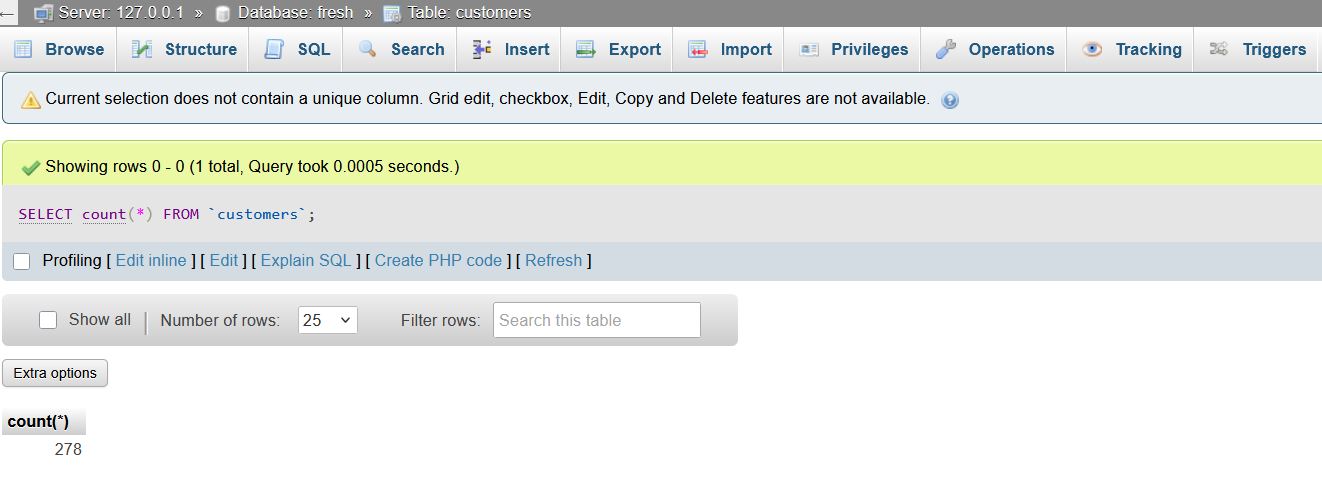
4. SQL Joins
Joins combine data from multiple tables.
SELECT *
FROM orders o
JOIN customers c
ON o.customer_id = c.id;
5. GROUP BY & HAVING
Used for grouping and filtering aggregated data.
SELECT department, COUNT(*) FROM employees GROUP BY department;
SELECT department, COUNT(*) FROM employees GROUP BY department HAVING COUNT(*) > 5;
6. Subqueries & Aliases
Subquery example
SELECT name
FROM employees
WHERE salary > (SELECT AVG(salary) FROM employees);
Alias for readability
SELECT name AS EmployeeName FROM users;7. CASE Statement
Adds conditional logic inside queries.
SELECT name,
CASE
WHEN score >= 90 THEN 'A'
WHEN score >= 80 THEN 'B'
ELSE 'C'
END AS grade
FROM students;
8. Window Functions
Useful for ranking and advanced analytics.
SELECT name, salary, RANK() OVER (ORDER BY salary DESC) AS rank FROM employees;
SELECT *, ROW_NUMBER() OVER (PARTITION BY department ORDER BY salary DESC) FROM employees;
9. String & Date Functions
String Functions
UPPER(name)
LOWER(name)
LENGTH(name)
SUBSTRING(name, 1, 3)
Date Functions
CURRENT_DATE
NOW()
DATE_ADD(order_date, INTERVAL 7 DAY)
DATEDIFF(end_date, start_date)
EXTRACT(YEAR FROM birth_date)
10. Data Types (Table Creation)
Common data types used in SQL:
- INT – Integer numbers
- FLOAT – Decimal values
- VARCHAR(n) – Variable-length string
- TEXT – Large text
- DATE – Date values
- BOOLEAN – True/False
CREATE TABLE users (id INT,name VARCHAR(100),is_active BOOLEAN);11. Table Operations (DDL)
Commands to define and modify database structure.
CREATE TABLE employees (id INT, name TEXT);
ALTER TABLE employees ADD COLUMN salary INT;
ALTER TABLE employees RENAME TO staff;
DROP TABLE employees;
12. Insert, Update, Delete (DML)
Commands to manipulate data.
INSERT INTO users (name, age) VALUES ('Chetan', 25);
UPDATE users SET age = 26 WHERE name = 'Chetan';
DELETE FROM users WHERE age < 20;
13. Constraints
Ensure data integrity.
- PRIMARY KEY – Unique identifier
- FOREIGN KEY – Link between tables
- UNIQUE – No duplicates
- NOT NULL – Mandatory field
- DEFAULT – Default value
- CHECK – Custom condition
CREATE TABLE orders (
id INT PRIMARY KEY, amount FLOAT CHECK (amount > 0)
);
14. Indexes & Optimization
Improve query performance.
CREATE INDEX idx_name ON employees(name);
DROP INDEX idx_name;
EXPLAIN SELECT * FROM orders WHERE customer_id = 5;
15. Views
Virtual tables based on queries.
CREATE VIEW active_users AS SELECT * FROM users WHERE is_active = TRUE;
SELECT * FROM active_users;
16. Stored Procedures & Functions
Reusable SQL logic.
CREATE PROCEDURE TotalOrders()
BEGIN
SELECT COUNT(*) FROM orders;
END;
17. Transactions
Ensure data consistency.
BEGIN;
SAVEPOINT beforeUpdate;
COMMIT;
ROLLBACK TO beforeUpdate;
18. CTE (Common Table Expressions)
Temporary result sets for cleaner queries.
WITH high_earners AS (
SELECT name, salary FROM employees WHERE salary > 100000
)
SELECT * FROM high_earners;
19. Set Operators
Combine results from multiple queries.
SELECT name FROM table1
UNION
SELECT name FROM table2;

SELECT name FROM table1
INTERSECT
SELECT name FROM table2;

SELECT name FROM table1
EXCEPT
SELECT name FROM table2;
20. JSON & ARRAY Functions (Modern SQL)
Working with semi-structured data.
SELECT JSON_EXTRACT(data, '$.name') FROM users;
SELECT ARRAY_AGG(name) FROM employees;
Final Thoughts
Mastering SQL is less about memorizing syntax and more about knowing when and why to use each command.